
Use Workspace Studio’s Doc Search Without Picking the Wrong Template
Workspace Studio can find a document by title, but a newer match may be an unapproved draft. Design a controlled template library and test ambiguous results.
Published October 19, 2026

Workspace Studio can now search for a Google Doc by title and pass the result into later workflow steps. That is useful when a project needs a standard brief or template. It also creates a specific risk: when several files match, the selected document may be the most recently edited draft rather than the approved source.
The practical answer is to give approved templates a controlled identity, test the returned file, and keep the first outputs internal until somebody verifies them. Do not let a familiar title serve as the only proof of approval. If the workflow always needs one fixed document, directly selecting that document where the step allows it may be simpler than searching every time.
Google announced the new Studio logic and search steps on October 9, with gradual rollout beginning October 13. This guide, checked October 19, turns that release into a proposed operating method for project leads. It does not claim that we tested the feature in your organization or that every account already has it.
Understand what the search step promises
Google’s Starters and Steps guide describes Search for a doc as a title search for Google Docs you own. It accepts quoted phrases or unquoted words and selects the most recently modified match when several files qualify. A found document can become a variable, meaning an output that a subsequent step can use.
This is a lookup rule, not a document-approval policy. Recent editing can mean that a template was improved, but it can also mean that a colleague opened a working copy to explore a change. The workflow needs a separate understanding of which version is approved for the job.
Start with a task narrow enough to inspect. Preparing an internal project-start brief is a good candidate. Automatically distributing contractual terms, regulated instructions or customer-specific commitments is a poor first use because the cost of selecting the wrong source is much higher. Keep those decisions with the appropriate owner.
The guide’s ownership wording also matters. Do not assume that a document merely shared with the builder, or stored in a shared drive, will behave like an owned document in this search step. Test the actual account and file arrangement. Where the documented scope does not fit your source library, use an appropriate supported alternative rather than expanding permissions experimentally.
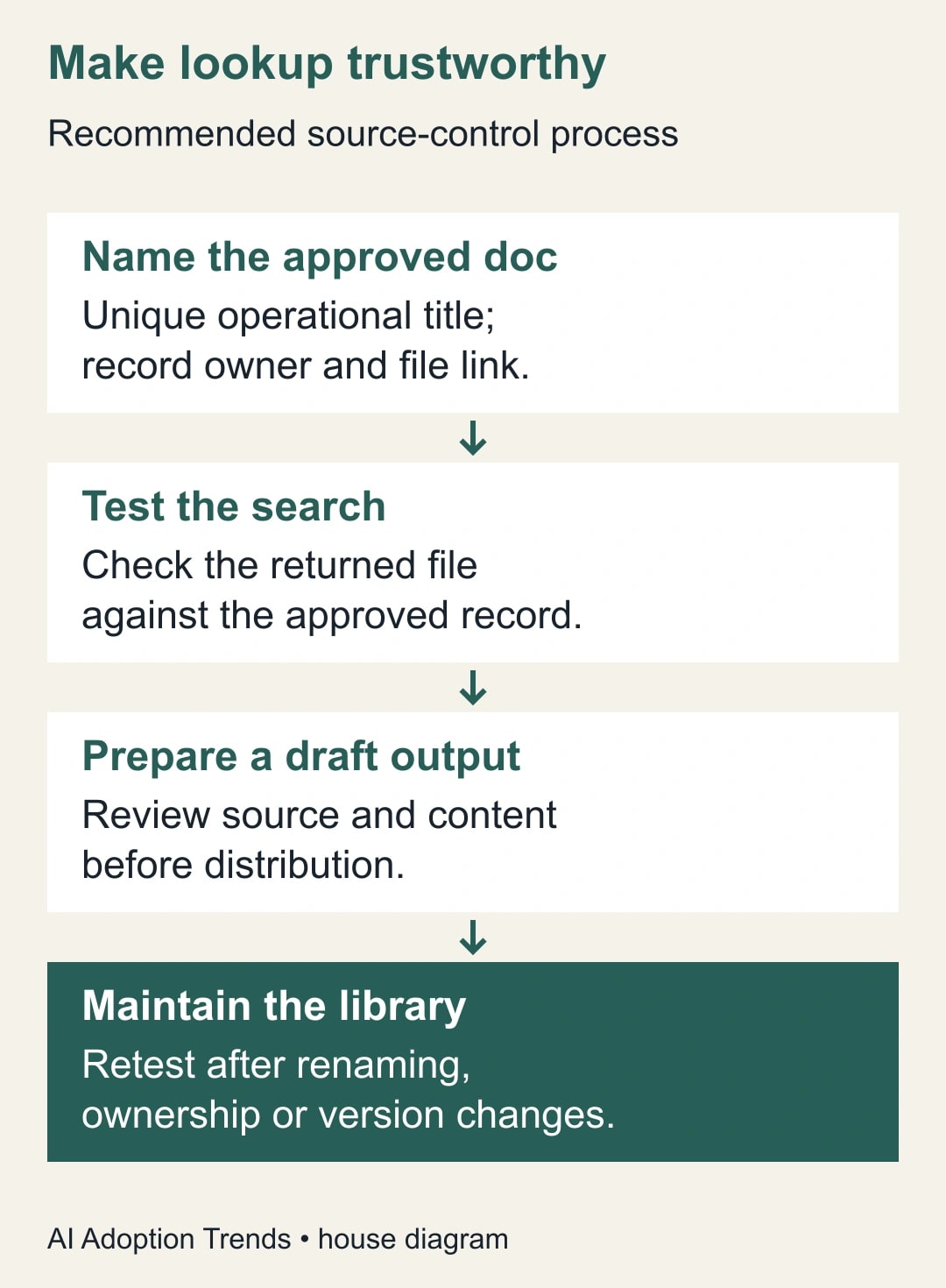
Define the template’s business identity
Before building the flow, name the template owner and the people who may approve changes. Write one sentence describing the template’s job: prepare an internal onboarding brief for a new service project, for example. Define the permitted audience and the information that must be supplied separately for each project.
Create a source register containing the approved file link, title, owner, version or approval date, intended use and review date. This register can be a small internal document. Its purpose is to give a reviewer something independent to compare with the search result. It should not become a second uncontrolled library of copied template contents.
Use a distinctive operational title. A name such as OPS-START-APPROVED is easier to distinguish from working material than Project Plan. The title alone does not enforce approval, so protect the maintenance process around it. Working drafts should have visibly different titles and should not reuse the approved search phrase as a convenient prefix.
Decide how a template changes. A practical procedure is to edit a separate working draft, have the owner approve it, update the approved source deliberately and retest the affected flow. Archive superseded material according to your retention practice. Do not delete historical evidence simply to make a title search easier.
Start with an internal, observable flow
Confirm that the builder has access to Workspace Studio and the required steps, and that the organization permits the intended use. The October release inherits Studio controls rather than creating a separate approval process for each new feature. Check your existing entitlement before assuming another subscription is needed. Budget owner and reviewer time as well as any service cost.
Choose a controlled starter for the pilot, using harmless project data. Record the input, the intended template and the expected output before running it. Keep any external messaging or distribution step out of the pilot. An internal draft or notification is enough to test whether the source lookup is correct.
Add Search for a doc and enter the distinctive title phrase. Run the test, inspect the actual returned document and compare its link with the source register. Then pass that result into the supported downstream step you need. Check the variable mapping rather than assuming that a similarly named field contains the document contents.
If a step only needs a fixed source and allows direct file selection, compare that simpler setup with dynamic search. Search is valuable when the task genuinely needs lookup behavior. It adds unnecessary ambiguity when the desired answer never changes and the team can maintain a direct reference reliably.
Review the output before it reaches the team
An internal reviewer should open the resulting draft and inspect the source reference, required sections and project-specific values. The review is not just spelling and tone. Confirm that the output uses the approved service scope, current responsibilities and correct escalation route.
If a Gemini step transforms the source, give it a narrow brief. For example: use the supplied approved template and project facts to draft an internal project-start brief; preserve mandatory sections; mark missing facts as questions; do not invent commitments, deadlines or owners; include the source link for the reviewer. This is an adaptable prompt, not a guarantee that the model will obey every instruction.
Keep approval language separate from generated prose. The model should not certify that a template is approved because a filename contains APPROVED. The source owner and register establish that status. The reviewer decides whether the resulting document is suitable for this project.
For a workflow that prepares material for clients, use an explicit human distribution step after review. An internal draft can contain unresolved questions. An externally sent document can be interpreted as a commitment. The difference deserves a visible boundary in the workflow, even if both actions are technically easy to configure.
Test the mistakes you expect people to make
Create a small test library of harmless documents that represents the ways your real library can go wrong. Include one exact approved match, a later working draft with a confusing name, a renamed approved file, an inaccessible or differently owned file, and a missing source. Record the expected handling for each case before running it.
For the ambiguous-title case, deliberately create a newer harmless file that matches the pilot search. Observe which document is returned. The purpose is to expose dependence on title and modification time, not to prove that the product is unreliable. A deterministic selection rule can work exactly as documented and still select the wrong business source.
For a missing match, examine the actual result or error in your account. Do not invent a universal empty-result format and build a condition around it without testing. Keep the flow from proceeding to distribution when the required source cannot be verified. Where your available steps cannot express the needed check clearly, leave a manual review point.
Retest after changes to ownership, file titles, account access or the approved source. Put that obligation in the handoff note. A flow that passed once can become incorrect after an ordinary library cleanup by a well-meaning colleague.
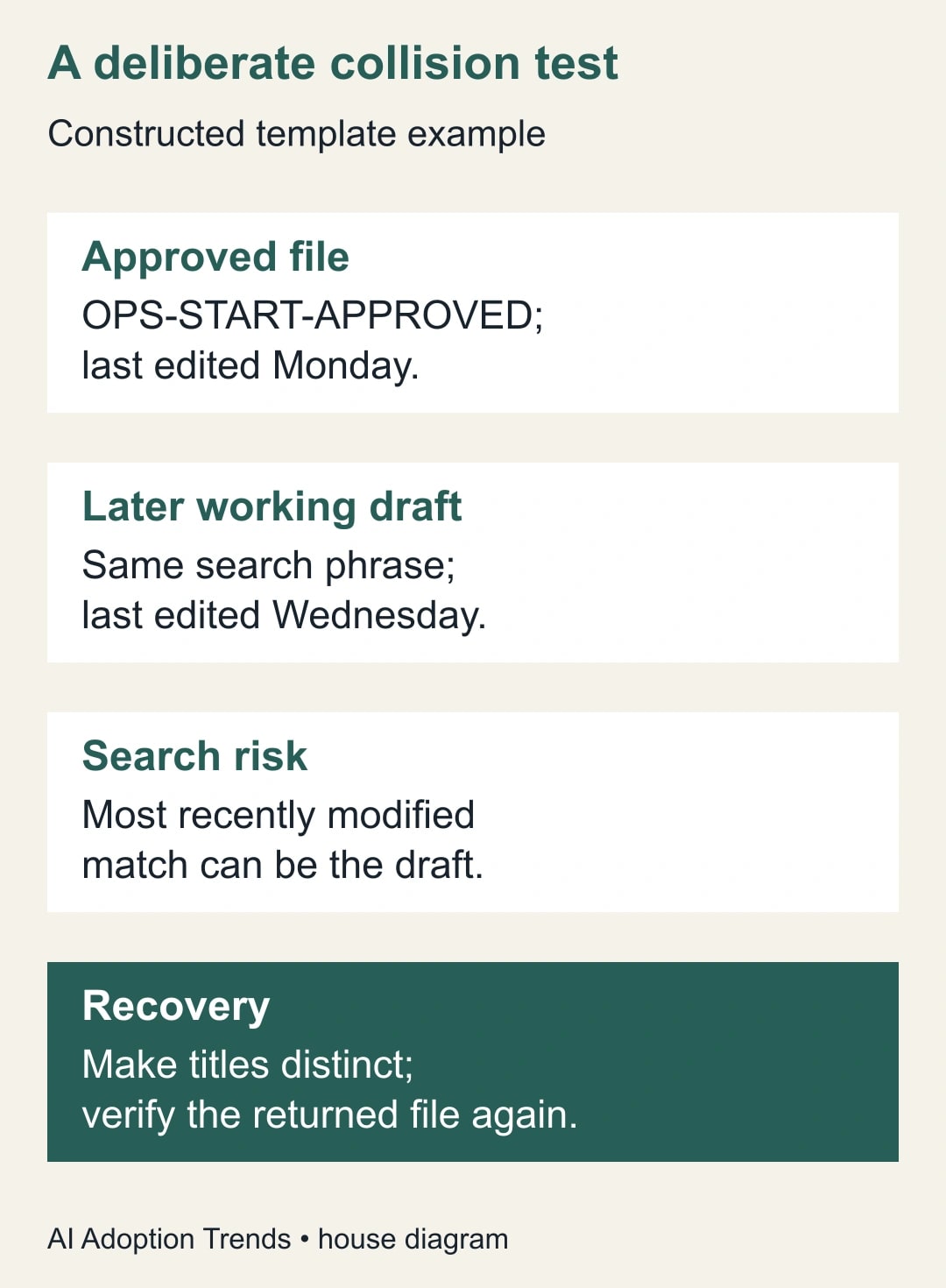
Worked example: the newer draft wins
Consider a constructed project-intake process. The approved onboarding document is called OPS-START-APPROVED and was edited on Monday. On Wednesday, a builder creates OPS-START-APPROVED working draft to explore a different review process. The pilot searches for the shared phrase. Both documents match, so the newer draft can be selected under the documented rule.
The generated brief now contains an unapproved two-day review promise instead of the approved five-day internal target. The text looks polished and the flow finishes. Neither fact means the handoff is acceptable. The reviewer catches the mismatch by comparing the selected document link and the review section with the source register.
The team renames the working draft so it no longer matches the approved search phrase, tests again and confirms the returned file. It also decides whether a direct reference would be easier for this fixed template. The repair addresses the source selection; rewriting the Gemini prompt alone would leave the underlying ambiguity in place.
Suppose the pilot contains ten constructed project cases. Eight use the correct source, one finds the confusing draft and one cannot find a source. The source-selection acceptance rate is eight out of ten, or 80%. That is a pilot calculation, not a product benchmark. Both exceptions block expansion until the causes and recovery behavior are understood.
Keep an evidence note for each accepted version
Record the flow name, owner, selected source link, approval date, test cases and expected output. For each test, keep the input identifier, returned source, result and reviewer decision. Screenshots can help explain a configuration, but the file link and written acceptance criteria are usually more useful than a large folder of unexplained images.
Use the following compact handoff brief: purpose; starter; approved source and owner; search phrase or fixed reference; permitted output audience; required reviewer; missing-source behavior; known limitations; last accepted test; next review date. This is a reusable artifact for the next person maintaining the flow.
Make one person responsible for coordinating library changes with workflow changes. If the document owner and flow owner are different people, define how they notify each other. Otherwise, an approved template revision can sit unused while the flow continues selecting an older file, or a harmless rename can break intake without warning.
Preserve the distinction between source accuracy and output accuracy. Correct lookup does not guarantee a correct generated brief. Measure both, and record whether the human reviewer had to repair missing fields, invented details or outdated instructions.
Decide when dynamic search is worth keeping
Keep the search step when the library is controlled, the title rule is stable and the workflow benefits from finding the appropriate owned document at run time. Prefer a fixed reference when there is one permanent source and maintenance is simpler that way. Keep the process manual when the source cannot be identified reliably with the available controls.
Measure accepted drafts, source-selection exceptions and review time over a limited pilot. Do not report every generated document as useful work. A draft that takes longer to correct than to prepare manually may still teach you something, but it has not yet justified expansion.
If the process saves thirty minutes of preparation while adding twenty minutes of review, the net released capacity is ten minutes under those measured conditions. It is not thirty minutes of savings and is not automatically a reduction in spending. Use actual observations before building a return claim.
Your next action is to search your current template title manually and list every plausible competing document. If the correct answer depends on a person recognizing which draft is approved, encode that knowledge in the library and acceptance process before automating the lookup. The AI handoff guide provides a useful structure for preserving those decisions, and the Studio intake guide addresses the separate problem of choosing which incoming messages should start a flow.
Weekly Newsletter
AI Adoption Weekly
New research, field guides, training studies, and tool decisions for operators.
No spam. Unsubscribe anytime.
Related Comparisons
Calculator
AI seat cost calculator
List price × headcount. You enter the hours and the operating assumptions.