
Fix a Notion Handoff That Stops After the First Automation
Replace an unsupported Notion automation chain with a clear handoff, then verify owner assignment and duplicate handling on real-shaped test records.
Published October 27, 2026

If a Notion automation creates a page and you expect that page to start another database automation, change the design. Notion’s current documentation says database automations do not trigger other database automations. User-clicked button actions can trigger them. A workflow that depends on an automatic chain can therefore stop even when its first action succeeds. Read Notion’s automation rules.
The practical repair is to define the complete handoff, then put supported actions together or introduce a deliberate human step. Do not judge success by the appearance of a new page alone. A client onboarding page without an owner or a next action is unfinished work with a nicer container.
This guide uses a constructed request-to-delivery workflow. It shows how to choose a repair, test the result and keep failed handoffs visible. It does not claim a private product test, a customer outcome or guaranteed compatibility with every existing Notion workspace.
First establish what completion means
This is for an operations lead using Notion databases to move approved requests into delivery. You need access to the source and destination databases, an owner who can edit the relevant automations, and a safe place to test representative records. Do not experiment on live client requests while the existing process continues creating work in parallel.
Notion documents database automations as a paid-plan feature, with editing rights tied to full database access; it describes narrower free-plan exceptions. It also notes that restricted pages are not acted on. Check your plan and permissions before diagnosing a trigger problem. These details were checked October 27, 2026. Confirm automation availability and access requirements.
Skip a redesign if the first automation itself has failed because a required database or page is inaccessible. Repair that specific access or configuration issue with the owner, then retest. The unsupported-chain problem is most apparent when the first page exists but the expected downstream action never follows.
Define a completed handoff in business terms. For example: “Every approved client request has one delivery page, a named delivery owner, a source request ID, and a visible next action.” The source ID is a stable reference that lets you match a delivery page back to the original request. It is more dependable than a title that someone may edit.
Do not add every desirable field to the acceptance definition. Start with the information required for the receiving person to act. A decorative status label matters less than knowing who owns the work and what they are expected to do next. Extra fields can be added after the essential handoff is reliable.
Trace one real-shaped request
Choose a harmless test request with a distinctive identifier, such as TEST-ONBOARD-01. Record its initial status and the event expected to start the workflow. Then inspect the resulting target page, its owner and its next action. Keep the observed result beside the expected result.
A common failed design is: approval changes a request’s status; automation A creates a delivery page; automation B is expected to notice the new page and assign a delivery owner. The first visible outcome encourages the team to assume the whole process worked. The unsupported second trigger leaves the new page waiting.
Separate this from a notification problem. If the target exists and has the correct owner, but a message did not arrive, investigate the notification. If no target exists, investigate the first action. If two targets exist, investigate repeated triggering and duplicate handling. Treating every symptom as “Notion automation is broken” makes the repair harder.
Record the actual origin of the event. A person clicking a button, a person editing a property and another automation creating a page are not interchangeable test cases. Testing only a manual page creation can give false confidence about an automated path that follows different triggering rules.
Choose the smallest supported design
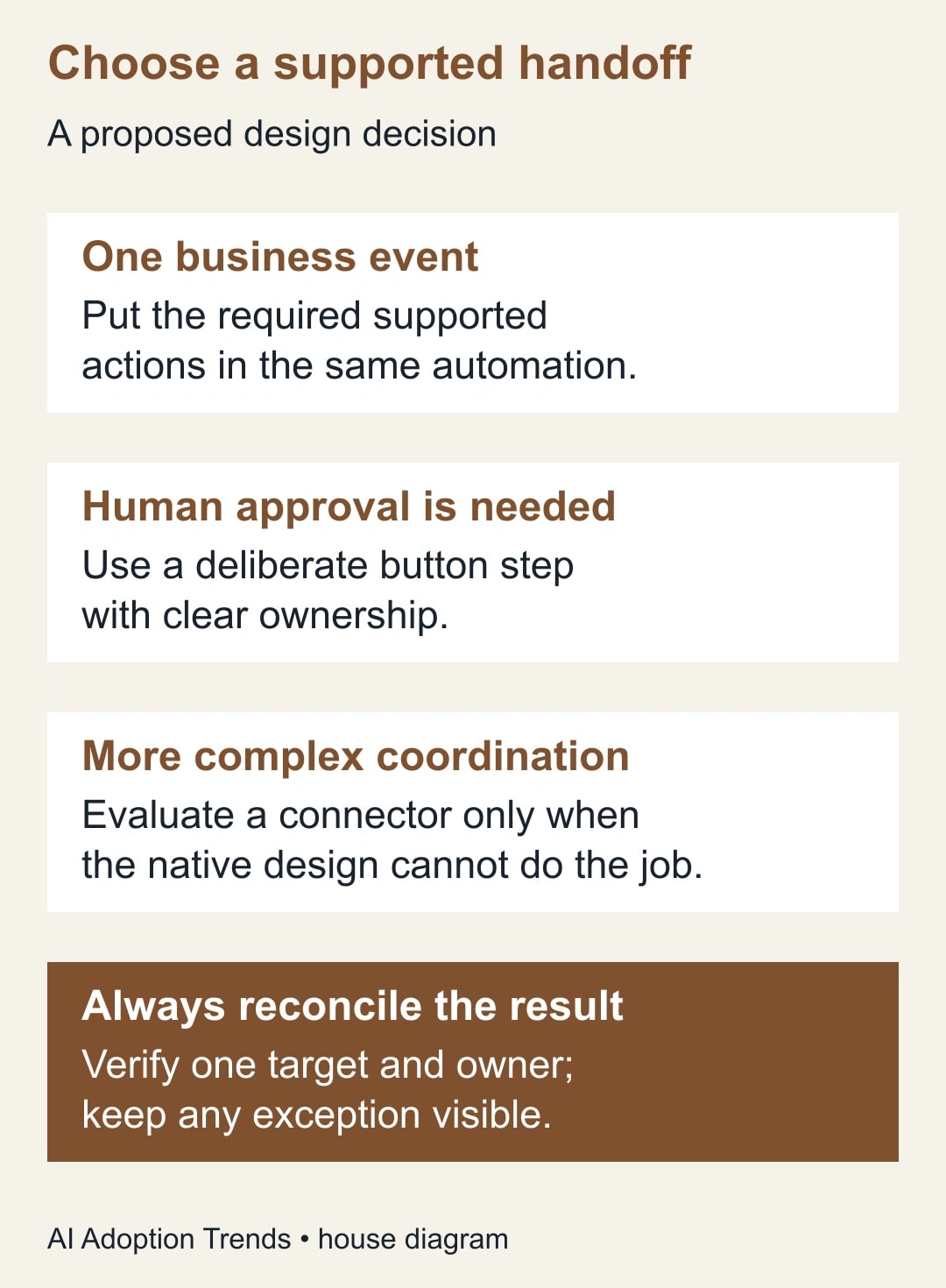
For one business event with several required outcomes, first consider a single automation with multiple supported actions. Notion’s configuration supports adding actions to an automation. The business design should make the needed owner and status explicit in the target creation or supported update step rather than relying on a second automation to infer them. Review the automation configuration steps.
Check the available action fields in your workspace. Do not assume a particular property, formula or reference can be carried between every pair of actions. If the native action cannot express the intended handoff clearly, simplify the requirement or choose a deliberate human step. The article’s acceptance criteria remain the same whichever implementation you choose.
A button is appropriate when a person should approve the handoff anyway. Name it for the consequence, such as “Create delivery handoff,” and put it near the evidence the person must review. Avoid a vague label that makes a state-changing action look like navigation.
Notion’s database button documentation describes configurable actions and confirmation steps, with some actions dependent on plan. Use the available confirmation option where it helps the person understand what clicking will do. Check database button capabilities. A button’s existence is not a duplicate-prevention guarantee, so repeat-click behavior still needs testing.
An external automation service is a third option when the required coordination genuinely exceeds the native design. It introduces credentials, another owner, possible usage charges and another place to inspect failures. Do not add one merely to preserve a fragile chain that could be replaced by one explicit native handoff.
Worked example: ten approved requests
Consider a constructed consultancy moving approved client requests from an Intake database into a Delivery database. The approval owner is responsible for deciding that the request is ready. The delivery lead is responsible for accepting the work. The automation owner maintains the mechanism; these roles need not all be held by different people.
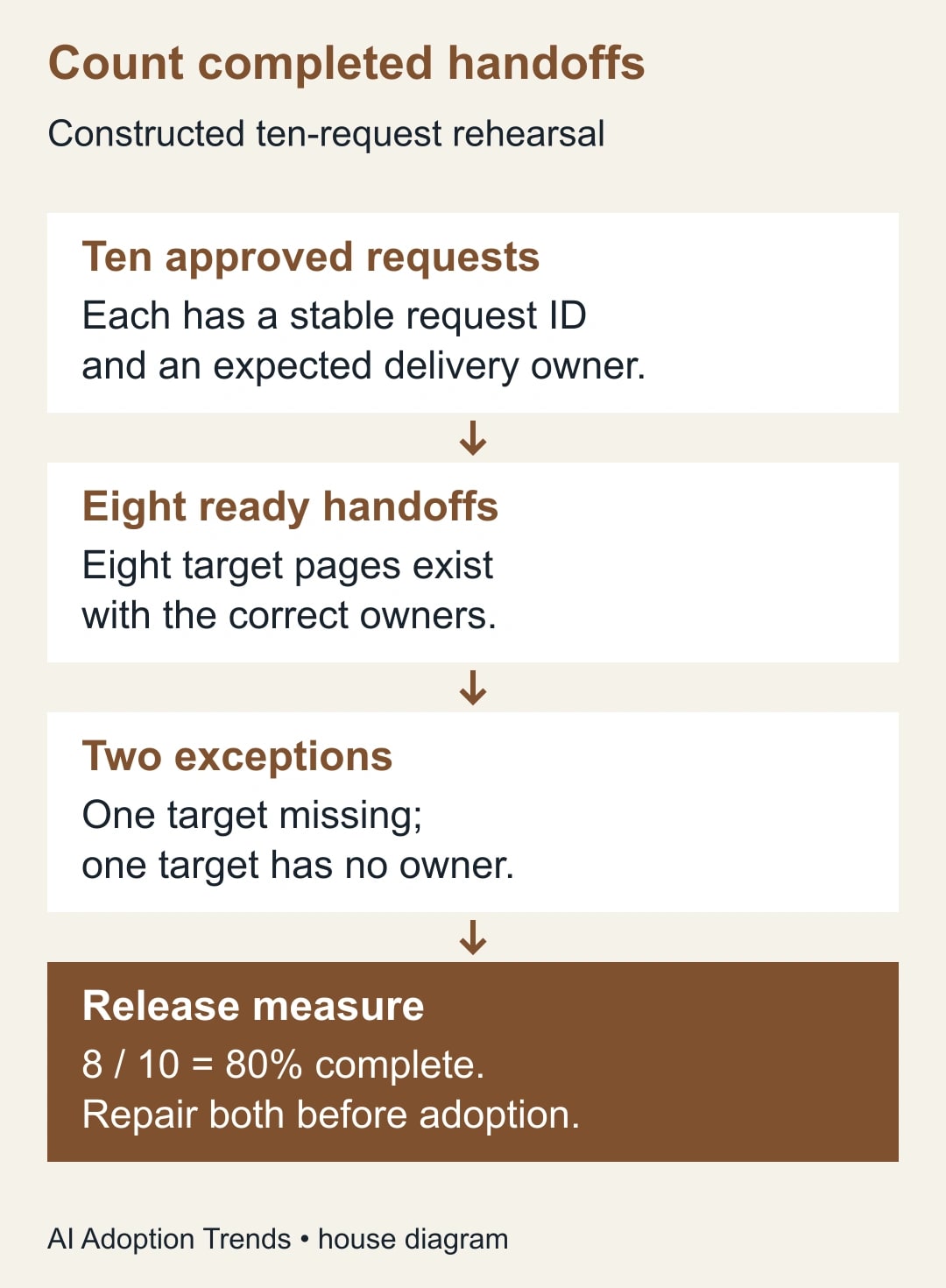
The acceptance register contains ten test request IDs. Each row lists the expected delivery owner and the expected next action. The test data includes normal requests, one request missing a required owner, and one request whose destination access is deliberately limited in the test environment. The purpose is to reveal exceptions, not to manufacture a perfect-looking run.
After the first rehearsal, eight requests have a target page and the correct owner. One has no target page. One has a target page but no owner. The completed-handoff rate is eight divided by ten, or 80%. Counting nine created pages would overstate completion, because one of those pages is not ready for anyone to act on.
The team investigates the missing page separately from the ownerless page. It confirms the first exception is an access issue in the test setup. It confirms the second had no valid assignment input. Those findings lead to two different repairs: an access correction under the owner’s control, and a readiness check that holds incomplete requests before handoff.
The owner does not rerun all ten requests blindly. The register already shows which eight succeeded. It repairs the two exceptions, checks whether any target already exists, and then processes only the necessary records. Afterward, each of the ten IDs should map to exactly one accepted delivery page with the expected owner and next action.
This is an editorially proposed rehearsal, not a claim that Notion offers a built-in transaction or automatic rollback across actions. If one action succeeds and another does not, inspect the partial result. The acceptance register is what allows the team to recover without guessing which work already happened.
Keep a small handoff register
You can maintain this register in a database view or a separate worksheet during the pilot. Its purpose is to reconcile approved inputs with completed outcomes. It should not become a second unmaintained source of client instructions.
- Source request ID and approval state.
- Required delivery owner and next action.
- Trigger origin: manual edit, button or automation-created record.
- Expected destination database and target page reference.
- Observed target count: zero, one or more than one.
- Owner and next-action checks: correct, missing or wrong.
- Exception reason, responsible person and next check.
- Recovery action and evidence that the final handoff was accepted.
Define “approved” carefully. If approval means only that sales accepted the commercial terms, it may not mean delivery has the information needed to start. A separate ready-for-handoff state can make that distinction visible, provided the team uses it consistently and somebody owns the queue of items waiting for information.
Avoid inferring readiness from an AI-generated summary alone. An assistant may help identify missing information, but a person should confirm the client commitment, delivery owner and next action. A fluent summary can hide an unresolved dependency just as easily as an ownerless page can hide unfinished work.
Test repetition before you trust the button
Run a test in which the same request is approved again or the handoff button is clicked twice. Observe the target records. If the process creates a second delivery page, you have learned that the workflow needs a duplicate-handling rule. Do not assume a human will never double-click or revisit a status.
The rule could be a required check for an existing target, a clearly maintained handoff-complete state, or a different implementation that enforces a stable source identifier. Choose a mechanism the responsible owner can explain and test. Hiding a button after success may reduce accidental use, but it is not proof that another route cannot repeat the action.
Also test a request whose title changes after approval. Matching only on the title can make the same request look new. A stable ID lets the team distinguish a renamed request from a second request that happens to have the same client name. Keep that ID visible in the target record or its source relation.
When duplicates already exist, determine which page contains accepted work before removing or closing anything. Preserve comments, files and decisions according to the team’s normal process. A cleanup that erases the delivery team’s notes can be more disruptive than the original automation defect.
Separate a handoff failure from a timing expectation
Do not promise instant completion unless the team has measured and accepted the actual behavior. Agree on an operational checkpoint appropriate to the work: for example, the coordinator checks the pilot register after each approval session. This is a proposed working practice, not a platform timing guarantee.
Make exceptions visible to someone who can act. “Failed” without an owner is only another unattended status. A useful exception says which request is affected, whether a target exists, what is missing and who is expected to resolve it. The receiving team should know when a request is held rather than assuming silence means no work is coming.
If a notification is part of the process, test it independently from the page creation. Confirm the intended recipient and destination. A successful notification does not prove the target is correct, and a correct target does not prove the recipient saw the message. The acceptance definition should cover the pieces the business actually relies on.
Keep the pilot’s scope narrow enough to reconcile every approved request. Once it works, extend to another request type with different owner or readiness rules. Do not copy the automation across every database and assume that similar column names mean identical responsibilities.
Release with an owner and a stop rule
Before release, require every pilot request to have a reconciled result, every repeated-event test to have an understood outcome, and every exception to have an assigned recovery step. These are proposed acceptance conditions. They are more useful than counting the number of automation rules configured.
Pause the automated handoff if it creates unexplained duplicates, assigns work to the wrong person or leaves approved requests without a visible destination. Continue the immediate work manually from the register while the automation owner investigates. A pause should not mean abandoning the client request itself.
Review the process when properties, permissions or ownership change. Record what changed and rerun the small acceptance set. A workflow that depends on one person’s undocumented setup can fail later even though its initial launch was careful.
Measure complete handoffs, unresolved exceptions and time spent repairing them. Any reduced administrative time is released capacity unless it changes an actual expense. Do not turn fewer clicks into a cash-savings claim without an economic change behind it.
Start by tracing one request from approval to an owned next action. If its second automation is supposed to fire from the first, replace that assumption with an explicit supported design. For problems caused by overlapping routing conditions in a separate automation tool, use the guide to exclusive routing rules rather than applying this Notion-specific diagnosis everywhere.
Weekly Newsletter
AI Adoption Weekly
New research, field guides, training studies, and tool decisions for operators.
No spam. Unsubscribe anytime.
Related Comparisons
Calculator
AI seat cost calculator
List price × headcount. You enter the hours and the operating assumptions.