
Stop Make Webhook Runs from Overwriting Newer Updates
Diagnose out-of-order Make webhook updates, test Process data in order and protect newer records from delayed events. Includes a queue-capacity example.
Published October 24, 2026

If a Make webhook automation writes an older status over a newer one, compare event creation, arrival and completion times before retrying anything. Enabling Process data in order can prevent overlapping runs from finishing out of sequence. It does not prove that incoming events arrived in business order, eliminate duplicates or protect against another workflow writing to the same record.
This guide is for operations owners maintaining order, ticket or customer-status updates. A webhook is a message sent to an automation when something happens in another application. The problem here is the order of those messages and writes, rather than a failed connection or a missing field.
Use a controlled test record and a working copy of the scenario, Make's term for an automation. Skip a live toggle if the workflow sends payments, changes access or triggers other consequential actions that cannot be safely rehearsed. First establish how test events can be routed to a harmless destination and who owns recovery.
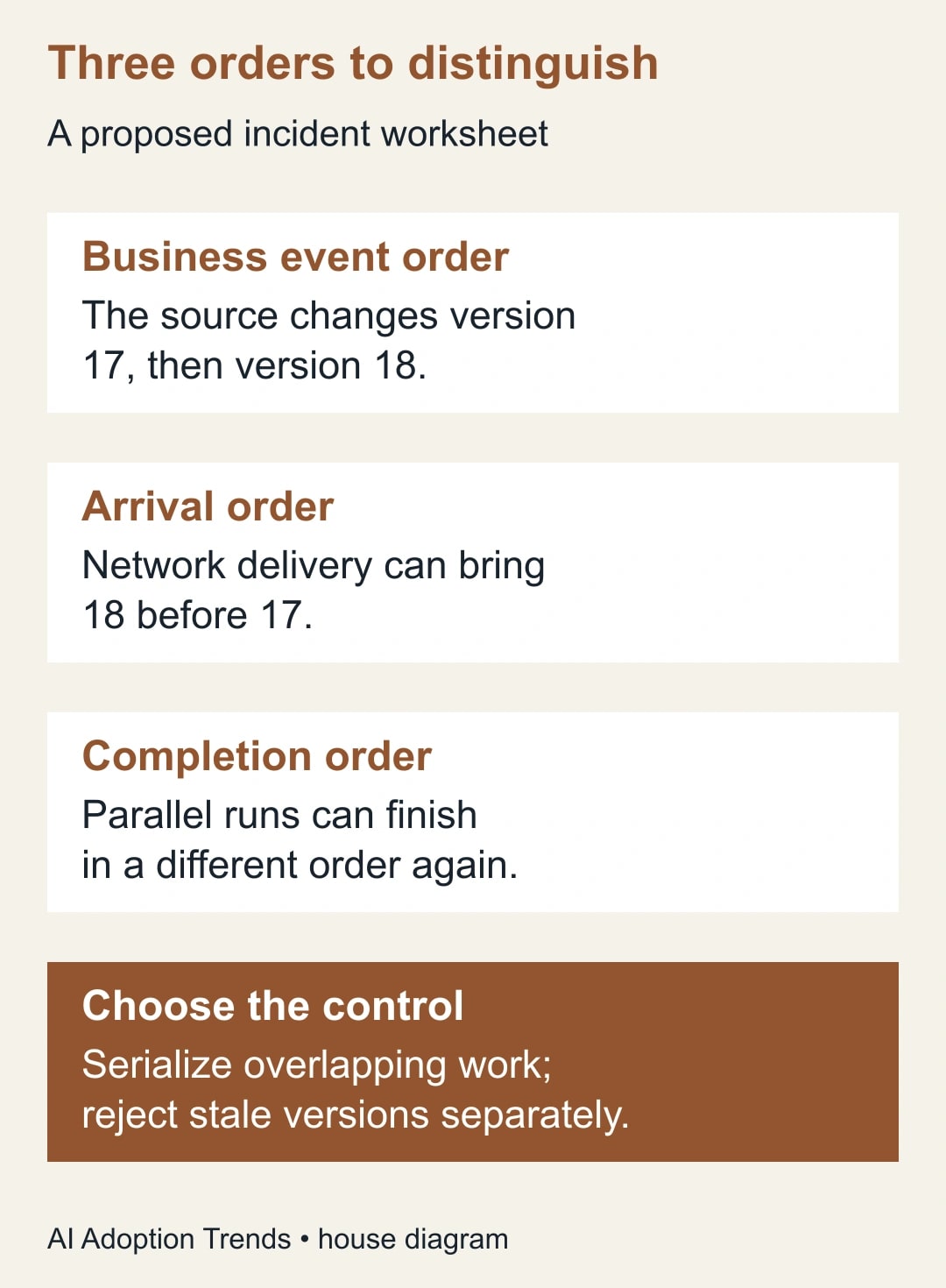
Separate three different kinds of order
Business-event order is the sequence in which the source changed. Arrival order is the sequence in which Make received the messages. Completion order is the sequence in which runs finished their work. These can differ, even when every individual run is marked successful.
Imagine an order moving from “packed” to “dispatched.” If the packed run takes longer than the dispatched run, its later write can move the destination back to packed. Alternatively, the source may deliver the dispatched event first and a delayed packed event afterward. The visible symptom is similar, but the control needed is different.
Make documents that instant webhook scenarios run in parallel by default and that Process data in order waits for one execution to finish before starting the next. It also provides a webhook queue view. These product behaviors were checked October 24, 2026. Make webhook processing
The business rule must go further: “For this destination record, accept only an update that is valid relative to the last accepted source version.” Whether the source supplies a reliable version, event identifier or other ordering evidence is something to establish with its owner. A timestamp alone may not provide a unique or authoritative order.
Preserve the incident before repairing it
Choose one affected record. Record its source ID, destination ID, current state and intended state. Gather the relevant event identifiers, source versions if available, source event times, arrival times, run identifiers and destination write times. Use authorized logs and keep sensitive payloads in their approved location.
Do not resend all events to see whether the final status corrects itself. Replays can repeat side effects such as notifications or downstream tasks. Before recovery, identify which actions already completed and which should happen only once. An apparently harmless status write can trigger a second automation in the destination.
Save the current scenario configuration and note whether other scenarios, integrations or people update the same fields. Serializing one scenario will not serialize another scenario's writes. If several writers share the record, the owner must define which source is authoritative and how conflicting changes are resolved.
The prerequisites are editing access, observable execution history, a safe test destination and a business owner who can approve the expected transitions. The cost includes existing Make usage, test executions, monitoring and review time. Check your current allowance and downstream service limits before running a burst test; this guide does not assume an unlimited plan.
Reproduce a completion-order race
Here is a constructed example. Event E17 says an order is packed at source version 17. Make receives it at 10:00:00. Its run takes 40 seconds because one downstream lookup is slow. Event E18 says the same order is dispatched at version 18 and arrives at 10:00:05. That run takes five seconds.
With overlapping execution, E18 can finish at 10:00:10 and E17 at 10:00:40. If both unconditionally overwrite the status, the final destination says packed. The newer business state was present for 30 seconds before the old update replaced it.
Under strictly ordered execution, assuming those same durations and arrival sequence, E17 completes at 10:00:40 and E18 then completes at 10:00:45. The final state is dispatched. The second event waited 35 seconds before starting, so the correctness improvement has a latency cost that the process owner should understand.
Now reverse arrival order in the test. If E18 arrives first and E17 second, ordered processing can still finish with packed unless there is a separate stale-event check. That second test prevents the team from treating a successful first rehearsal as a complete solution.
Test Process data in order deliberately
In the working scenario, open the settings through the Scenario Builder's gear icon and inspect Process data in order. Make's settings documentation says this runs executions one at a time and pauses new processing while incomplete executions remain unresolved. Review that consequence before enabling it for a production workflow. Scenario settings
Send two harmless updates for one test record, making the first intentionally slower through a safe test arrangement. Observe start and completion times, final state and side effects. The expected result is one execution at a time and the approved final state, not merely two green run indicators.
Then test updates for different records. Ordered processing may make an unrelated order wait behind the slow one because the control applies to the scenario's execution sequence. Decide whether that delay is acceptable for the business service. Do not assume it provides a separate queue for every customer or order.
Inspect incomplete-execution behavior using a controlled failure. Make documents that ordered processing can pause later scheduling and retain incoming instant-trigger bundles in the webhook queue until the incomplete work is resolved. Assign an owner to that queue rather than discovering the pause from a customer complaint. Incomplete-execution options
If you cannot observe the test reliably, hold the production change. A setting that improves one incident while hiding a growing backlog is not a finished repair.
Add an explicit stale-event decision
Where the source provides a reliable monotonically increasing version for a record, compare the incoming version with the last accepted version. “Monotonically increasing” means later versions have larger values. An event for version 17 should not overwrite an already accepted version 18. Record why an old event was skipped so it remains explainable.
Treat duplicate delivery separately. The same event identifier arriving twice should not repeat an action intended to happen once. A duplicate-event record and a source-version check answer different questions: “Have we processed this message?” and “Is this state newer than the state we accepted?”
Do not assume a read-then-write sequence is safe when other writers can act between those steps. A maintainer may need a destination API that supports conditional updates, a database transaction or another atomic mechanism that performs the comparison and update together. The appropriate implementation depends on the systems involved; a Make filter alone is not a universal concurrency guarantee.
If no trustworthy ordering field exists, ask whether the workflow can fetch the authoritative current state before writing, or whether the source owner can provide a better event contract. Fetching current state may suit a status mirror but not a workflow that must perform every intermediate action. Document that business distinction before redesigning it.
Keep proposed logic in a worksheet the process owner can review: accept a newer valid version; ignore an already completed event; hold a missing or ambiguous version; investigate an invalid state transition. Do not silently invent an order from arrival time when the business requires source order.
Check whether the queue can keep up
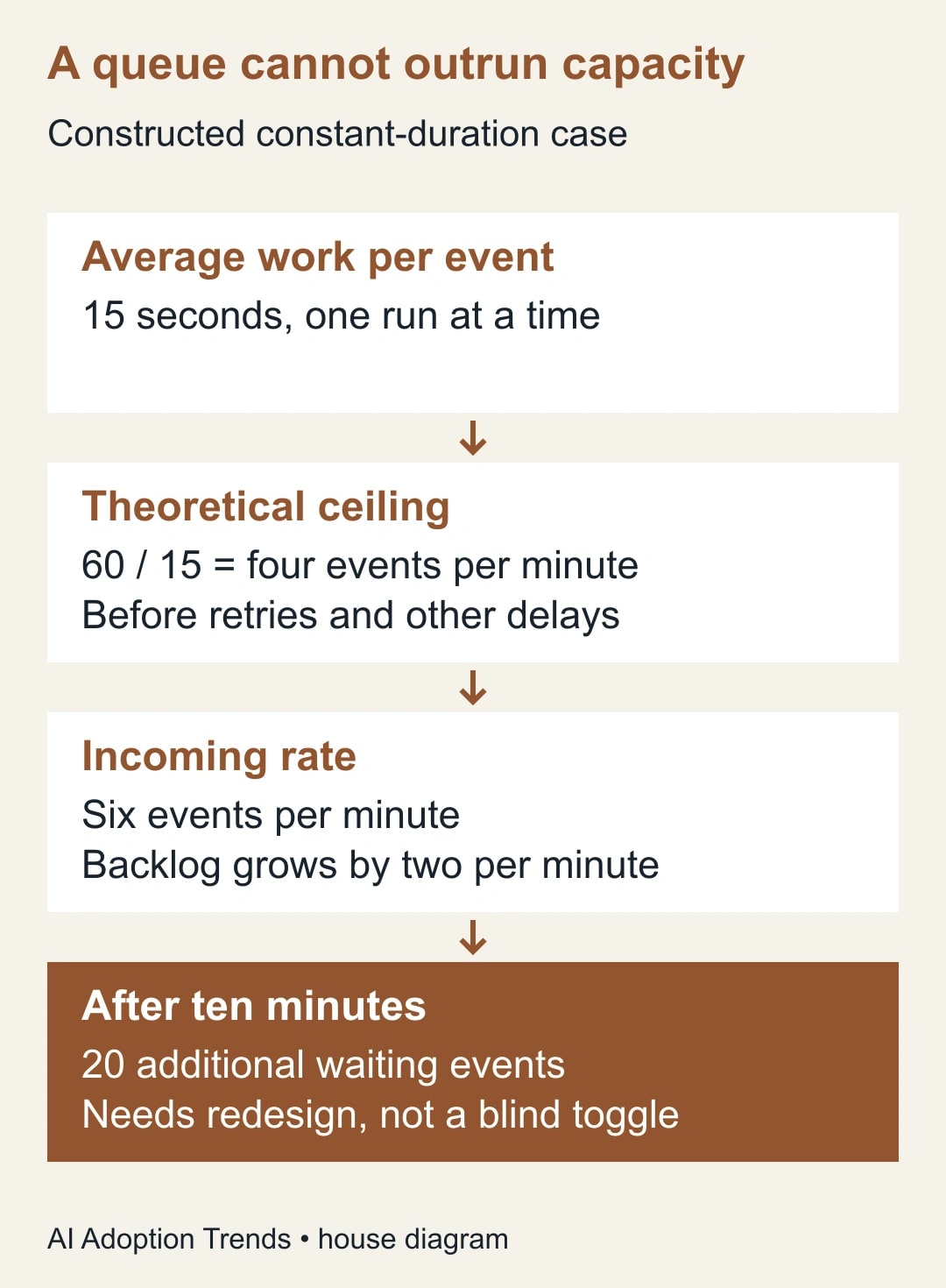
Correct ordering reduces concurrency, which can expose a capacity problem. In a constructed constant-duration example, each execution takes 15 seconds. One-at-a-time processing has a theoretical ceiling of four events per minute, before retries, variable delays or other overhead.
If six events arrive each minute, the backlog grows by two events per minute. After ten minutes, there are 20 additional waiting events. That is not a claim about Make's platform capacity; it is arithmetic for this particular serialized workflow. Faster subscription limits do not automatically shorten the work performed inside each run.
Measure actual service time and arrival bursts, not just a quiet-hour average. Record the oldest waiting event's age as well as queue length. Ten short jobs and ten jobs blocked on a slow external service have very different implications for customers.
If the process cannot meet its response target, reduce unnecessary work, separate independent jobs where the business rules allow it or move the ordering control to an appropriate per-record design. Assign that redesign to a maintainer who can prove the concurrency behavior. Do not simply turn parallelism back on and accept stale writes as an unavoidable tradeoff.
Use a small test matrix before release
The following proposed cases cover different failure mechanisms. Write the expected final record and expected side effects before running each case, then compare those expectations with the destination itself.
- Two valid updates arrive in order; the first is slow.
- A newer update arrives before an older update.
- The same event arrives twice.
- Two different records arrive during one slow execution.
- A downstream action fails after an earlier action succeeded.
- An event lacks a reliable version or has an invalid transition.
- Another authorized writer changes the destination during processing.
- A burst arrives faster than one-at-a-time service can complete it.
Retain the scenario revision, run IDs and expected-versus-observed results. A screenshot of successful executions is useful supporting evidence, but the final record and side effects are the business outcome. Record skipped and held events too, so the apparent success rate does not hide unprocessed work.
Use a release note with the owner, affected records, chosen ordering rule, queue alert threshold, recovery route and rollback plan. The threshold should come from the service's response requirement. Do not adopt a generic number because it looks precise in a checklist.
Recover without repeating the damage
If an older event has overwritten a newer record, confirm the authoritative current state first. Identify the specific incorrect fields and any downstream actions they triggered. Repair only the approved scope, preserve the incident evidence and tell the business owner which records or notifications were affected.
Before replaying an incomplete execution, inspect completed actions and current source versions. A retry may be technically possible while the original update is now obsolete. The decision may be to complete an unfinished side effect, skip a stale write or route the item for review; it is not always “run the whole thing again.”
If ordered processing stops behind an incomplete execution, assign someone to resolve the blocked item and watch the queue as processing resumes. Do not delete queued events to clear an alarming number without understanding what work they represent. The purpose is to restore correct processing, not to make the queue look empty.
For broader failed-run recovery, use the separate Make incomplete-execution checklist. That guide addresses recovery after failure; the ordering checks here address which successful or retried update is allowed to win.
Make correctness and delay visible together
After release, monitor stale updates prevented, duplicate side effects, held events, oldest queue age and final-state mismatches. A low error count is insufficient if every run succeeds but the destination ends in the wrong state. A perfect final state is also insufficient if an urgent update arrives too late to be useful.
Name an operations owner for the outcome and a technical maintainer for the mechanism. Review the test matrix when a new source, writer or downstream action is added. Those changes can invalidate a previously sound ordering assumption without changing the setting itself.
Start with one affected record and the two-event slow-first test. Then run the reversed-arrival case before deciding the repair is complete. If the workflow needs a wider stop-and-repair process, connect it to how to stop, trace and repair an automation incident. The useful result is a record that ends in the right state, with an explainable queue and a recoverable path when something fails.
Weekly Newsletter
AI Adoption Weekly
New research, field guides, training studies, and tool decisions for operators.
No spam. Unsubscribe anytime.
Related Comparisons
Calculator
AI seat cost calculator
List price × headcount. You enter the hours and the operating assumptions.