
Google Vids Assets: Reuse Approved Media Without Losing the Originals
Organize reusable Google Vids media with an asset register, capacity checks and a recoverable source library before updating training videos.
Published November 21, 2026

Use Google Vids Assets as a working collection for a video project, while keeping approved originals in a separately managed location. Before adding client footage, internal screenshots or reusable audio, check who can access the project and how close each media category is to its limit. A convenient reuse panel should not become the only place where your team can find the source material.
This guide is for training producers and small marketing teams maintaining recurring videos. It fits a project that reuses an introduction, product images, narration or approved cutaways. Skip a large shared collection when the project has a changing external audience or the media has incompatible usage restrictions. Separate projects or a smaller approved set may be easier to maintain.
Google's November 20, 2026 announcement introduces reuse of project media in video generation. Its practical benefit is less repeated uploading within the same project. The important operating question is what belongs in that project at all. This guide uses constructed examples and an editorial workflow; it does not claim that a production team has tested the feature for us. Google's Vids media-reuse announcement
Check availability and access together
As checked November 21, the release notice lists a Rapid Release rollout beginning November 17, taking up to 15 days, and Scheduled Release beginning December 2, taking one to three days. Do not assume the interface is present in every account yet. Also confirm the account's actual generation entitlement before planning work that depends on AI-generated video; a reusable asset library and generation usage allowances are different capabilities. Vids rollout and availability
Google's help page says that everyone collaborating on a Vids project, including viewers and commenters, can see its assets. Treat project membership as an audience decision for the working media, not just the finished scenes. A reviewer who only needs the final video may not need access to the editable project and its source collection. How the Vids asset library works
Before starting, identify a producer who owns the project, a subject-matter reviewer who approves factual material, and a location where originals can be recovered. You also need permission to use the media for the intended audience. Existing account access and staff time are the main prerequisites for this workflow; no specific subscription price or generation allowance is assumed here.
Separate originals, working assets and released video
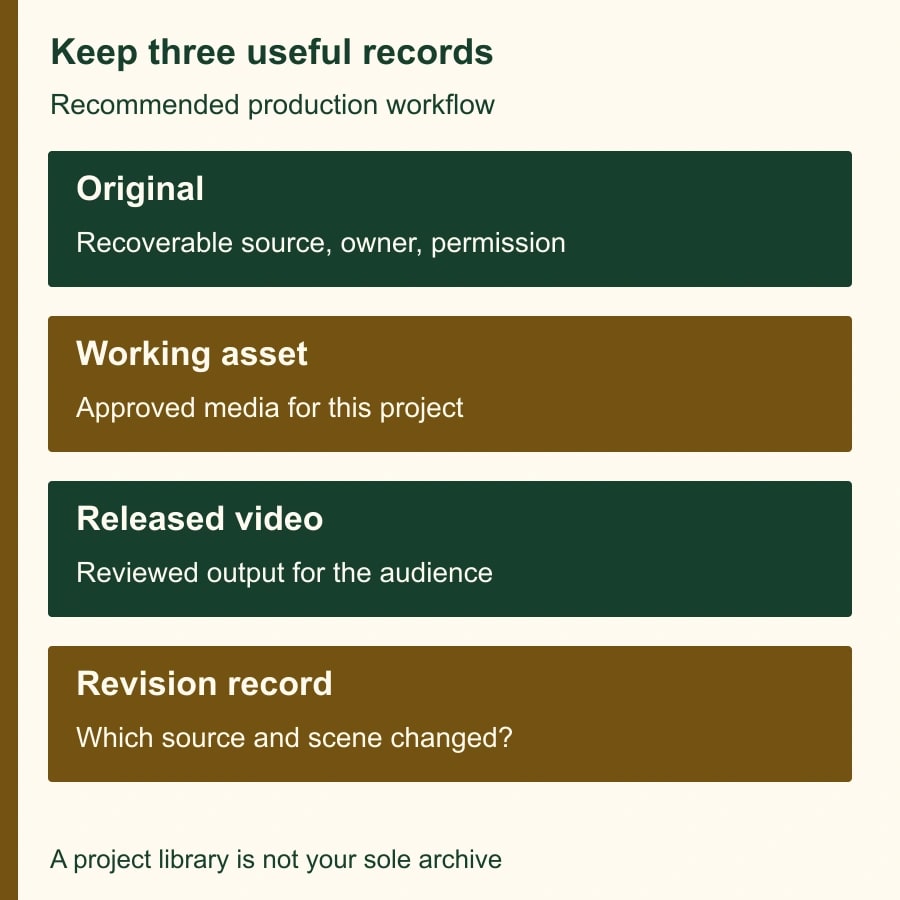
Think of three useful records. The original is the recoverable source: the approved photograph, audio recording or screen capture with its owner and date. The working asset is the copy selected for this project. The released video is the approved output shown to learners or customers. Each record answers a different question.
An original tells the next producer where the material came from and whether it can be reused. A working asset tells the current producer what is available while editing. A released video tells the audience what the organization approved at a particular time. Keeping these distinctions explicit makes it easier to replace outdated material without losing the evidence behind earlier work.
This is a recommended recordkeeping method, not a claim about a built-in Vids archive or version-control guarantee. Choose an existing controlled storage location for the originals, with permissions appropriate to the material. The point is to be able to recover an asset even if it no longer appears in a project's reuse panel.
For example, a training team may retain a source recording in its approved media folder, use a short clip in a Vids project, and publish an onboarding video for employees. The original can contain information that does not belong in the wider project. Review the source before uploading it rather than assuming the final edit is the only material collaborators will encounter.
Start with a compact approved collection
Create a small list of media the current video actually needs. For an onboarding update, that might be an approved logo treatment, a title background, two product illustrations, one narration segment and a closing clip. Give each item a descriptive name that distinguishes its subject, version and intended use. Avoid names such as final-final-new that conceal which item is current.
Google documents adding media through Assets and uploading or selecting from Drive and Photos. Uploaded media used on the canvas or as ingredients can also enter the collection. Review the collection after editing, rather than assuming it contains only items someone deliberately added through a library-management step. Adding and reusing media in Vids
The producer should inspect each added item at a useful size and listen to audio all the way through. A thumbnail may hide an outdated interface label, a customer name or a clipped sentence. Where an AI-generated cutaway is used, check what it implies: a generic warehouse scene should not be presented as footage of your own facility.
Then verify one reuse action in a non-critical scene. Confirm that the selected media is the intended version, appears where expected, and remains suitable for the scene's message. The result to record is a correctly assembled scene, not simply a successful upload notification.
Keep an asset register that another producer can use
Use a spreadsheet or existing production tracker with one row per approved asset. It does not need a complex taxonomy. It needs enough information for someone else to decide whether the media belongs in this video and where to find a replacement.
- Asset ID and descriptive filename: A stable identifier plus a name that communicates the subject and version.
- Original location and owner: A recoverable source link and the person responsible for it.
- Approved audience and purpose: For example, internal onboarding only, or approved external product explanation.
- Approval date and reviewer: Who checked the content and when the decision was made.
- Project use: Which video and scene use the item, with the current working version.
- Replacement trigger: A product interface change, policy revision, expired permission or factual correction that requires another review.
- Status: Proposed, approved, superseded or removed from the working collection, with the reason recorded.
This is a reusable worksheet, not a requirement imposed by Google. Its value is strongest when the person revising the video is different from the person who created it. Without a source link and an owner, that colleague may have to recreate media that already exists or keep using an outdated item because it is the only one they can find.
Do not put confidential explanations into filenames or fields visible to a wider project audience. The register itself needs suitable access. Keep the audience decision consistent across the original, the project and any shared tracker rather than treating each as an isolated administrative task.
Understand what happens at capacity
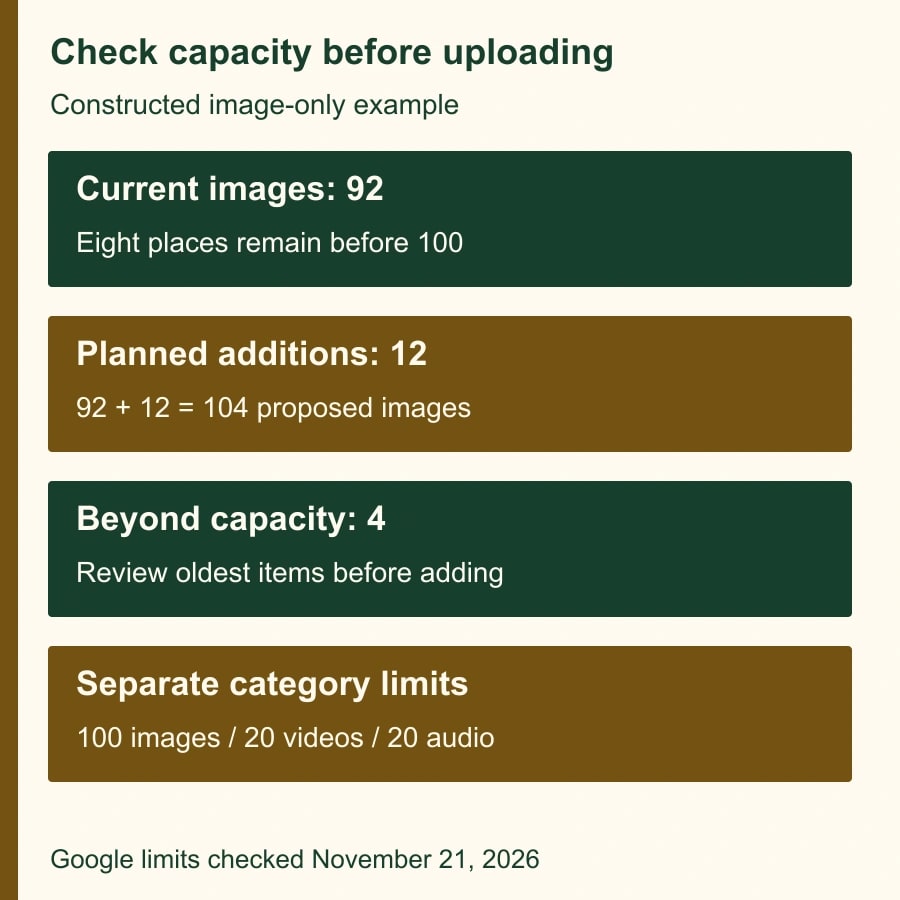
Google currently documents per-project limits of 100 image files, 20 video files and 20 audio files. It says that new media replaces the oldest files when the relevant library capacity is full. That makes capacity a working-library concern, not just a storage statistic. The documentation does not establish every possible effect on existing scenes or exports, so do not infer those behaviors without checking a disposable project. Vids asset limits and replacement behavior
Here is a constructed image-only example. A project contains 92 image files. A producer plans to add 12 more. The proposed collection would contain 104 images if nothing were replaced. There are eight open places before the documented 100-image limit, leaving four additions beyond that capacity. The producer should therefore review the oldest images before the upload, rather than discover afterward that expected working assets are no longer available.
That arithmetic describes capacity, not a claim that four particular scenes will break. It also does not mean unused video capacity can hold extra images. The documented categories have separate limits. Count each category independently and avoid inventing a combined allowance.
One reasonable planning rule is to review the collection when a planned upload would approach its category limit. The producer can remove unnecessary working items after confirming originals and current scene use, split genuinely separate production work into separate projects, or reduce redundant variants. Choosing a smaller collection often improves retrieval as well as reducing replacement surprises.
Test removal before relying on it
Use a disposable project with harmless sample media to learn how your current interface behaves. Record what appears in the collection, which sample scenes use each item, and what happens when you remove an item from the collection. Inspect the scene and any test output afterward. This is a verification exercise, not permission to experiment on the only copy of production material.
The help page documents removing items from the library, including multiple selections. It does not justify assuming that library removal, source deletion and changing a finished video are equivalent actions. Keep those questions separate in your test record. Managing items in the Vids asset library
If behavior is unclear, retain the original, stop the cleanup and use a new working project for the immediate task. Escalate the specific uncertainty with the sample project and steps to reproduce it. “The library is confusing” is difficult to investigate; “this sample item disappeared from the panel after this action, while this scene did this” gives the owner something concrete to verify.
For a missing production asset, first consult the register and restore from the approved original where appropriate. Confirm the version and its usage permission before reinserting it. Do not substitute a visually similar file merely to make the scene look complete; an old product image can communicate the wrong process just as effectively as a missing one interrupts it.
Work through a policy update
Imagine a constructed onboarding video whose closing scene tells employees to submit a request through an old portal. The policy owner supplies a new approved process. The producer identifies the affected narration, screen capture and closing text, then checks the register for their original sources and the scenes that use them.
The producer adds the new approved materials to a controlled working collection, replaces the affected scene elements, and marks the old assets superseded in the register. The reviewer watches the complete sequence, including the transition into the revised scene. A correct new screenshot can still be paired with an old spoken instruction if the review only checks the visual.
After approval, the distribution owner updates the place where employees access the video and records which released version is current. Retaining the previous release according to the organization's normal practice can help explain what people were previously told. The project library alone should not be relied upon as that release history.
Decide whether reuse is helping
Track time spent finding approved media, checking versions, correcting outdated scenes and rebuilding missing assets. A useful library reduces the effort needed to produce an approved revision. A large collection that makes the right file harder to identify may be moving work around rather than saving it.
In a constructed planning calculation, six revisions each avoid four minutes of re-uploading and searching, releasing 24 minutes. If maintaining the register and checking versions takes 15 additional minutes for that period, the net released capacity is nine minutes. That is a modest time benefit, not a cash saving or proof of higher video quality. Your own correction rate may matter more than those minutes.
Pause reuse when no one can identify the approved version, when collaborators have incompatible access needs, or when an asset's source and permission cannot be established. The producer owns the collection; the subject-matter owner approves what it teaches; the distribution owner decides which release reaches the audience.
Your next action is to register the five assets most likely to be reused in the next revision, then verify their originals and audience. For material choices, compare generated training cutaways with situations that need filming. When the spoken instruction is what changed, use our guide to updating a training video by extracting its audio.
Weekly Newsletter
AI Adoption Weekly
New research, field guides, training studies, and tool decisions for operators.
No spam. Unsubscribe anytime.
Related Comparisons
Calculator
AI seat cost calculator
List price × headcount. You enter the hours and the operating assumptions.