
Google Vids: Which training shots can you generate instead of filming?
Use a 38-second returns lesson to choose generated cutaways, real demonstrations and verified evidence shot by shot.
Published November 6, 2026

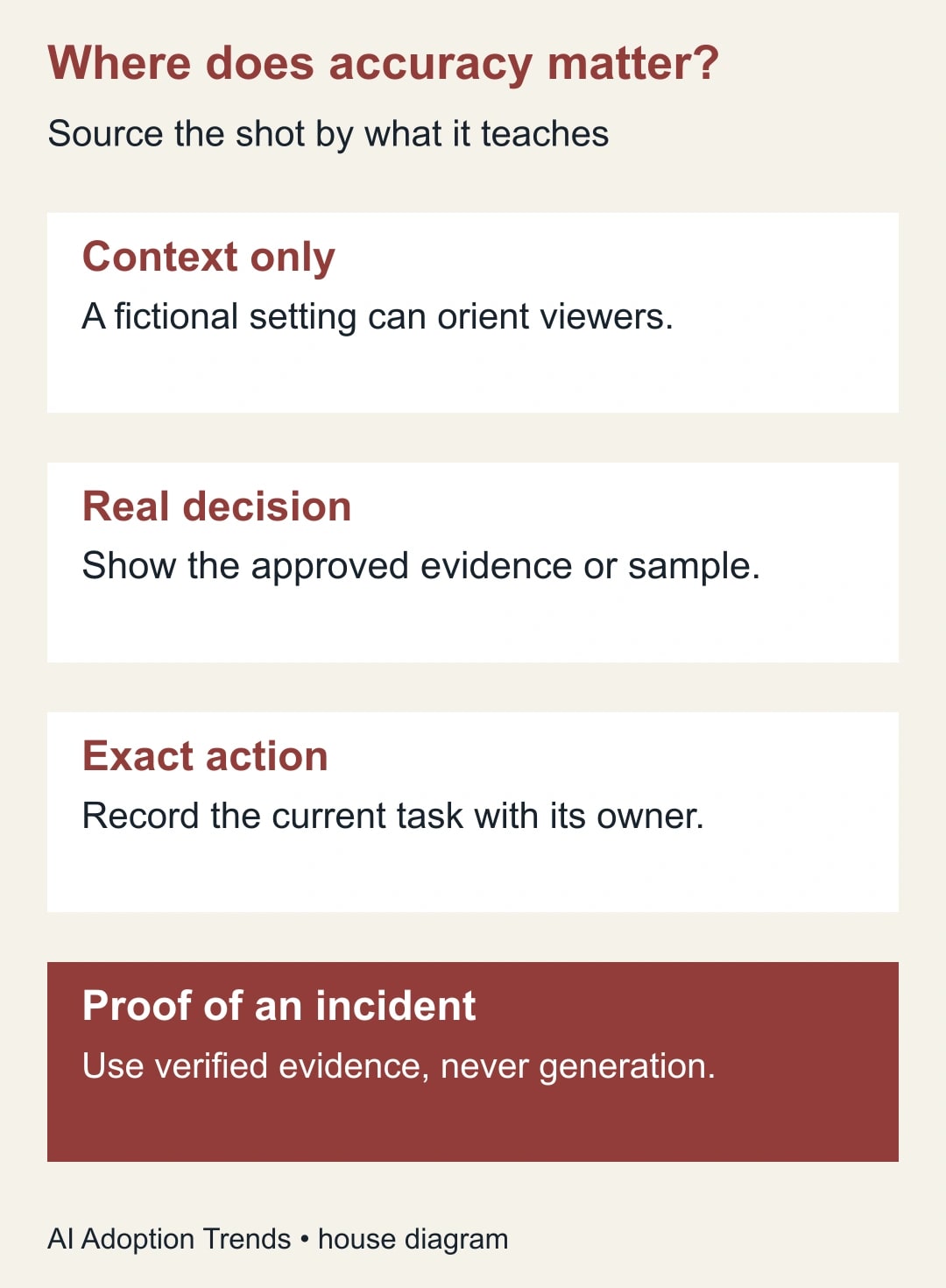
Generate the shot that tells a learner where the story takes place. Record the shot that tells them what to do. A short illustration of cartons entering a warehouse can introduce a returns lesson. The moment the learner must recognize a real damage label, choose a disposition code or operate equipment, show the approved label, current system or actual procedure. A convincing invented detail makes bad training harder to spot.
That boundary matters more now that Google Vids can generate a longer continuous shot. In its November 5 Vids release, Google says Gemini Omni 1.2 Flash supports clips from three to fifteen seconds and improves consistency when references are used. Those are provider claims about generation. They aren't a guarantee that an object keeps the right label, that hands follow a safe sequence or that a workplace resembles yours.
Commission a shot, not fifteen seconds of filler
For each scene, finish this sentence: “After this shot, the learner should be able to ___.” If the verb is recognize, name exactly what they must recognize. Recognizing the general idea of a delivery is different from recognizing a particular forklift warning. If the verb is perform, the process owner must be able to support every relevant action on screen. If you cannot name a learner need, cut the scene before spending a generation on it.
The approach fits a producer with an existing training objective, access to the current procedure and a colleague who can sign off on its accuracy. Skip generated footage for incident reconstructions presented as evidence, regulated demonstrations where the footage itself forms the training record, or a task that depends on small controls the learner must distinguish. A still photograph of the actual part, carefully annotated by its owner, may teach more than a moving clip.
Start with what you already own. A blank sample form, a sanitized recording from a training account, and three real photographs may cover the whole lesson. Check rights to any reference images you propose to upload and remove customer names, shipping identifiers and workers who have not agreed to appear. If the purpose is simply to orient the viewer, use invented, unbranded objects. There is little benefit in supplying an actual customer parcel as a model reference.
Mark three different kinds of footage on the script
Mark each shot illustration, demonstration or evidence in the working script. An illustration makes an idea easy to picture. A demonstration teaches an actual action. Evidence supports a claim about a real object, event or result. A single shot can change category midway: generic cartons moving toward a counter are illustration; a hand selecting the “restock” bin is now teaching a decision. Split that shot at the boundary.
Write down the source for the part that must be accurate. For a decision code it might be the approved returns guide and a recording from the training system, captured after the most recent policy change. For an actual defect, use a rights-cleared photo of the defect. For a fictional opening scene, record that it is a generated illustration. This is useful long after the first edit: when a code changes, the owner knows exactly which shots require replacement.
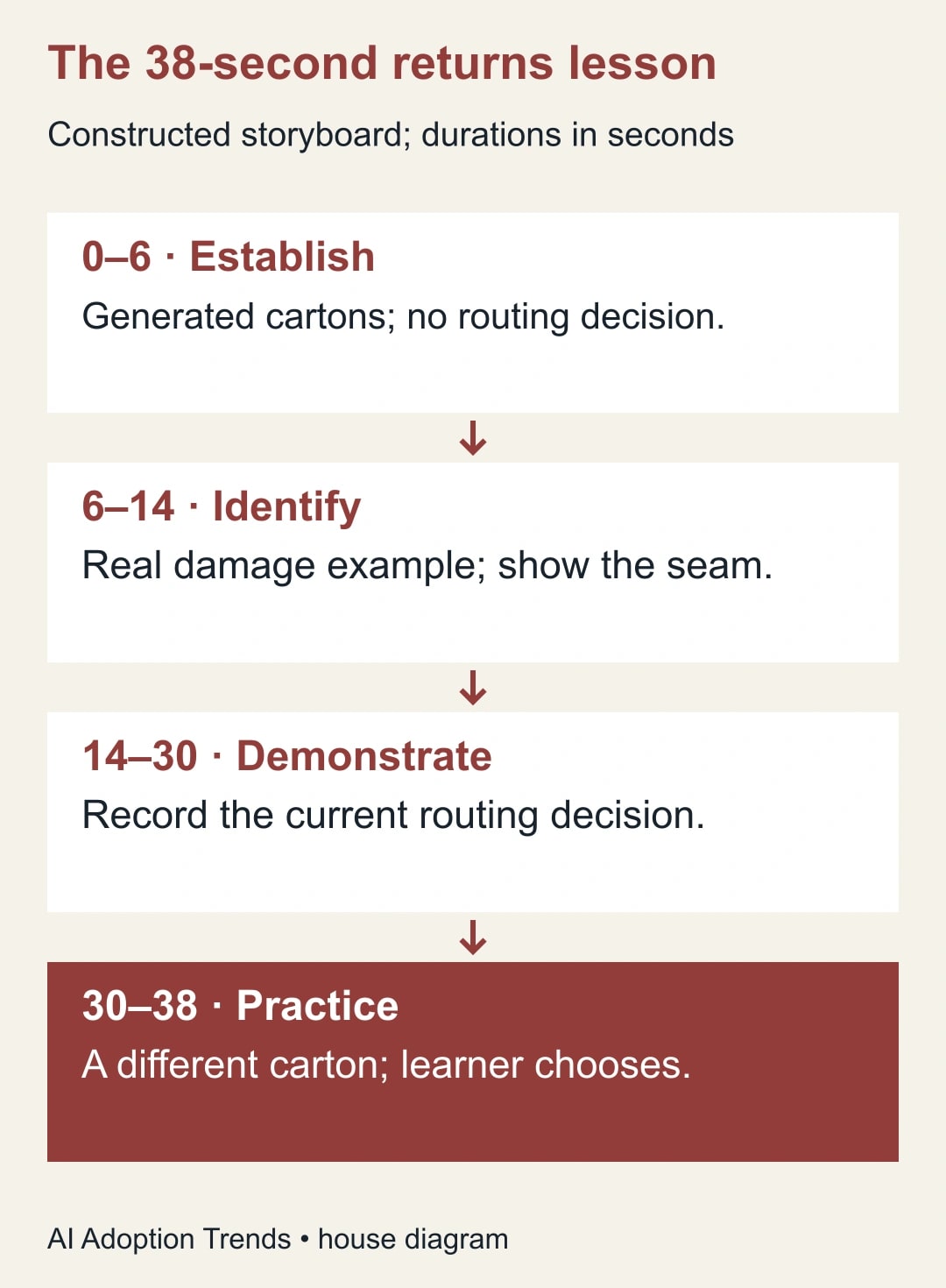
A 38-second returns lesson, shot by shot
Constructed storyboard: a returns supervisor wants new hires to send damaged packaging to review instead of returning it directly to stock. The producer has a clean training account, one example carton cleared for filming and a supervisor available to review the edit. The training objective is a routing decision, not a claim about how many mistakes the company has prevented.
Use six seconds of generated cartons arriving at a receiving counter to establish the setting. No worker handles a tool. No visible destination bin implies a decision. Next, use eight seconds of a real close-up of the carton and the approved damage example. Give learners time to see the seam the supervisor wants them to notice. Someone unfamiliar with the job should be able to point to it without relying on the narration.
Spend sixteen seconds on the current training-system recording: identify the return, pause on the decision and show where the item appears after referral. Leave enough time to read the actual label. Finish with an eight-second practice question made with editable text and a still of a different approved carton. The learner decides where it goes, then sees the supervisor's explanation. Six plus eight plus sixteen plus eight gives 38 seconds. Only six seconds, about 16% of this example, need generation. The new fifteen-second maximum doesn't create a reason to triple the establishing shot.
Now try the opposite cut on paper: a continuous fifteen-second generated shot shows a worker inspecting damage and putting the item into a bin. It might look smoother. But a plausible bin color could contradict your floor markings, an apparently minor tear could be the wrong severity, and a viewer might learn the placement without ever noticing the actual decision code. No improvement in character continuity settles those questions. Move the edit point back to the moment before the worker makes the decision.
Ask for the smallest shot that will serve the cut
In an eligible account, use the AI video controls in an existing project. Google's guide to generating video clips explains how to set duration, aspect ratio and reference inputs. As of November 6, Google lists Business Starter, Standard and Plus among eligible Workspace editions and says the rollout began November 5 over one to three days. Check access and the allowance shown for your account before promising a delivery date. A longer shot still takes time to inspect; an unused generation isn't a finished scene.
Adapt this brief: “Six-second horizontal illustrative cutaway for an internal returns lesson. Three plain, closed cartons arrive at an empty receiving counter. Fixed camera, one simple motion, end on a still composition. No logos, labels, people, tools, sorting bins or text. Do not show how to handle or route a return.” Add the intended transition in the editor. Keep the actual instruction and on-screen terms in editable text or captured footage.
Review the output without narration first. What would someone infer from the image alone? Then listen without the image. Is the voice giving a critical distinction at the exact moment the editor has cut away to something else? Last, play the combined scene on the smallest screen used in training. A label that only the producer can read at a large editing monitor isn't usable evidence for a learner on a phone.
Decide when another generation is worth it
Cap the number of attempts before you start. Suppose a producer allows two attempts with six minutes of review and trimming each, plus eight minutes to write the brief and check rights. That is 20 minutes of staff time, excluding waiting. If taking a cleared still and placing it on the timeline takes ten minutes in this constructed budget, the generated option needs a specific teaching advantage to justify the extra ten. A comparison of production time alone is not a cash saving. No salary payment disappears because a clip takes less time to make.
Reject a generation if the viewer could learn the wrong action, the likeness is inappropriate, text resembles an official instruction, or the scene looks like footage of a real incident. Repair an overly long but otherwise accurate establishing shot by trimming. Repair an invented procedure by replacing it with a verified demonstration. Don't keep prompting in the hope that a fictional action will become reliable evidence of a real procedure.
Keep the shot register with the project. For each clip record its purpose, source, owner, permitted uses, whether it is illustrative, and the event that would require a new review. The reviewer can sign off “no instructional action in this cutaway” without implying they verified the entire generated setting as an accurate model of the facility. Make the illustration label visible where a learner could mistake it for a real location or case.
A usable shot register for the editor and supervisor
Put one line in the register for each source asset, even if two assets share a scene. For the opening, an example entry is: “RCV-01; orient viewer to inbound returns; invented cartons; generated illustration; six seconds; no visible handling; producer approved for internal orientation.” The person approving that line does not need to certify the arrangement of every box. They need to decide whether a reader might infer a procedure from it. If a new cut adds a worker or a visible routing sign, send that line back for review.
For the real close-up, record which physical sample the team filmed and why it represents the defect in the current guide. For the recording, keep the training account, capture date and procedure revision with the source file. Don't burn a real customer's name into a clip and hope a crop hides it on every screen. Use a fictional record set up for training, then review the edges of the exported frame as well as the center. A dropdown menu or confirmation notice can expose a detail the original script never mentioned.
For the practice item, preserve the expected answer separately from the learner-facing frame. Have the supervisor explain in one or two sentences what would change the decision. That explanation becomes feedback for a learner who picks the wrong route. It also gives a future trainer a useful check: when the rule changes, the expected answer may need updating even if the picture still looks current.
One inexpensive substitute deserves a place in the register: a neutral title card followed by the real sample. If the generated opening delays the learner from seeing the torn seam, cut it and try that version. Compare the two using the same practice task and the same scoring rule. Keep technical problems such as unreadable labels separate from preference comments about which introduction looked nicer. A worker who prefers the animated opening but misroutes the sample has told you something more useful than a favorable satisfaction score.
Finally, ask the person who maintains the lesson to find the source of the routing shot without help from the editor. If they cannot, the release package is incomplete. Save the source register where the training owner can reach it after a staff change; a polished export on its own is difficult to repair.
Give the learner the deciding vote
Ask someone who hasn't seen the edit to handle a fresh practice item. Have them identify the evidence, pick the route and explain why. If they choose the right bin because they remember a color from the fictional intro, the test has exposed a bad cue. Remove it and try another item with a different carton color. Measure whether the learner can transfer the rule, not whether they found the introduction polished.
Before opening Vids, mark the first frame where accuracy affects the learner's choice. Arrange to record that part with the process owner. For the rest of the production, the site's Google Vids workflow for standard operating procedure training covers how to turn an approved procedure into a maintainable lesson.
Weekly Newsletter
AI Adoption Weekly
New research, field guides, training studies, and tool decisions for operators.
No spam. Unsubscribe anytime.
Related Comparisons
Calculator
AI seat cost calculator
List price × headcount. You enter the hours and the operating assumptions.