
Use Gemini in Sheets on iPhone to Prepare a Checked Stock Review
Prepare a checked stock review with Gemini in Sheets on iPhone. Work within the active-tab limit and turn candidate gaps into approved actions.
Published October 20, 2026

Gemini in Google Sheets on an iPhone can help prepare a stock-review conversation, provided the active tab already contains the information needed for that decision. Use it to identify and explain candidate exceptions. Check the numbers and approve purchases through your normal process.
The new mobile assistant is useful for a manager away from a desk who needs to understand a prepared worksheet. It is a poor substitute for assembling a reliable inventory dataset, joining several tabs, or editing a replenishment plan on the move.
Google announced iOS availability on October 19, 2026, with a rollout beginning October 15 and taking up to 15 days. The announcement lists eligible subscriptions and says organizational Gemini controls still apply. A missing button during that period does not by itself prove a broken setup. Check Google’s release announcement for the applicable account conditions.
The important constraint is narrower than the word “spreadsheet” suggests. Google’s iPhone and iPad instructions say Gemini works with the active tab, does not currently support editing or formatting requests, and generates charts as static images. Timeline-view tabs are unsupported. Those limits shape the workflow below.
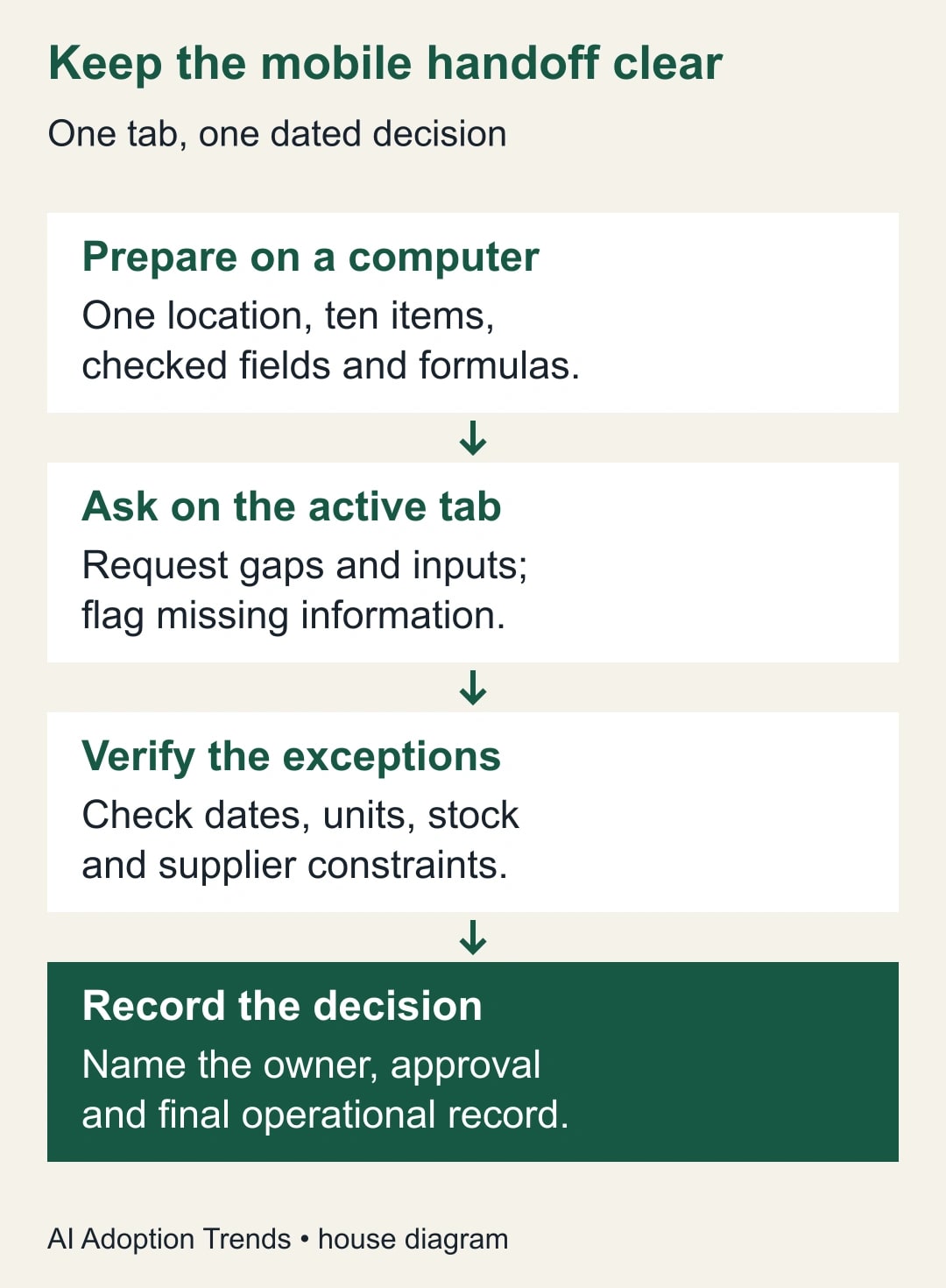
Prepare one decision tab before leaving the desk
This guide is for a store, service, or field-operations manager reviewing ordinary stock items. It assumes another named owner maintains the source inventory and that the manager can open a prepared Google Sheet on an iPhone.
Skip this approach for purchases requiring live allocation across warehouses, traceability by regulated lot, or automatic purchase-order approval. A prepared worksheet can inform those decisions, but it should not silently replace the system responsible for them.
Ask the inventory owner to create a tab called “Stock review” with one row per item and location. Put the snapshot time near the top. Include item code, location, usable units on hand, average daily demand, lead time in days, approved buffer units, and confirmed incoming units due within the planning horizon.
Define each field. “On hand” should not include stock that cannot be used. “Incoming” should not include an unconfirmed supplier promise. The demand measure needs a stated lookback period and a consistent treatment of days when the location is closed.
For a first pilot, choose ten familiar items at one location. The goal is to discover whether the mobile review helps, not to summarize the entire company inventory. A manageable scope lets the manager verify every proposed exception against something they understand.
If important supplier details live on another tab, bring the required fields into the prepared decision tab through your normal desktop process. Do not rely on a prompt saying “look across all tabs” to overcome the documented active-tab limit.
Agree on the calculation and its limits
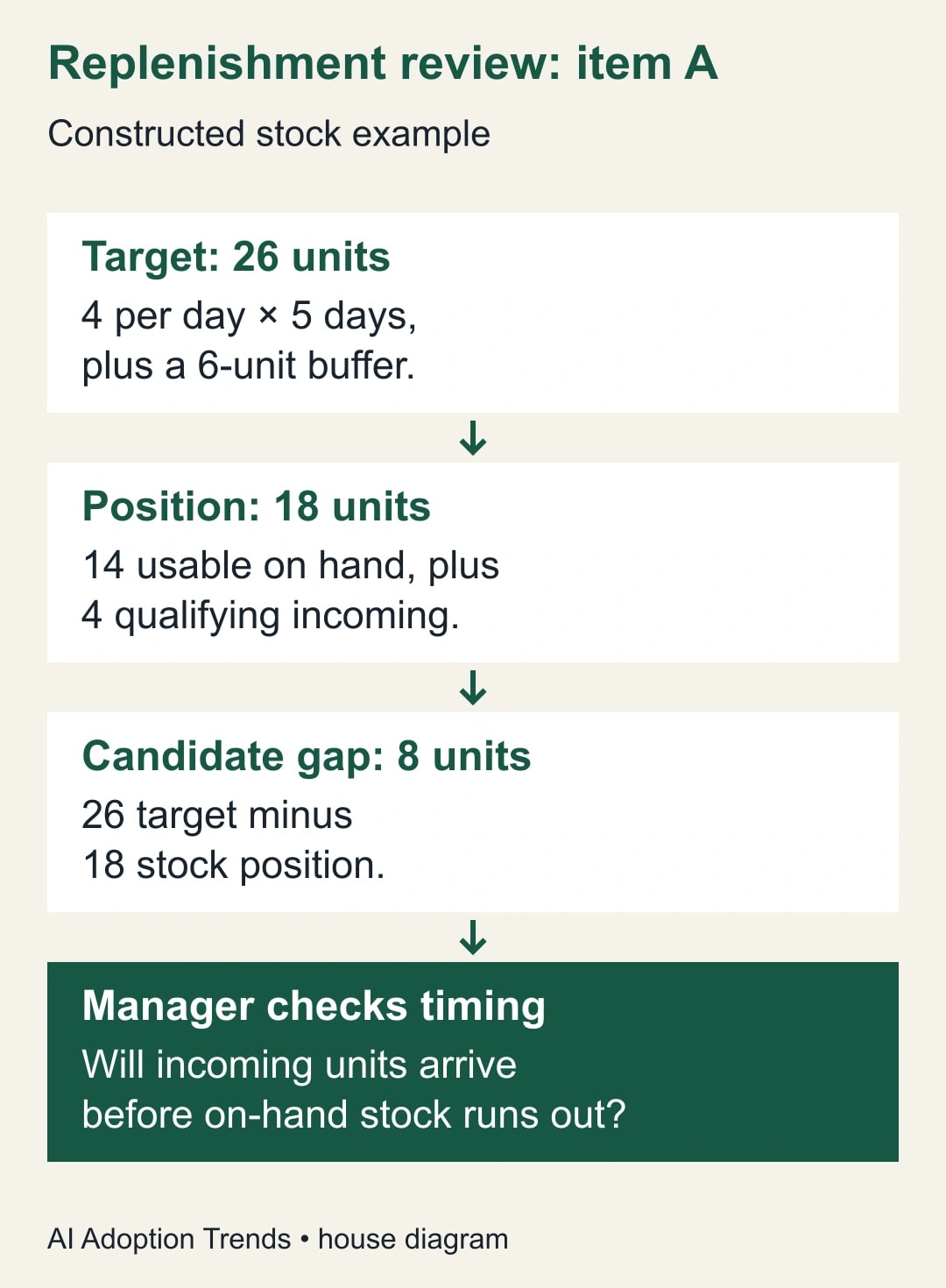
A simple review flag compares expected stock needs with the available position. In this constructed example, the target is average daily demand multiplied by lead time, plus a fixed buffer. The position is usable on-hand stock plus confirmed incoming stock counted within that same horizon. A positive difference is a candidate replenishment quantity.
This is a teaching example, not a complete inventory policy. It assumes demand is reasonably stable and that incoming units counted in the calculation arrive soon enough to help. The stock owner must separately check whether the business runs out before those units arrive.
For item A, assume four units of average daily demand, five days of lead time, and a six-unit buffer. The target is 4 × 5 + 6 = 26 units. With 14 usable units on hand and four qualifying incoming units, the position is 18. The candidate gap is eight units.
For item B, use two units per day, three days of lead time, and a four-unit buffer. The target is ten. With 18 on hand and nothing incoming, there is no positive gap. The result should be zero proposed units, not a negative order.
For item C, use three units per day, four days of lead time, and a five-unit buffer. The target is 17. With nine on hand and no qualifying incoming stock, the gap is eight.
Items A and C both have an eight-unit gap, but that does not make their urgency identical. A has 14 ÷ 4 = 3.5 days of stock on hand before incoming receipts; C has 9 ÷ 3 = three days. Timing, supplier reliability, and the actual receiving schedule still matter.
Put these formulas in the prepared worksheet and verify them on a computer. The mobile assistant’s role is to explain and organize a checked calculation, not to invent the purchasing rule while summarizing it.
Open the correct tab and ask a bounded question
Sign in to the Sheets iOS app with the intended account, open the prepared file, and select the stock-review tab. Confirm the snapshot timestamp and location before opening Ask Gemini.
If your source is an Excel file, Google’s mobile instructions describe saving it as a Google Sheets file through the app’s sharing/export options. Coordinate that conversion with the owner. A convenient copy becomes dangerous if people mistake it for the maintained original.
Use a prompt that names both the task and the boundary:
“Using only the active Stock review tab, identify items with a positive candidate replenishment gap. For each, show the item code, location, snapshot time, target, stock position, and gap. Explain the arithmetic from the existing fields. Flag missing values or unclear incoming-stock dates instead of guessing. Do not treat the output as an approved order.”
Ask a follow-up about a specific item when necessary: “For item A, show exactly which input values lead to eight units.” This gives you a checkable answer. “Optimize our inventory” asks for a much larger decision than the data and the mobile context can support.
If the response mentions information that is absent from the active tab, treat that as a reason to investigate. It might be an unsupported assumption, a generic suggestion, or a misunderstanding of a column label. Do not copy it into the manager’s action list as an established fact.
Check the exceptions before discussing orders
For the ten-item pilot, compare every positive gap with the worksheet. Confirm item code and location first; a correct quantity for the wrong location is still a bad recommendation.
Then inspect the inputs. Is stock usable? Does demand use the agreed period? Is lead time measured in calendar days or working days? Are incoming units counted consistently? Resolve these questions with the inventory owner instead of asking the assistant to choose a convenient interpretation.
For item A, the eight-unit gap passes the simple arithmetic check. The manager still needs to inspect the four incoming units. If they arrive after the item would run out, the headline gap hides a timing problem. Escalate the delivery schedule rather than declaring the item adequately covered.
For item C, a supplier’s minimum pack might be 12 units. The calculated gap remains eight; a proposed order of 12 is a separate purchasing choice. Record both values and the reason for the difference. This prevents the next reviewer from assuming that the model or formula made an unexplained arithmetic error.
Do not combine all candidate gaps into one meaningful “units needed” figure unless the units are genuinely comparable. Eight filters and eight bottles may total 16 pieces, but that total does little to prioritize spend, shelf space, or service risk.
Treat a mobile chart as a dated illustration
A chart may make the review easier, especially when several items have different stock coverage. Ask for a chart only if it helps answer a specific question, such as which items have the shortest coverage before confirmed receipts.
Google describes mobile-generated charts as static images. Label any chart you share with the snapshot time, tab name, and measure. Do not use a screenshot from yesterday’s review as if it were a live dashboard.
Check the chart against the same rows used in the answer. A missing item, truncated label, or different unit can change what a colleague concludes. With ten pilot items, the manager should be able to identify each plotted value without guessing.
If the phone display makes the labels too small, use the checked text list instead. A visual that requires zooming and cross-referencing during a busy site visit may make the workflow slower.
Avoid asking the assistant to write approved quantities back into the sheet. The current iOS documentation excludes editing and formatting requests. Capture the reviewed recommendation through your existing process, then have the responsible person update the operational record.
Use an exception sheet that survives the conversation
Keep a short action record outside the chat response, in the system the team already uses. The useful output is a reviewable decision, not a long transcript.
Use these fields for each candidate:
- Item and location: the identifiers needed to find the operational record.
- Evidence: source file, tab, snapshot time, and the checked calculation.
- Proposed action: order, expedite, transfer, investigate, or take no action.
- Human adjustment: pack size, delivery timing, unusual demand, or another named reason.
- Owner and deadline: who resolves the issue before the next review.
- Approval and outcome: who approved the action and where the final transaction is recorded.
For item C, a sample entry might say: “Gap eight; supplier pack 12; purchasing to confirm shelf space and approve quantity by 2 p.m.” That is more useful than “AI says reorder.” It separates the arithmetic from the business judgment and assigns the unresolved work.
If the manager cannot reach the stock owner, leave an item marked unverified. A short unresolved queue is better than a confident list whose inputs no one can defend.
Diagnose the most common failures
A missing Ask Gemini control is an account, availability, or administration question before it is a data question. Check the signed-in account, eligible subscription, rollout status, and organization settings with the person who manages them.
An answer that omits a supplier tab may reflect the documented active-tab boundary. Rebuild the prepared view with the necessary fields on a computer. Rewording the same broad prompt repeatedly wastes the time this workflow was supposed to save.
A recommendation that changes sharply from yesterday needs a source check. Compare timestamps, units, incoming receipts, and demand inputs. Do not attribute every change to model inconsistency when the worksheet itself may have changed.
An apparently precise answer with blank inputs should fail review. For example, a missing lead time cannot quietly become zero. Ask the owner to repair the data and rerun the calculation.
Finally, watch for stale answers after switching tabs or refreshing the underlying data. Start a new, clearly scoped request against the current tab and timestamp. Never assume a previous response has updated merely because the visible sheet now shows different values.
Decide whether the mobile step earns its place
Compare the pilot with the existing review on the same ten items. Measure correct exceptions found, false alarms, missed exceptions, minutes spent verifying, and how many recommendations reach a named owner.
Suppose, as a constructed comparison, the old review takes 20 minutes. The new flow takes six minutes asking and reading, plus ten minutes checking inputs and recording decisions. That releases four minutes, not 14. If verification grows to 18 minutes, the new flow takes 24 minutes and has not saved time.
Released minutes are staff capacity, not automatic cash savings. The larger benefit may be a clearer handoff during a site visit. Measure that through fewer unresolved items or fewer repeated clarification calls rather than inventing a financial return.
Stop using the assistant for this decision if it repeatedly mixes locations, guesses missing values, or encourages the team to skip approvals. Keep the checked worksheet and improve the data view before trying again.
For the next review, prepare ten rows, write the calculation in plain language, and check one known answer before opening the mobile assistant. Our guide to sharing a Google Sheets report safely can help with the audience boundary. For a related planning task with explicit assumptions, see the team capacity planner walkthrough.
Weekly Newsletter
AI Adoption Weekly
New research, field guides, training studies, and tool decisions for operators.
No spam. Unsubscribe anytime.
Related Comparisons
Calculator
AI seat cost calculator
List price × headcount. You enter the hours and the operating assumptions.