
Add Airtable Linked Records Without Erasing Existing Links
Separate append from replacement, handle empty linked fields, and verify the complete relationship set before recovering affected Airtable projects.
Published November 15, 2026

An Airtable automation can finish successfully while removing relationships you meant to preserve. If Update record writes only the new task IDs into a project's linked-record field, treat that operation as replacement. To add tasks, construct the intended complete set of links, handle an empty field separately, and compare the result with the project's previous relationships.
This guide is for an operations manager maintaining project, task or service relationships in Airtable. It fits a base where existing links have business meaning and a small, controlled automation is adding more. Skip this approach when replacing the entire relationship set is the actual requirement, or when several processes continuously modify the same field and nobody owns the update sequence. Solve that ownership problem before adding another writer.
Airtable's current guidance on linking existing records, checked November 5, 2026, explains that Update record writes the configured field value. Its append pattern includes existing linked record IDs plus the new IDs. When the existing field is empty, the documented comma-based combination needs a separate branch to avoid an invalid leading comma. This is documented product behavior, not a result from a live base test performed for this article.
Start with the relationship you must preserve
Suppose a client project already links to two tasks: an approved brief and a signed estimate. A new automation should add a delivery checklist. Removing the first two links may not delete the tasks themselves, but it can make the project appear incomplete, change a rollup, or deprive a colleague of the context they expect. The operational defect is the missing relationship, even if every underlying record still exists.
Before opening the automation editor, write a plain-language requirement: add the approved delivery tasks to this project while retaining every existing task link unless a named owner approves its removal. That sentence prevents a common misunderstanding between the person requesting the automation and the person configuring it. The request is about the final relationship set, not whether one action reports success.
Name the base owner, the automation maintainer and the person who decides which tasks belong to a project. One person can hold more than one role, but the decisions must still be explicit. Have a recoverable copy or approved snapshot of the relevant relationships before testing. Keep a list of project IDs and linked task IDs, rather than relying on a screenshot of task names that may be duplicated or renamed.
You need permission to configure the automation, access to the relevant tables, safe test records and enough capacity under your current automation plan. Airtable says availability and limits vary by plan in its automation overview. Check the account's current allowance before a backfill. This guide does not assume a paid upgrade or quote a price; most effort will be in mapping, testing and exception review.
Define three sets before changing a record
Use three labels in the working record: existing links, proposed additions and intended final links. The intended final set contains all approved existing links and additions, with each relationship counted once. A task that already appears in both inputs should not become an extra business task merely because two searches found it.
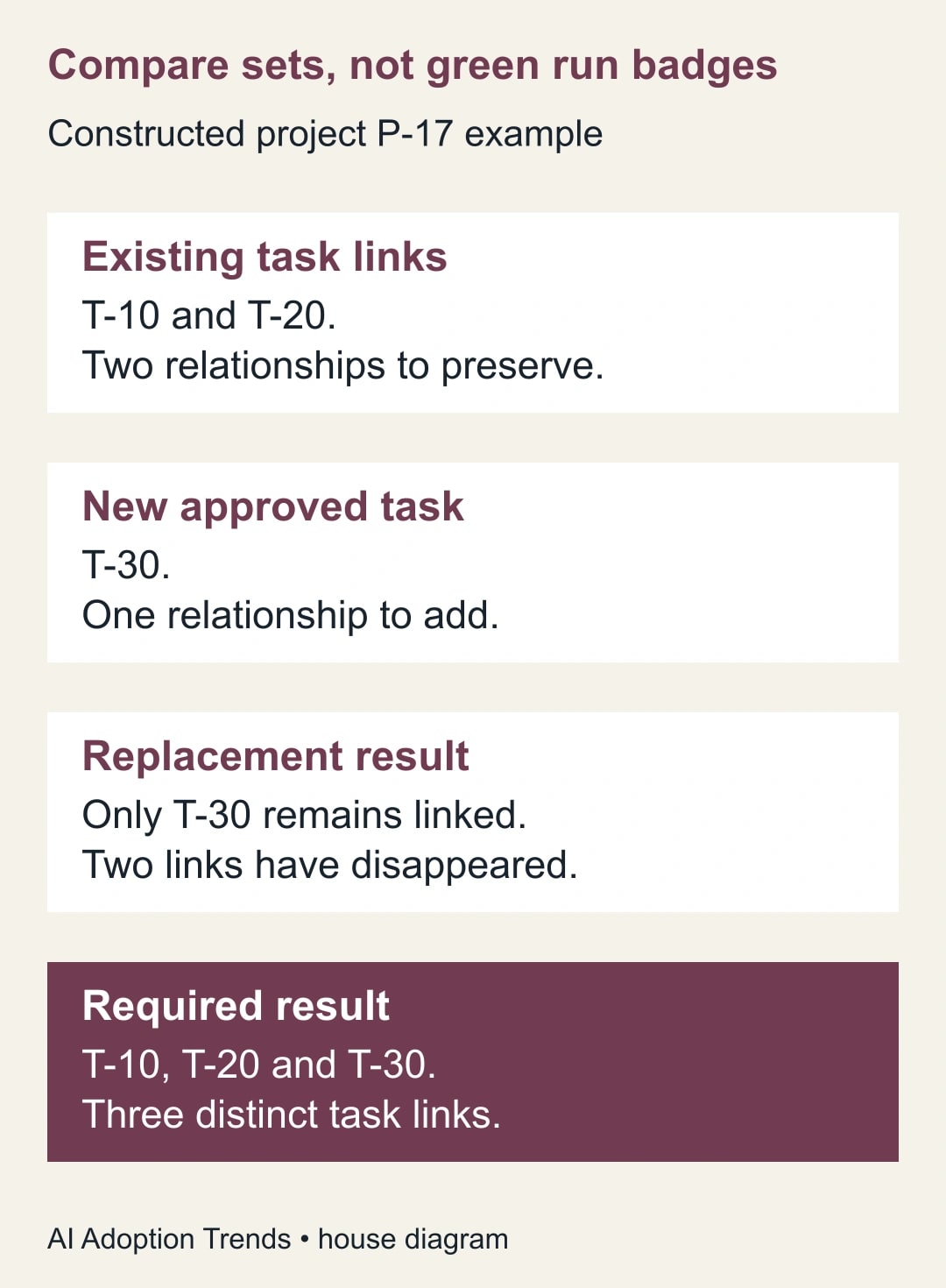
In a constructed example, project P-17 has task links T-10 and T-20. The automation finds T-30 as an approved addition. Writing only T-30 produces one remaining relationship. The intended result is T-10, T-20 and T-30: three relationships. These short labels make the example readable; actual Airtable record IDs are different identifiers supplied by the base.
Now change the proposed additions to T-20 and T-30. There are four input entries across the two lists, but only three distinct tasks. The acceptance check should compare the actual relationship set with the three intended IDs. Counting input tokens alone cannot tell you whether the result is correct. Nor can a green automation badge tell you that an old relationship survived.
An empty project is a separate case. Project P-18 starts with no task links and should receive T-30. Its intended final set contains one task. An operation that combines an empty token, a separator and a new list may fail before it updates anything. Treat the empty case as a normal path, not a rare exception discovered during the first client onboarding.
Map the project and the linked tasks separately
The record being updated is the project. The records being placed inside its linked field are tasks. Keep those two identities separate in the configuration and the test sheet. A perfectly valid record ID from the wrong table is not a valid relationship target. Airtable's linking guidance requires the linked IDs to belong to the table that the field points to.
Use the trigger's project record ID for the Update record target; Airtable's Update record instructions distinguish that target from the values written into its fields. For the linked-field value, use existing task IDs and the IDs returned by the approved search. The linking guide specifies the record-ID property for existing links and Make a new list of Airtable record IDs for Find records output. Avoid visually similar task names.
Keep the search business-specific. A task title containing a common word is usually a weaker matching rule than an approved task category and a stable project classification. Have the process owner review the intended task list before enabling the update. The correct append behavior cannot rescue a search that selects the wrong tasks.
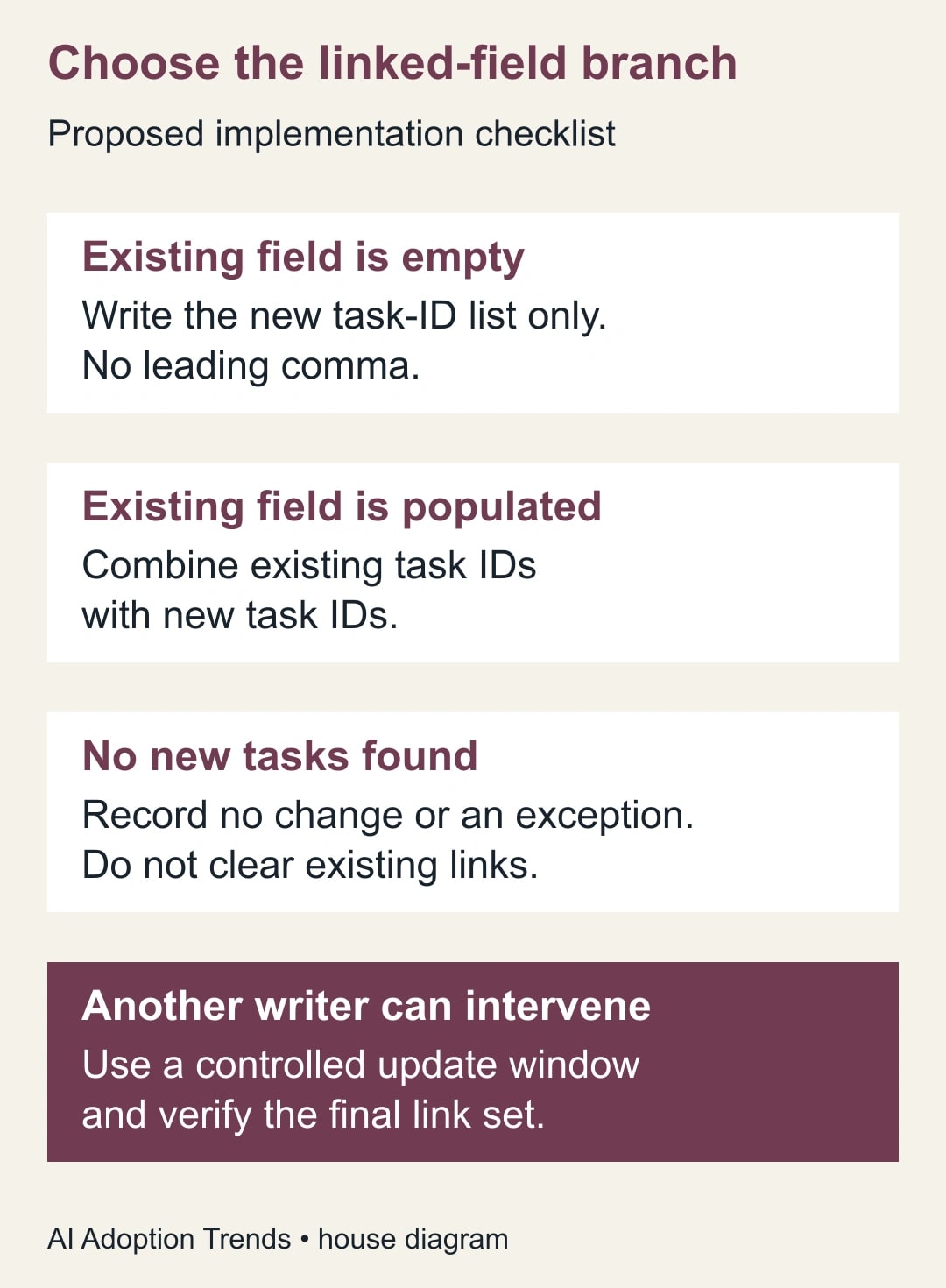
For a populated field, combine existing IDs, a comma and new IDs. For an empty field, write only new IDs. Configure mutually exclusive conditions for linked-field Length greater than zero and Length equal to zero, then test each branch. Airtable explains how to add these branches in its conditional groups guide. Add a deliberate no-additions outcome: leave relationships unchanged and record no work or an exception. Never let an empty search silently clear the project.
Avoid combining many optional lists just because each is available as a token. Where possible, simplify the business selection into one search against the same target table. If you need tasks from several categories, define the union you want and test its boundaries. If the sources refer to different tables, they need the appropriate separate linked fields, not one mixed list of unrelated IDs.
The difficult case is a second writer
Preserving the links you read at the start of a run does not prove that you preserved everything present at the time of the write. Consider this constructed sequence: an automation reads T-10 and T-20; a colleague adds T-40; the automation writes its previously prepared list of T-10, T-20 and T-30. T-40 was absent from the earlier snapshot and may be lost from the intended relationship set.
This is an update-design risk, not a claim that every Airtable automation executes in that order. Test it in your base. Airtable's Update record documentation says trigger values are captured when the automation fires and can retain earlier values after an update. A trigger token is not a promise that nobody has changed the record. More writers make a simple read-and-replace pattern harder to trust.
For a modest backfill, use an agreed maintenance window and one owner for relationship changes. For an ongoing process, make one workflow responsible for the field or queue change requests for controlled processing. If you cannot reliably coordinate updates, hold the automation and use a reviewed manual process while designing a stronger solution. Adding more retries does not settle which version of the relationships is authoritative.
Do not describe a last-second read as a universal concurrency guarantee. It reduces the age of the information, but another writer can still intervene. The business acceptance test must include the actual collaboration pattern: people editing projects, other automations adding tasks, and delayed runs. A solution suitable for ten quiet projects may be unsuitable for a busy shared queue.
Test a compact matrix of real failure conditions
Use harmless copies or dedicated test records. Record the starting task IDs before each test and the resulting IDs afterward. Compare sets, not the visual order of chips in the field. If a test changes real project records, get the process owner's approved scope and rollback record first.
- Populated field, one new task: preserve both original tasks and add the new task.
- Empty field, one new task: create one valid relationship without a separator error.
- Populated field, no additions: retain the complete original set.
- Addition already linked: keep one relationship to that task.
- Wrong-table ID: stop the update and record an actionable exception.
- Competing edit: determine whether a colleague's new link survives the operation.
Also inspect the downstream consequence. If the project has a task count, rollup or ready-for-delivery rule, confirm it reflects the intended tasks. A relationship set can be correct while a downstream calculation uses the wrong condition. Keep that defect separate, so the repair does not keep changing the append logic to compensate for an unrelated formula.
Test twice with different records. One carefully prepared example may accidentally avoid empty values or ambiguous task selection. After the test matrix passes, choose a small pilot batch with a known expected relationship set. Have another person compare the before-and-after record, especially for projects whose links determine whether work can proceed.
Recover existing damage without overwriting newer work
If the automation already replaced links, pause the affected path and identify the exact project population and run interval. Save current relationships before any repair. Gather the last trustworthy before-state, the run's intended additions and any authorized edits made afterward. The goal is to reconstruct what should exist now, not blindly restore an old snapshot.
Suppose a constructed batch contains 20 projects. Twelve have the intended final relationships, five lost an older task link, and three have uncertain histories. Leave the twelve alone. Review the five against evidence and repair only approved omissions. Keep the three uncertain projects in an exception queue until someone establishes their intended state. Replaying the entire batch could disturb the twelve correct projects and repeat the same defect.
For each repair, record project ID, before-state evidence, current links, proposed final links, reason, approver and verification result. If a colleague intentionally removed an old task after the faulty run, do not re-add it just because it appears in a snapshot. Human judgment is required when historical correctness and current business intent differ.
Measure preserved relationships and unresolved exceptions, not just successful runs. Useful pilot measures include projects with an exact set match, unintended removals, unintended additions and time spent reviewing uncertain cases. A reduction in manual linking time releases capacity only after review and repair effort are included. It is not cash savings unless a separate budget action occurs.
Stop the rollout if any unexplained relationship disappears, if wrong tasks are added, or if competing writers cannot be reconciled. The next useful action is to capture one project's expected set and run the populated, empty and competing-edit tests. If the task search itself is incomplete, use the Airtable Find records batch-check guide. If records never enter the automation, diagnose that separately with the existing-record trigger guide.
Weekly Newsletter
AI Adoption Weekly
New research, field guides, training studies, and tool decisions for operators.
No spam. Unsubscribe anytime.
Related Comparisons
Calculator
AI seat cost calculator
List price × headcount. You enter the hours and the operating assumptions.