
Your practice space
Read first, or open the worksheet whenever you are ready.
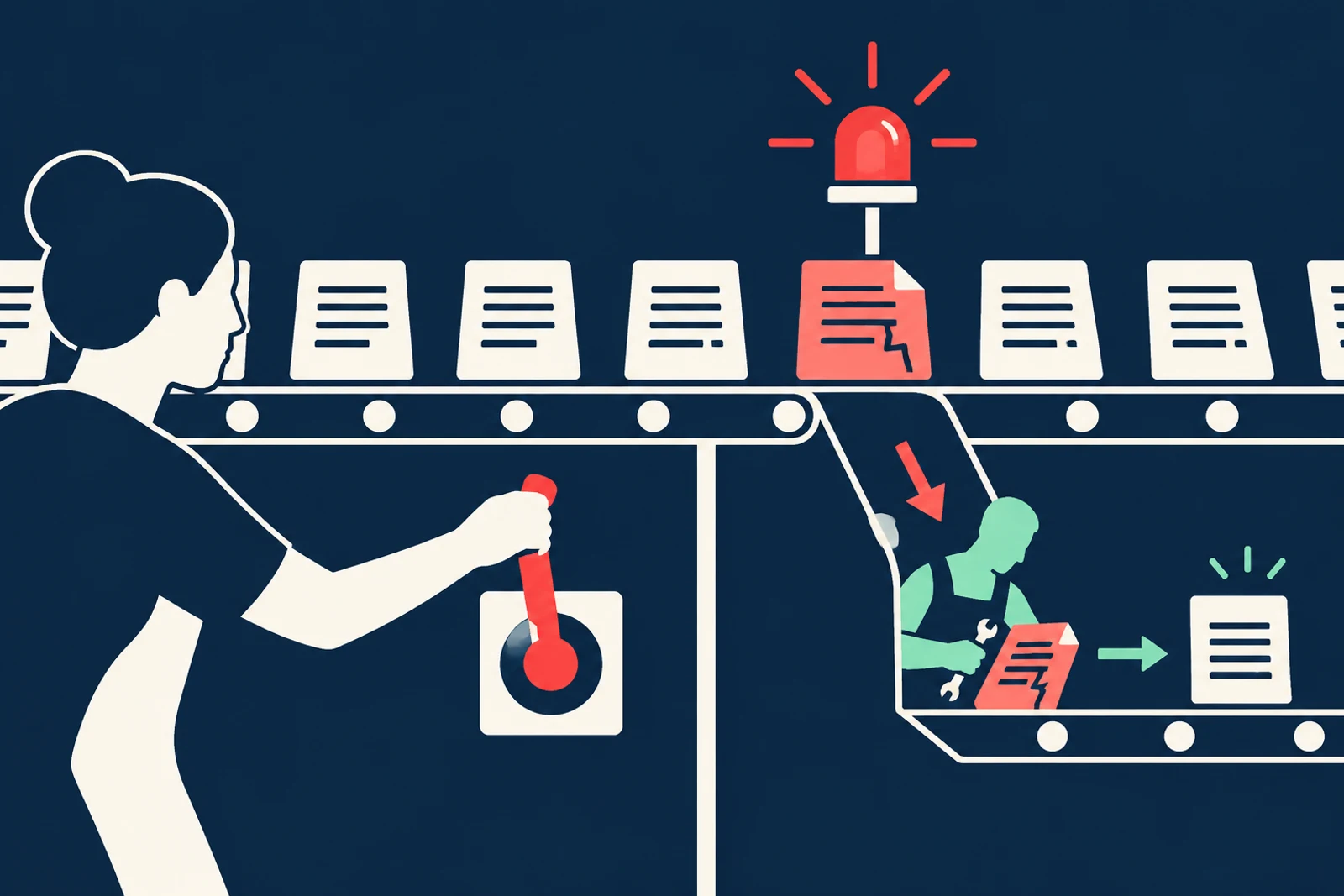
A launch-day demonstration proves that one prepared case worked once. It does not tell you what happens after a source changes, a similar customer name appears, or someone adds a new connector. Testing is a way to learn what the system does on an ordinary bad Tuesday, while there is still time to keep the mistake inside the company.
Start with a small answer key: a normal case, a missing source, a stale rule, a wrong account, and a document that tries to give orders. Then decide what a useful alarm looks like and who can stop the system. You do not need a giant security laboratory to learn from five well-chosen cases.
Constructed teaching example
See the risk in ordinary work
Example: a service assistant drafts responses from an approved knowledge base.
Where it fails
After a source update it quotes an old refund policy and sends a promise the company cannot honor. The dashboard still reports fast responses.
A better route
A planted stale-policy test fails, sending pauses, the owner finds affected messages in the log, corrects the source, and checks customers who may need repair.
The working diagram
Follow the boundary
- 01
Before launch
Test normal and planted failure cases.
- 02
During use
Watch corrections, unusual access, and customer complaints.
- 03
Contain
Pause a connector or action; preserve evidence.
- 04
Recover
Repair records and test the fix before restart.
A passing demo is only the first case
Build an answer key with ordinary cases and deliberate traps: stale guidance, missing source, wrong account, unauthorized instruction, and a request outside the tool’s role. Check the output and the actual saved or sent action. Repeat after model, prompt, source, or connector changes.
A security test should also ask what the organization can see afterward. Can the team find the request, source, tool action, approving person, and time? Logs should be useful enough to investigate but should not become an uncontrolled archive of sensitive content. Set access and retention for them too.
Decide what triggers a pause
Before launch, name the conditions that stop automation: a wrong recipient, private data exposed, an unauthorized action, repeated unsupported claims, or an unexplained spike in tool calls. Name who can pause it at any hour. A “kill switch” that only one absent engineer knows is not a plan.
Rehearse a short incident: who receives the report, who can disable the connector, who preserves evidence, who checks affected customers, and who authorizes restart. In the United States, the Federal Trade Commission advises businesses facing a breach involving consumer personal information to contain the problem, assemble the right team, investigate scope, and communicate accurately. Its guide is not the only authority: state breach-notification laws and sector-specific rules may impose legal obligations and deadlines. Involve the appropriate privacy adviser rather than guessing which notice rule applies.
Check it in your organization
- Plant at least one failure in a safe environment.
- Confirm the action log can identify affected cases.
- Practice pause and rollback with the owner present.
Measure both speed and damage
Track accepted work, corrections, wrong actions, suspicious prompts, complaints, and recovery time. A faster response that creates more repeat contacts is not an improvement. Review a sample of apparently successful cases; the absence of an alert may mean the monitor is weak.
Do not use an AI system to investigate its own incident as the sole source of truth. It can help sort records, but a person and independent system logs must establish what happened.
Follow one business through the course
Northline: a refund promise from last year’s policy
Northline Supply is a fictional teaching example, not a reported company incident.
Northline’s service assistant drafts replies from an approved policy library. The refund policy changes. A cached copy remains in a connected folder, and a draft tells a customer that an old exception still applies. The dashboard celebrates quick response time. The customer sees a promise the company did not mean to make.
The team’s planted stale-policy case catches the mismatch before the send permission is widened. The service owner pauses external sending, checks the source library, and uses the action log to find drafts based on the old policy. Agents review any affected customer messages. After the source is corrected, the team reruns the bad case and a normal one. The normal case matters: an overzealous fix that blocks all refunds would simply replace one failure with another.
Another setting
The quiet failure after a connector update
An automation provider changes the fields returned by a customer-system connection. The assistant continues to run but leaves the customer ID blank on some cases.
What to do: A saved test with a known customer record should fail visibly. The owner pauses the update path, finds incomplete records, repairs them, and tests both normal and missing-ID cases before restart.
Where this goes wrong
Three traps worth catching early
Watching only speed and usage
Add wrong actions, corrections, repeat contacts, and customer complaints. Faster is not better if the cost of repair rises.
A pause button no one can reach
Name a primary and backup operator. Rehearse the stop with the actual production control in a safe window.
Logs that become a privacy problem
Keep enough detail to investigate, but limit who reads logs and how long sensitive entries remain.
What good looks like on paper
An incident card, filled in
This card should be findable at 4:45 p.m., not only during a planned review.
- Signal
- A draft cites the retired refund policy or sends to a wrong recipient.
- Containment
- Service lead disables external send; backup is the operations manager.
- Scope
- Find action IDs and source versions for affected drafts; preserve the relevant logs.
- Restart
- Correct source, repair customers, pass stale and normal tests, then approve restart.
Put it into practice
Try this on one real workflow
Run a 30-minute exercise using one planted bad document or wrong-recipient case.
The fill-in worksheet is in the practice space at the top of this lesson. Open it when you have a workflow in mind; it will keep your notes out of the reading flow.
Go to the worksheetSources behind this lesson
The business examples are constructed. These sources support the method or risk described above; they do not prove a result for the fictional company.
Primary guidance on containment, investigation, and communication when personal information may be exposed.
The tests and incident card become evidence. The next lesson turns that evidence into an honest picture of what the organization can actually do.