
Your practice space
Read first, or open the worksheet whenever you are ready.
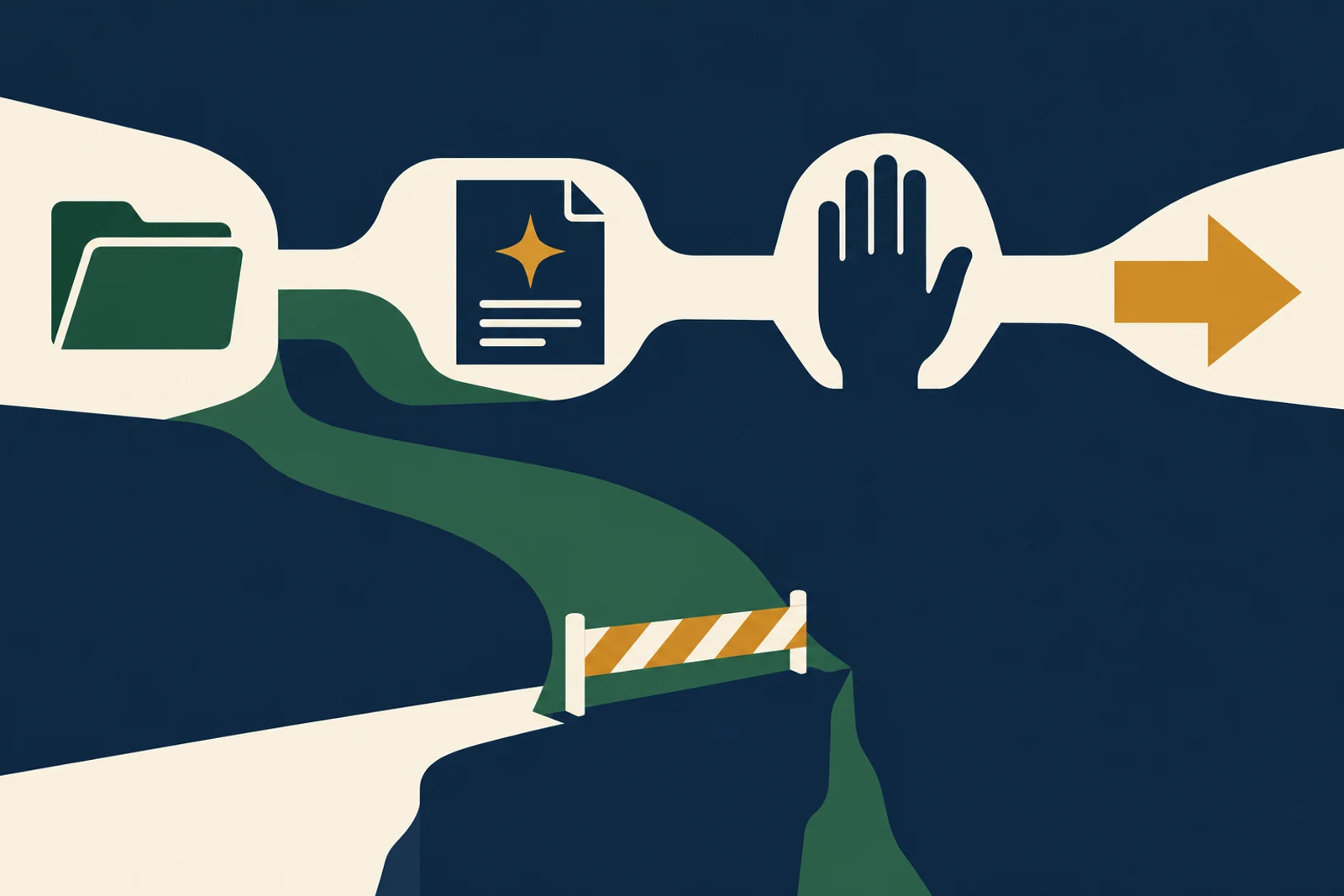
You do not need to become a security engineer to begin. You need to follow one piece of work closely enough to see who can touch it. For this course, we will return to Northline Supply, a fictional 45-person distributor of replacement parts. Its sales and service teams want help answering routine questions, preparing renewal notes, and finding the right product information. The examples are invented so we can make the decisions concrete; they are not reported incidents.
The first question is ordinary: “Where does the work go?” A sales manager pastes a customer request into an approved AI workspace. The assistant reads a product catalog, checks order history, drafts an answer, and perhaps updates a customer record. Every step looks small. Together, they form a path through company data and customer commitments. A useful map follows that path, not the marketing description of the tool.
Constructed teaching example
See the risk in ordinary work
Example: a sales team asks an assistant to prepare renewal briefs from customer records.
Where it fails
The brief is useful, but nobody noticed that the assistant can also read notes about accounts outside that salesperson’s territory.
A better route
Map the sources, reader, output, and allowed action before expanding access. The sales owner checks the brief; an administrator limits the connected records.
The working diagram
Follow the boundary
- 01
Input
Which records, with what sensitivity?
- 02
Model
Which service and workspace receive them?
- 03
Output
Who can see the draft and source links?
- 04
Action
Who may send or change a live record?
Security starts where a normal task crosses a boundary
A list of risks is less useful if it never names the actual job. Follow a task from the employee’s question to the saved result. An AI assistant may read a document, summarize it, call another tool, and write a customer record. Each crossing changes who can see or change information.
Pick a task people already want to do, not a hypothetical super-agent. Write down the owner, the approved record to check, the least information needed, the tool’s permissions, and the action a person must approve. A narrow map reveals more than an organization-wide ban that employees cannot apply to Tuesday’s work.
Separate three kinds of harm
Confidentiality means the wrong person sees data. Integrity means a record or answer is changed incorrectly. Availability means a process stops when people need it. A renewal assistant can fail in all three ways: expose a private note, update the wrong account, or block the team on a deadline.
Rank those harms for this task. A wrong internal summary may be recoverable; a sent price commitment may not be. This ranking tells you where to put a review, which access to remove, and what must be logged. It also prevents security from treating every draft as if it were a wire transfer.
Check it in your organization
- Name the person who owns the business result.
- List each data source and its owner.
- Mark the first point where the tool could affect a customer or system.
Keep the map alive
Revisit the map when a connector—the link that lets one application read from or act in another—changes, or when the model, vendor plan, or action permission changes. A read-only pilot is not the same system after someone enables email sending. Keep the current version with the team’s workflow documentation and give the change an owner.
This course adds ten controls to that map. Lesson nine turns those same areas into a scored checklist. You do not need to buy all ten at once. You do need to know what work you are protecting, so later scores describe the real process rather than a policy binder.
Follow one business through the course
Northline: the renewal note that reached too far
Northline Supply is a fictional teaching example, not a reported company incident.
Northline pilots an assistant that summarizes customer renewals. The first draft is excellent. Then someone notices that the assistant can search the entire customer database, including accounts outside the salesperson’s territory. Nothing has leaked yet. That is exactly when the team should act: before an impressive demo turns broad access into normal practice.
The sales owner writes the legitimate job in one sentence: prepare a draft for the salesperson’s assigned accounts. The data owner identifies the approved records. The administrator limits the connection to those records and removes the ability to update a live account. The salesperson still gets a useful brief; the assistant cannot quietly cross into another team’s files. This is a better first control than telling everyone to be careful.
Another setting
The same map in a marketing team
A campaign assistant turns a public webinar transcript into social posts. The source is public, but a connector can also open unpublished customer stories in the same folder.
What to do: The marketing owner moves approved public material into a separate folder and tests the assistant against a deliberately restricted story. The risk lives in the connection, not in the prompt “write a post.”
Where this goes wrong
Three traps worth catching early
Mapping the product instead of the job
“We use an AI assistant” is not a workflow. Name the exact input, output, reader, saved record, and person who approves the result.
Treating a draft and a send as one permission
A useful draft can be low risk while an email send can create a customer promise. Draw the line between the two.
Forgetting the later version
A read-only trial changes character when a team adds a calendar, email, or customer-record connection. Reopen the map when a new power is granted.
What good looks like on paper
A one-page map, filled in
A first version can fit in a meeting note. It is better to have a plain map the team can correct than a perfect diagram no one opens.
- Job and owner
- Draft renewal notes for assigned accounts; sales operations owns the result.
- Allowed input
- Assigned account history and approved product catalog; no other territories.
- Output and action
- Draft note with source links; salesperson reviews; no automatic customer-record update.
- Proof and stop
- Test a forbidden account. Stop if it appears in search or a live record changes.
Put it into practice
Try this on one real workflow
Choose one real AI-assisted task and draw its input → model → output → action path.
The fill-in worksheet is in the practice space at the top of this lesson. Open it when you have a workflow in mind; it will keep your notes out of the reading flow.
Go to the worksheetSources behind this lesson
The business examples are constructed. These sources support the method or risk described above; they do not prove a result for the fictional company.
The Govern, Identify, Protect, Detect, Respond, and Recover functions organize risk around business outcomes.
Once you can see the route, the next question is who can enter it and what happens when they lose their sign-in method.