
Your practice space
Read first, or open the worksheet whenever you are ready.
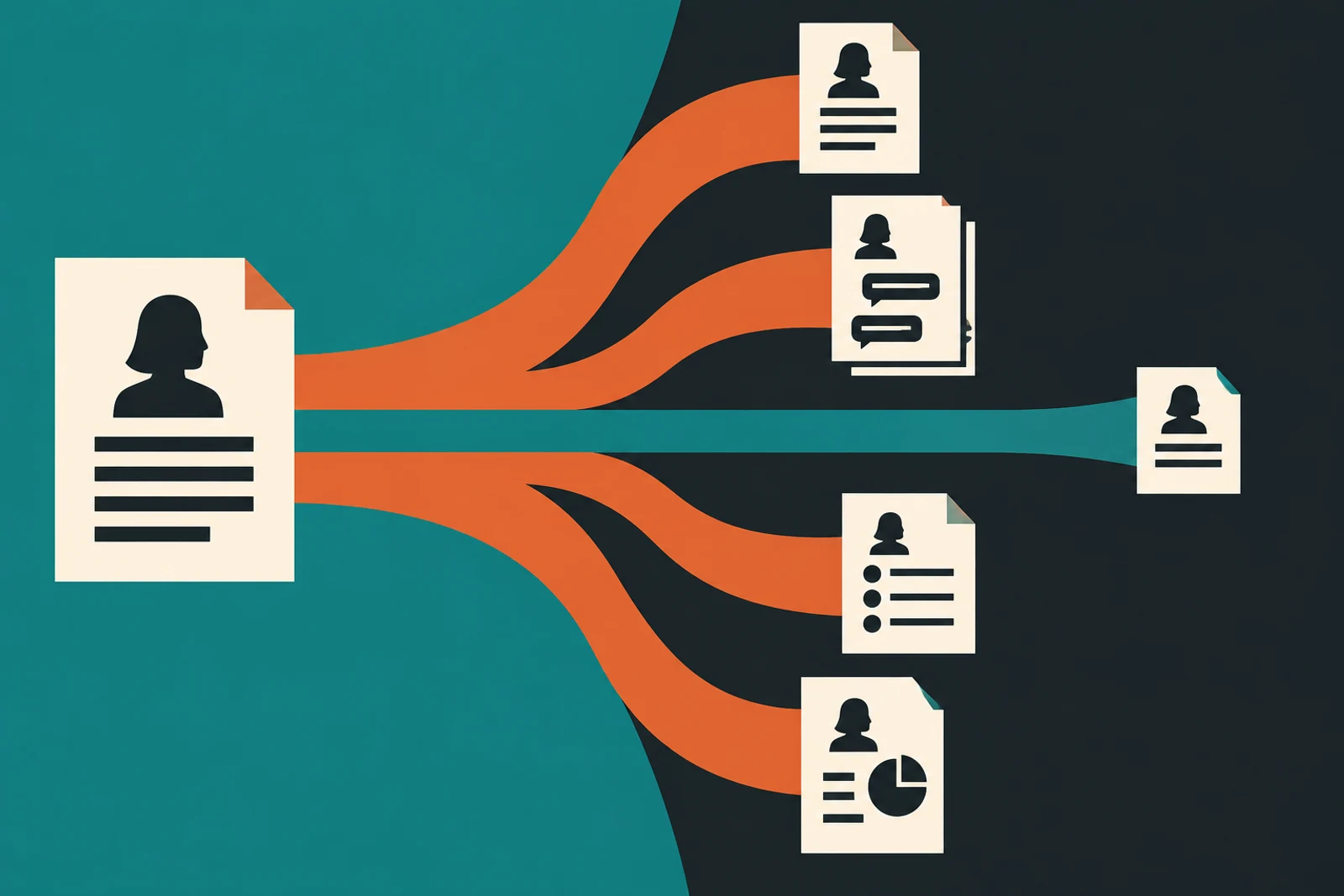
Imagine copying a file into a tool and then trying to draw every place its contents can appear. There is the original file, the prompt, the model response, a conversation history, a log, perhaps a connected search index, and the report someone exports. That is why “the vendor does not train on our data” is useful but incomplete. The question is where this particular information travels, who can retrieve it, and how it leaves.
This does not require banning every useful experiment. For a first trial, a team can often use public information, fictional records, or a smaller set of fields. The point is to make the approved path explicit so an employee does not have to guess whether a customer spreadsheet is safe to paste.
Constructed teaching example
See the risk in ordinary work
Example: a recruiter wants an assistant to summarize candidate interviews.
Where it fails
The team checks a product’s model-training promise but misses that recordings, transcripts, and generated notes remain in several connected systems.
A better route
The owner maps each copy, sets allowed data categories, confirms retention and deletion for the exact plan, and removes unnecessary fields before a pilot.
The working diagram
Follow the boundary
- 01
Classify
Public, internal, confidential, or specially protected?
- 02
Minimize
What is the smallest useful input?
- 03
Contract
Which exact service and settings apply?
- 04
Delete
How will copies and backups age out?
“Not used for training” is only one question
A vendor may promise not to train its models on business data and still retain prompts or outputs to deliver the service, support users, or meet other stated purposes. Look for separate sections titled data use, retention, deletion, and service improvement in the terms for your exact plan; if the answer is unclear, ask for it in writing. Connected documents may have separate permissions, and a third-party app may add another processor. Read the terms for the exact product, plan, connector, region, and configuration you will use. A connector is the link that lets one application read from or act in another.
Make a short data inventory for one workflow: source file, prompt, retrieved passages, model output, logs, exports, and any saved customer record. Mark who can read each copy and how long it remains. A blank data-flow diagram is a reason to slow down before uploading sensitive records, not a reason to ban all AI work.
Give employees examples they can recognize
“Do not enter sensitive information” fails because people disagree about what counts. Show examples: a public press release may be acceptable; an unredacted customer list, unreleased financial result, payroll record, password, or private health detail needs a specific approved route. If a contract, law, or client promise governs the data, the responsible owner should confirm the route.
Using less information is often the fastest safe option. A marketing draft may need product attributes but not customer names. A support-summary pilot may use clearly labeled fictional examples or records with identifying details removed after review. Do not assume removing names alone makes a record anonymous; a rare job title, city, and date can still point to one person.
Check it in your organization
- Write three allowed and three disallowed data examples.
- Check data use, how long it is kept, deletion, access, connections, and other companies that process it for the actual plan.
- Test whether an administrator can remove a user and their access.
Plan the exit before the first upload
Ask what happens when the pilot ends: can you export work, revoke connectors, delete stored conversations, and confirm removal? A screenshot of a “delete” button is not evidence that all copies disappear immediately. Record the vendor’s stated deletion process and any limits.
For a low-risk public-data pilot, a small internal team can do this review. For health, financial, regulated, or contract-restricted records, involve the privacy or legal owner before data moves. The goal is a usable approved path, not a vague blessing.
Follow one business through the course
Northline: the useful support summary with extra detail
Northline Supply is a fictional teaching example, not a reported company incident.
Northline wants to summarize service tickets so agents can spot recurring part failures. A ticket export includes names, phone numbers, shipping addresses, order values, and the actual problem description. The first four fields are not needed to learn which parts fail. A team member removes them and replaces order IDs with test labels before the pilot. That reduces exposure without losing the core question.
The service owner then traces the remaining material through the approved workspace, its connector, logs, saved outputs, and deletion settings. The vendor’s business-plan terms answer some questions; the connector provider’s terms answer others. If the team cannot establish retention for the exact configuration, it keeps the pilot on fictional data. It also asks how to revoke the connection and remove the workspace after the trial. A future decision to use real tickets would need a fresh review.
Another setting
A “de-identified” recruiting note can still identify someone
A recruiter removes a candidate’s name but leaves a rare job title, city, employer, and interview date. Colleagues can still work out who it is.
What to do: Use clearly fictional interviews for the first exercise, or have the privacy owner approve a real-data method. Removing a name is not a magic privacy switch.
Where this goes wrong
Three traps worth catching early
Reading the wrong plan’s promise
A consumer account, business workspace, and application interface may have different settings. Save the terms for the exact plan and configuration.
Counting only the prompt
Outputs, logs, connected indexes, exports, and backups can hold information too. Put each on the route map.
Calling a delete button proof
Deletion may have stated delays or backup limits. Record the provider’s process and test the offboarding steps you control.
What good looks like on paper
A data route, filled in
A short table helps the data owner and tool administrator find different answers to the same question.
- Question
- Which replacement parts generate repeat support contacts?
- Minimum input
- Fictional ticket text and part category; no names, addresses, or payment details.
- Copies and access
- Source file, workspace history, output report, service logs; owner checks each access path.
- Exit
- Revoke connector, export useful aggregate notes, request deletion under the exact plan.
Put it into practice
Try this on one real workflow
Take one proposed use and list every copy of its data from source to deletion.
The fill-in worksheet is in the practice space at the top of this lesson. Open it when you have a workflow in mind; it will keep your notes out of the reading flow.
Go to the worksheetSources behind this lesson
The business examples are constructed. These sources support the method or risk described above; they do not prove a result for the fictional company.
Examples of private information entering or leaving AI applications and why prompt instructions alone are insufficient.
Even when the right data is in the right place, a document inside that data can still try to steer the assistant.