
Workspace Studio AI Steps Disabled? Check the Data Region Policy
Diagnose disabled Studio AI steps with a regional-policy inventory, starter checks, six test cases and a practical recovery plan.
Published November 23, 2026

If a Workspace Studio flow loses its AI steps after a data-region change, ask the administrator to check the effective regional processing policy before rebuilding the flow. A disabled step may be the intended result of a policy, not a broken connection. The useful repair is an approved way to complete the business task within that policy. Turning the restriction off merely to make the error disappear can undo the decision the organization just made.
This guide is for an operations owner and Workspace administrator reviewing an existing intake, reminder or document workflow. It fits a team with an actual regional processing requirement and someone who can interpret it. If you are only experimenting with a personal workflow, start with a simpler automation. If the business cannot yet say which information needs which protection, settle that question before changing tenant settings.
Google announced Workspace Studio Data Regions support on November 20, 2026, with gradual rollout starting November 10. Its availability table distinguishes storage-only coverage in Business Standard, Business Plus and Enterprise Standard from storage-and-processing coverage in Enterprise Plus and Frontline Plus. Do not turn the word “supported” into a promise that every edition provides the same controls. These are provider-listed capabilities checked November 23; verify the edition and applicable add-ons in your own agreement. Read the Studio Data Regions announcement and availability table.
Identify the boundary before changing the workflow
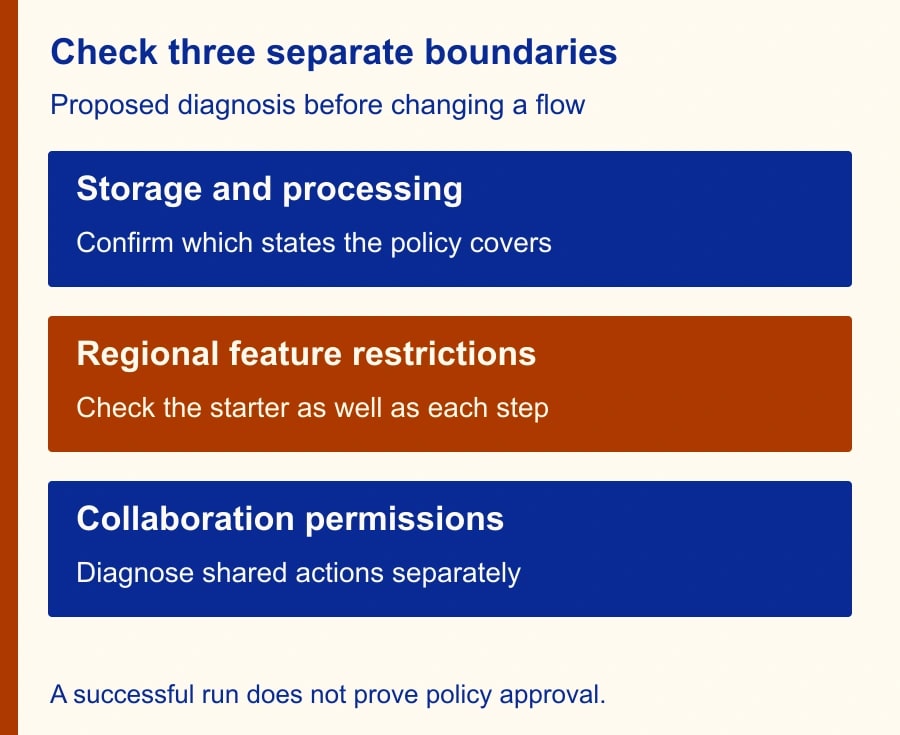
Data at rest means stored information; processing in use means the work performed on that information. A requirement about one does not automatically establish a requirement about the other. Ask the data owner to write the required region, the covered information and the required states in one sentence. “Keep this approved intake dataset stored and processed in the assigned region” is more testable than “make the automation compliant.” The business or policy owner must decide whether that sentence is sufficient for the actual obligation.
Google's coverage documentation specifies covered services, data types and states by Data Regions version. Fundamental Data Regions and Enterprise Data Regions are not interchangeable. Use that table to check the particular information your process handles, including attachments and saved outputs. An external recipient or downstream service needs its own assessment; the fact that a flow begins in Workspace does not establish where everything afterward happens. Check the covered services, data types and states.
Prepare an inventory before asking for a policy exception. For each flow, record its owner, starter, steps, connections, input fields, output locations and expected business result. A starter is the event that begins the automation. The inventory should describe what the step does in ordinary language alongside its product name. “Creates a follow-up task for the case owner” is more useful to a service manager than a connector label alone.
Include the cost of maintaining that inventory and supporting a fallback. The announcement does not provide a universal incremental price for your arrangement. Ask the administrator or account owner to confirm entitlement and any upgrade cost. An existing subscription does not make redesign and review free. Budget staff time separately, and do not report staff hours released by automation as cash savings unless a real expense changes.
Separate regional restrictions from collaboration restrictions
Google's advanced-settings documentation lists Studio features that become unavailable when nonregionalized processing is disabled. These include AI steps, prompt-based flow creation and skills, Drive starters, Forms starters and steps, Tasks steps and outgoing webhooks. AI features also depend on the relevant Gemini regional control. A webhook is a step that sends data to another web address. Those limitations matter before execution: changing a later action cannot repair a starter that the policy will not allow. Read the advanced-settings behavior for Workspace Studio.
Ask the administrator for the effective settings for the affected user, including organizational-unit or group assignments. An organizational unit is an administrative grouping of users. Do not compare two colleagues' screens and assume both have the same policy. Record the user, the time checked, the relevant scope and the administrator's interpretation. A screenshot of a parent setting alone may not explain the user's result.
There is also a separate Studio collaboration setting governing actions that reach other people or shared resources. Keep the two diagnoses distinct. If the evidence points to shared-file or communication actions rather than regional processing, use our guide to blocked Studio collaboration steps. Repeatedly changing unrelated switches makes the result harder to explain and can widen access unnecessarily.
Rehearse one intake flow with harmless records
Consider a constructed service-team example, not a customer result or a tested product deployment. A team has an intake flow that starts from a form, asks AI to summarize the request, records an approved summary and creates a follow-up task. The organization now requires a stricter regional processing boundary. The form starter, AI step and task step each need assessment. Counting only the AI box misses two other possible points of failure.
Write the desired business result without naming those steps: each request must reach the duty owner, receive an accurate short description and have a recorded follow-up date. That description gives the team room to redesign. A person could classify a request and maintain an approved work queue temporarily. A smaller automation might handle only the allowed portion after a human has prepared the input. These are design alternatives to validate, not claims that a specific replacement is automatically regionalized.
Build three harmless requests. R101 asks for a routine appointment. R102 contains two unrelated requests that need separate ownership. R103 lacks enough information to assign work. Record the expected owner, next action and status before running anything. Use invented names and non-sensitive text. Set recipients and outputs to a test location so the rehearsal cannot contact customers or change real work.
Run a baseline under the approved existing arrangement only if that remains authorized. If the policy has already changed, use saved evidence or a test environment approved by the administrator; do not temporarily weaken production controls for comparison. Then test the proposed arrangement under the intended effective policy. Capture what begins, what is blocked, what output remains and who sees an error. A partially created record may need handling even when the overall flow reports failure.
For each request, reconcile the business result. Was one work item created, none, or more than one? Did the owner receive the information needed to act? Did a blocked step leave a record looking complete? Does the fallback identify which part a person must finish? The checkpoint is a complete, permitted handoff, not merely an absence of red error messages.
Use six cases to expose partial completion
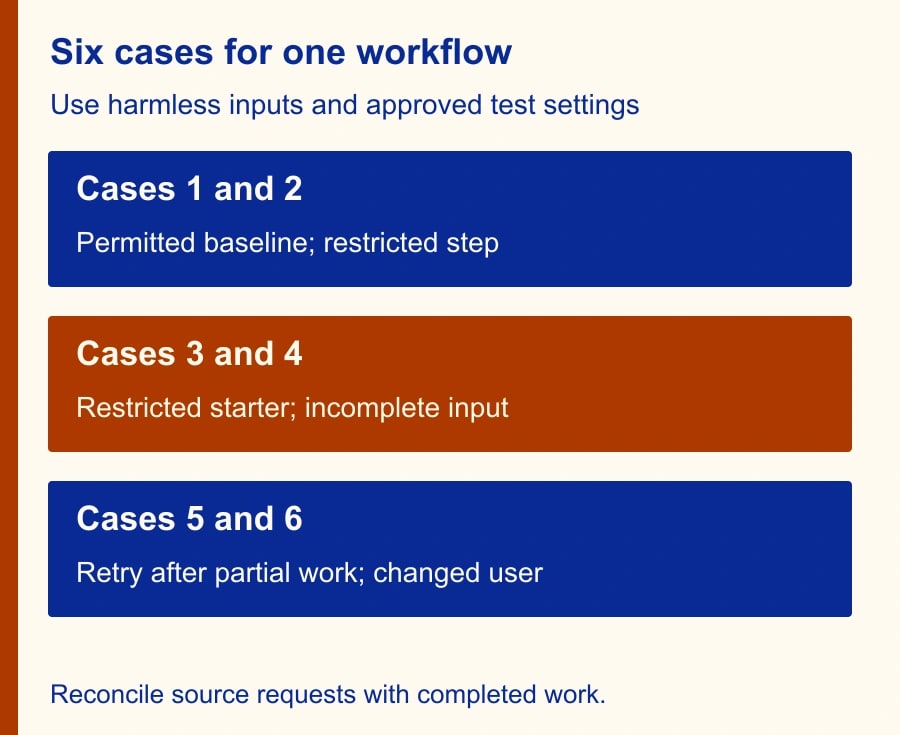
Our suggested test pack has six cases: a permitted baseline, a known restricted step, a restricted starter, an incomplete input, a retried request and a changed user assignment. The administrator decides which tests can safely be performed and where. Some can be documented checks rather than deliberate production failures. The purpose is to observe the workflow's boundaries without creating a new incident.
The retry case deserves special attention. If a request already created a row before stopping, rerunning the entire process might create another. Use a stable request identifier in the review record, and check for existing work before approving a replay. Do not assume a policy error guarantees nothing happened. A repair instruction should name the restart point and explain how the owner knows earlier actions will not be repeated.
The changed-user case checks whether a flow works only because its original owner sits in a different administrative group. Have the administrator verify assignments; do not move people around to evade restrictions. If ownership changes, repeat the evidence checks before the new owner takes responsibility. The deliverable is a short record explaining which policy, account and flow version were approved together.
Give the fallback an owner and a realistic capacity
Suppose, in another constructed calculation, 40 requests arrive daily and the manual fallback takes three minutes per request. That is 120 staff minutes a day. If a permitted redesign leaves 10 requests needing manual work, the manual portion becomes 30 minutes. Add 15 minutes for daily reconciliation and the ongoing workload becomes 45 minutes, releasing 75 minutes compared with the fallback. Those figures describe capacity under stated assumptions, not cash savings or a measured product benefit.
Before accepting that redesign, ask what happens on a day with 80 requests. At three minutes each, a fully manual fallback needs 240 minutes. A named backup and an explicit prioritization rule may matter more than optimizing the normal day. If the team cannot process the backlog before its service deadline, reduce the pilot scope or keep the current approved process while developing a workable alternative.
Separate the owner of the work from the owner of the setting. The administrator maintains the policy and investigates feature eligibility. The operations owner reconciles requests and assigns missing work. The data owner approves information and destinations. A manager decides whether the extra workload is acceptable. One person may hold several roles, but each decision still needs a name.
Keep a release worksheet with the flow
Copy these fields into the change record. They are a proposed operating checklist, not a Google certification form. A colleague should be able to understand the approval without replaying the whole conversation.
- Business result: what must be completed, for whom and by when.
- Information boundary: covered fields, attachments, region, storage and processing requirements.
- Effective policy: user, edition or add-on, administrative scope, Studio setting and relevant Gemini setting.
- Step inventory: starter, actions, destinations and the evidence supporting each decision.
- Test record: input identifiers, expected output, observed output, partial actions and replay decision.
- Fallback: named owner, daily capacity, escalation threshold and approved work location.
- Release decision: approver, flow version, date, unresolved questions and next review.
Keep unknowns explicit. “Needs verification” is better than an unchecked “yes.” A product page can support a feature claim; it cannot tell you whether the organization's actual configuration or downstream destination meets its own requirement. If the controlling question is unresolved, hold the affected work rather than treating a successful test run as permission.
Measure completed work, then widen the pilot
For the first operating cycle, count received requests, completed handoffs, blocked requests, duplicates and manual recovery minutes. Compare the same kind of work before and after the change. A lower error count is not an improvement if requests never reach the starter and therefore never appear in the run history. Reconcile against the source intake count, not only the automation's visible executions.
Stop expansion when an unexplained missing request, duplicate action or unapproved destination appears. Preserve the request identifier, flow version and policy evidence, then have the responsible owner resolve the discrepancy. Do not send sensitive content into an AI assistant merely to explain the error. A sanitized description of the steps and expected behavior is usually enough to draft a diagnostic checklist for human review.
The next useful action is to inventory one affected flow and test its complete handoff under the intended policy. If it includes delayed reminders, also review our checklist for rechecking a Studio reminder before sending. A regional boundary and a correct reminder are separate requirements; the workflow needs to satisfy both.
Weekly Newsletter
AI Adoption Weekly
New research, field guides, training studies, and tool decisions for operators.
No spam. Unsubscribe anytime.
Related Comparisons
Calculator
AI seat cost calculator
List price × headcount. You enter the hours and the operating assumptions.