
Encrypted Google Docs Collaboration: Plan a Safe Beta Pilot
Plan a three-person pilot for encrypted Docs joint editing, with beta eligibility, key access, saved-content checks and a recovery worksheet.
Published November 23, 2026

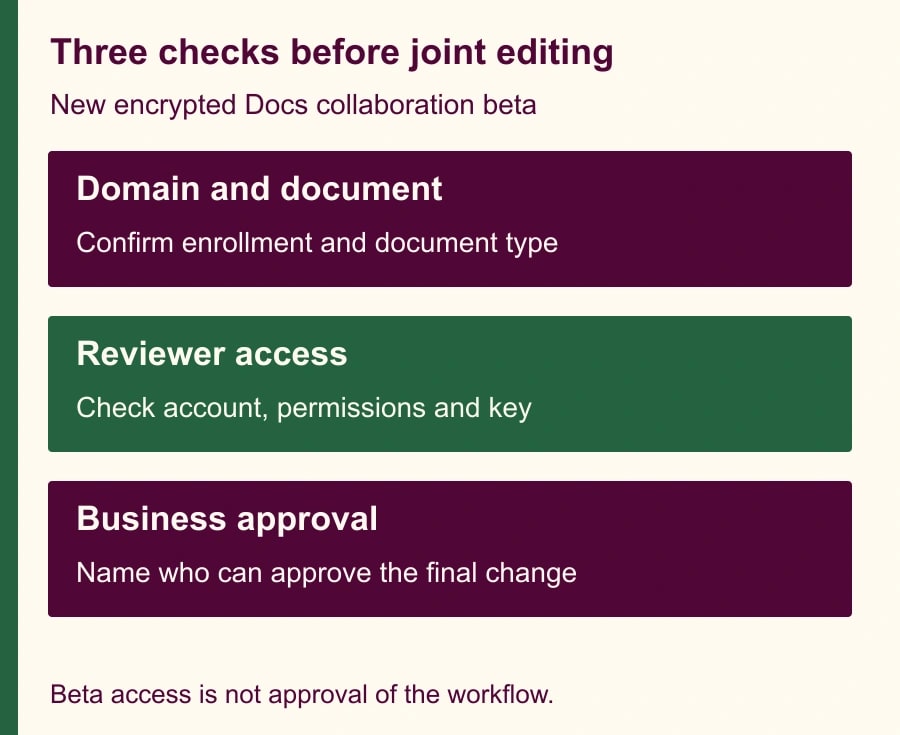
Pilot encrypted Google Docs collaboration on a new, harmless document before changing a client review process. Google's new real-time collaboration beta can remove the need for reviewers to take turns, but beta eligibility, access to the document and access to its encryption key are different checks. A successful invitation does not prove that every intended reviewer can complete the work.
This is for a document owner who already has a reason to use client-side encryption, working with a Workspace administrator. Client-side encryption adds protection controlled by the customer's organization rather than leaving Google able to decrypt the content. If ordinary sharing controls already meet your requirements, do not introduce a beta simply because joint editing sounds useful. If a review has an immovable deadline, keep an approved fallback until the complete handoff has passed a rehearsal.
On November 20, 2026, Google announced a beta for simultaneous writing, editing and commenting in client-side encrypted Docs. Eligible administrators can request enrollment for test or production domains. Once allowlisted, new encrypted Docs use the feature by default. Authorized collaborators with key access can join an existing beta document even when their own domain is not enrolled. The announcement lists Enterprise Plus, Education Standard and Plus, Frontline Plus, Assured Controls and Assured Controls Plus. These are provider statements checked November 23, not a claim that your domain has access. Read the beta announcement and enrollment conditions.
Resolve the documentation difference before the demonstration
Google's general encrypted-file collaboration help still describes one editor at a time and a waiting-to-edit experience. That is not evidence that the new beta is universally unavailable, nor does the beta announcement establish that every older encrypted file has changed. Record which experience you are evaluating: a newly created beta document in an enrolled domain, or an existing document under the general workflow. Read the general encrypted-file collaboration guidance.
Ask the administrator for the beta onboarding and testing instructions supplied after enrollment. Use those instructions to resolve behavior specific to the beta. Do not turn uncertainty into a guessed procedure. If the documentation and observed behavior disagree on a requirement central to your review, capture the discrepancy and ask support or the administrator to resolve it before approval.
Keep the date on your test record. Beta behavior can evolve, and a colleague repeating the work later needs to know which assumptions were current. The most useful evidence is not “encrypted Docs works.” It is “these named roles completed this review on this document type, with this configuration, on this date.” That statement is narrower, but another team can act on it.
Choose a review that benefits from working together
Start with one recurring document, such as a client implementation brief reviewed by a service lead and a technical lead. The business question is whether simultaneous editing reduces waiting and reconciliation while preserving the access and approval process. Avoid making the first test an executive negotiation, confidential personnel review or imminent customer deliverable. A harmless replica of the structure can reveal most workflow obstacles.
Write down the actual sources of delay. Does one reviewer wait for another to finish? Do reviewers work in separate copies and later reconcile them? Does the owner spend time deciding which version was approved? If the main delay is a missing decision or an unavailable executive, shared editing may not help. A faster typing surface does not supply authority to approve the document.
Budget the whole pilot. Confirm the eligible edition, the organization's encryption setup and any contractual conditions of beta participation. The announcement does not give a universal new price for your arrangement. Include administrator setup, reviewer training, access support and recovery rehearsal. If your organization does not already support client-side encryption, that broader implementation deserves its own decision before this small collaboration test.
Google's general setup guidance requires a Workspace account, administrator enablement and identity verification to create encrypted files. It also warns that software on the user's computer with sufficient permissions, or someone able to view the screen, can still expose information. Encryption is not a substitute for appropriate devices and working conditions. Review the encrypted-file prerequisites and limitations.
Create a three-person rehearsal with an answer key
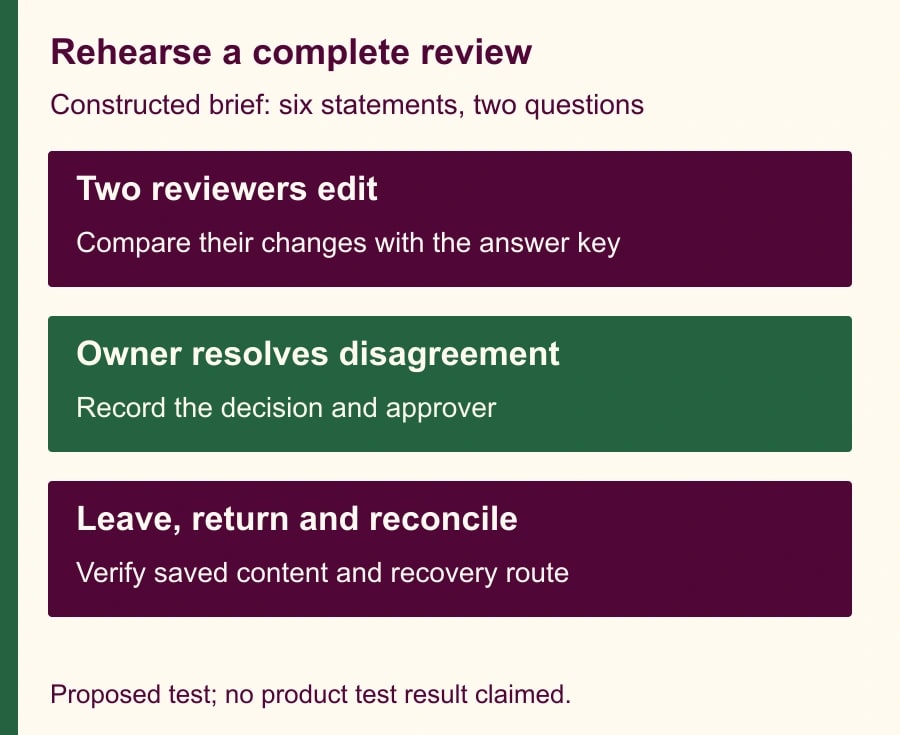
Use a constructed implementation brief for a fictional customer, Alder Services. Give it six numbered statements: project owner, start date, delivery date, included work, excluded work and an escalation contact. Add two harmless open questions. Before sharing, save an answer key listing the six correct statements and the intended resolution of the two questions. This is a proposed test design, not a report that the beta has passed it.
Assign three roles. The document owner creates the new encrypted test Doc using the approved setup. Reviewer A checks delivery details. Reviewer B checks scope. The administrator confirms the domain's enrollment and each person's required access. Record account identities carefully so a person with several signed-in accounts does not accidentally test with a different one from the planned work account.
Have Reviewer A correct the delivery date while Reviewer B corrects one scope statement. Each reviewer should then locate the other's change. Ask both to comment on a separate open question. The owner resolves the questions according to the answer key and checks the final six statements. The expected outcome is agreement on the content, not just evidence that two cursors appeared.
Now test a contested change deliberately. Reviewer A proposes that the brief include weekend support; Reviewer B says it is excluded. The owner must record the business decision and its approver. This exposes a common failure: simultaneous editing can make disagreement disappear from view without actually resolving it. The final document should not silently treat the most recent edit as authorization.
Include one reviewer outside the enrolled domain only if that is a real requirement and the administrator approves the test. Use a test identity and harmless content. Confirm the exact intended permissions and key access rather than broadly opening the document. If the external route fails, capture where it fails: invitation, identity verification, opening the file, editing, commenting or seeing saved changes. Each points to a different owner.
Test interruption and recovery, not just a smooth session
A useful rehearsal includes someone leaving and returning. Have one reviewer close the document after the owner has confirmed the current saved state, then reopen it through the normal work path. Check the six statements and resolved questions again. Record any prompt or delay. Do not generalize from this single test to every device or network; it demonstrates only the path you observed.
If saving or access becomes uncertain, stop editing and preserve the evidence available under your approved procedure. Do not copy confidential content into an unencrypted document to get past a deadline. Establish the fallback before the pilot: for example, an approved sequential review process with one owner controlling the active version. The fallback should identify how reviewers know which version is authoritative.
The ordinary encrypted-file help describes refreshing and comparing when edits conflict. Treat it as background for the general workflow, not a promise that every beta recovery action is identical. Confirm the beta-specific instructions with the administrator. A recovery test should show how a person detects uncertainty, whom they contact and how work resumes without losing an approved change.
Also test the device route your reviewers actually use. A desktop demonstration cannot establish mobile editing support. The general encrypted-file documentation lists differences from standard Docs; the beta announcement is about joint collaboration, not blanket parity with every standard feature. If a required feature is missing or unclear, record it as a hold. Do not substitute a personal device or a decrypted copy without an explicit approved process.
Keep approval separate from authorship
Decide who may change a statement, who may recommend a change and who may approve its business effect. These may be the same person on a small team, but they are different actions. A client lead might edit a delivery date while a project manager must authorize the resource commitment. The workflow should make that distinction visible even if the product allows both to type.
Use a short approval record outside the prose itself when needed: document identifier, approved version or saved state, decision, approver and date. Keep it in an approved location. Avoid scattering the decision across comments, chat and email without one authoritative record. A reviewer arriving late should not have to infer approval from the absence of unresolved comments.
For a template containing figures, tables or instructions, verify each required element in the actual encrypted workflow. Do not assume a normal Docs template will behave identically after conversion. The general help notes that some unsupported features can become static or be removed when additional encryption is added. Starting with a purpose-built harmless test makes those differences easier to spot before they affect client work.
An AI-generated summary can help organize a non-sensitive test brief, but it is not the evidence of what reviewers approved. Do not move encrypted content into another tool unless the organization has separately approved that use. If automation is part of the proposed process, test that boundary independently. This beta changes collaboration; it does not by itself authorize a new AI data connection.
Calculate the benefit from complete reviews
Consider an illustrative weekly workload of eight briefs. The current owner spends 15 minutes reconciling each, or 120 minutes weekly. Suppose the proposed workflow reduces that work to five minutes per brief but adds 30 minutes of access support and review administration each week. The new workload is 70 minutes, releasing 50 minutes. Those are constructed inputs for a decision, not measured Google results and not a cash saving.
Measure waiting separately. A brief that sits untouched overnight may take longer in elapsed time even when nobody spends extra minutes on it. Record time from ready-for-review to approved, staff effort spent reconciling, access failures and incorrect final statements. Do not add elapsed hours to staff hours as if they were the same resource. A short delay reduction may be valuable when it protects a customer deadline, but the connection must be shown.
Include the first week's setup cost without pretending it repeats forever. Conversely, do not hide ongoing support by labeling every access problem “one-time setup.” A useful decision compares a defined normal operating period after initial setup and retains a separate record of implementation effort. That lets the team judge whether widening the pilot is worth the disruption.
Use a small release record and a firm stop rule
- Eligibility: administrator confirms edition, enrollment and the chosen test domain.
- Document: owner records whether it is newly created for the beta and identifies the approved starting content.
- Access: each reviewer uses the intended account, permissions, key access and device route.
- Content: six answer-key statements and two questions reconcile after simultaneous edits.
- Recovery: leaving, returning and resolving an uncertain state follow an approved procedure.
- Approval: the final business decision and approver remain identifiable.
- Outcome: measure completed reviews, reconciliation effort, waiting and support work before expanding.
Hold the pilot if an intended reviewer cannot complete the normal route, an approved statement disappears, recovery depends on decrypting content outside policy, or nobody can identify the final approval. A successful beta demonstration is insufficient when the ordinary handoff still fails. Preserve the harmless test record, assign the unresolved issue and keep the prior approved process available.
The next step is a three-person rehearsal on one new encrypted test Doc, with the administrator present for the access questions. For a separate file-viewing decision, see our guide to client-side encrypted PDF previews. For ordinary supplier document comparison, use the Word and Google Docs edit-review workflow; do not assume that separate feature is available inside this beta.
Weekly Newsletter
AI Adoption Weekly
New research, field guides, training studies, and tool decisions for operators.
No spam. Unsubscribe anytime.
Related Comparisons
Calculator
AI seat cost calculator
List price × headcount. You enter the hours and the operating assumptions.