
Fix Power Automate Failure Alerts That Never Run
Trace the failed dependency, configure an error path, and test alert delivery independently from whether the original business action completed.
Published November 15, 2026

If a Power Automate business action fails and its failure notification never runs, inspect the notification's actual predecessor and Run after settings. An alert placed after a skipped success-path action may never see the failure you intended it to catch. Build an error path around the work it must observe, then test both the error path and the delivery channel with harmless failures.
This guide is for service and operations teams that depend on cloud flows to create orders, update records or hand work to another system. It fits a flow that has run history and a reproducible missed-alert case. If the trigger never fires, an in-flow handler cannot report a run that never started; investigate trigger activity and use a separate review of expected work. If the business process is immediately safety-critical, use its established incident process rather than waiting for an experimental notification repair.
Microsoft's error-handling guidance, checked November 5, 2026, documents Run after choices for success, failure, timeout and skipped outcomes. It also describes grouping work into scopes and configuring a catch path. These controls make error handling possible; they do not prove that a notification was delivered, read or acted on. The acceptance plan below is an editorial operating recommendation.
Read the failed run before changing the flow
Open one known affected run and trace it from the business action to the intended alert. Record the run ID, source record ID, first relevant failure, skipped downstream actions and notification status. Keep the exact error text in the restricted incident record when it contains identifiers or other operational information. A short public-facing incident summary should not reproduce credentials or entire customer payloads.
Ask three separate questions. Did the original work complete in the destination? Did the flow detect the exception? Did the notification reach the person responsible? A single Failed or Succeeded badge cannot answer all three. A destination may have accepted a request even if a later response failed, and an alert may be sent while the underlying work remains unresolved.
Look inside a failed scope rather than stopping at its aggregate status. Microsoft describes a scope as a container for related actions and notes that the failing action must be inspected within it. See the scope guidance. Identify the earliest meaningful defect in the dependency path, not merely the last red or gray item you notice.
Do not begin by resubmitting every failed run. First establish the destination state for the affected source records. If some work completed before the error, a replay could create duplicates. Alert repair and business-work recovery are related, but they need separate decisions. The site's duplicate-action recovery guide explains how to reconcile that risk.
A skipped dependency can hide the original failure
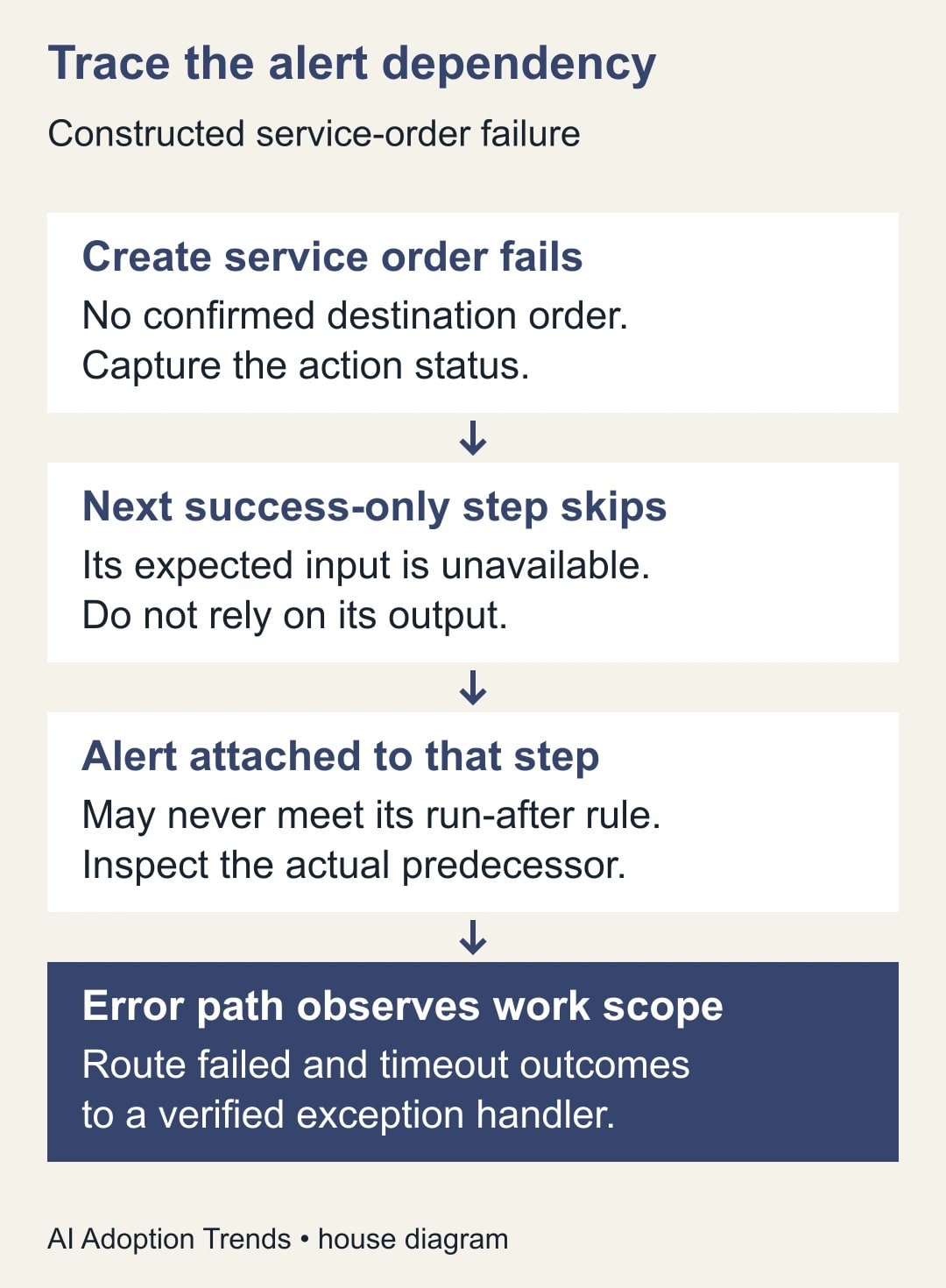
Consider a constructed service-order flow. It receives an approved request, creates an order in a destination system, formats a confirmation and sends a message. The team adds a failure notification after the formatting step, intending it to report any order-creation problem. The notification is configured to run when the formatting step fails.
Now order creation fails. The formatting step may be skipped because it depends on successful creation. A notification that waits for formatting to fail is watching the wrong outcome: formatting did not run and fail; it was skipped. The original business failure happened earlier. The exact status chain depends on the flow design, so verify it in the actual run instead of assuming this example describes every skipped alert.
Another weakness is the alert content. If the message body requires a destination order ID that is produced only after successful creation, the error path may fail while trying to describe a failure. Build the minimal exception record from information available before the risky operation, such as the source request ID and the run reference. Add destination details only when they actually exist.
Name the alert for the work that needs attention, not just the technical action. A useful subject might be “Service-order creation needs review.” The body should identify the source request, the affected stage, the observed status, the accountable queue and the next check. It should not announce that the order is definitely absent unless the destination state has been verified.
Give the error path a clear boundary
Create a safe copy or approved test version of the flow. Replace outward actions with harmless test destinations where possible. Preserve the current definition and connection arrangements before modifying dependency settings. You need maker access, permission to use the test resources, access to run history and a named operator who will validate receipt.
Group the business work you intend to monitor into a clearly named scope, such as Process service request. Add an exception-handling scope that observes that scope's relevant failure and timeout outcomes. Use the designer's Run after settings to establish the dependency explicitly. Microsoft's error-handling documentation describes this pattern; adapt it to the actual actions and statuses in your flow.
Do not check every available outcome just to make the notification run. If you include success, the handler may issue false alarms during normal operation. If you include skipped outcomes without understanding them, an intentional no-work branch may look like a failure. Define which skipped conditions represent expected business logic and which require investigation.
A cleanup or summary path may need different conditions from the exception alert. Keep that purpose visible. Cleaning up temporary work, recording a run outcome and notifying an operator are separate responsibilities even when they happen in one flow. Avoid a design where successful cleanup overwrites the exception's business status or makes the incident appear resolved.
Choose the final run status deliberately. Microsoft documents using Terminate with a status and message after an error. Decide with the monitoring owner how a handled exception should appear in run history, then test that behavior. Do not force a green final status simply because the handler sent an email. The service request may still need repair.
The cost is mainly design and testing time, plus whatever connector and licensing requirements apply to the existing flow and chosen monitoring destination. Verify those requirements in your tenant before adding a new service. This guide does not assume that every alert connector is available under every plan, or that introducing an additional platform is necessary.
Use an exception record that survives missing outputs
Create the minimum identifying information before the risky work begins. Keep the source request ID, a safe business reference and the intended destination operation. When an exception occurs, add the observed stage and status, the run reference, the assigned owner and whether destination completion is confirmed, absent or unknown.
Use this adaptable incident brief. It is a proposed record format, not a Power Automate expression or a promise that every connector exposes the same fields.
- Work item: stable source request identifier and approved business reference.
- Attempt: flow name, run reference and observed time.
- Failure evidence: stage, status and a concise sanitized error summary.
- Destination state: confirmed complete, confirmed absent or not yet established.
- Ownership: operator or shared queue, acknowledgement target and escalation route.
- Recovery decision: wait, investigate, repair or approved retry, with evidence.
Keep raw payloads out of broad notification channels. An operator should receive enough context to find the restricted record, not an unnecessary copy of customer details. If the alert must include sensitive business information, use the organization's approved destination and access model. The need to diagnose a flow does not make every connected chat channel an appropriate place to post its inputs.
Make the notification actionable even when its usual approver is unavailable. A named shared queue and a clear substitute are more dependable than a message sent only to the original flow author. Microsoft recommends shared notification destinations and periodic run-history review in its connection-failure guidance. Treat delivery as something to verify rather than a guarantee supplied by the pattern.
Test five outcomes, including a broken alert channel
Use five controlled cases with harmless records. The first is ordinary success: the service order exists, the success path behaves as expected and no failure alert is emitted. The second forces the main action to fail safely. The third produces an appropriate timeout in the test design. The fourth follows an intentional no-work branch. The fifth makes the notification path fail in a controlled environment.
Do not disrupt a production connection simply to create the fifth case. Use a test-only destination or an approved simulation that demonstrates how the team discovers a failed notification. The purpose is to exercise the recovery arrangement without creating a real service outage. Document any difference between the simulation and the production failure it represents.
For each case, record the expected business outcome, expected handler status, actual destination state, alert result and operator acknowledgement. A received message is not enough if it refers to the wrong source request. Likewise, a correct exception record is not enough if no responsible person can find it within the agreed operating window.
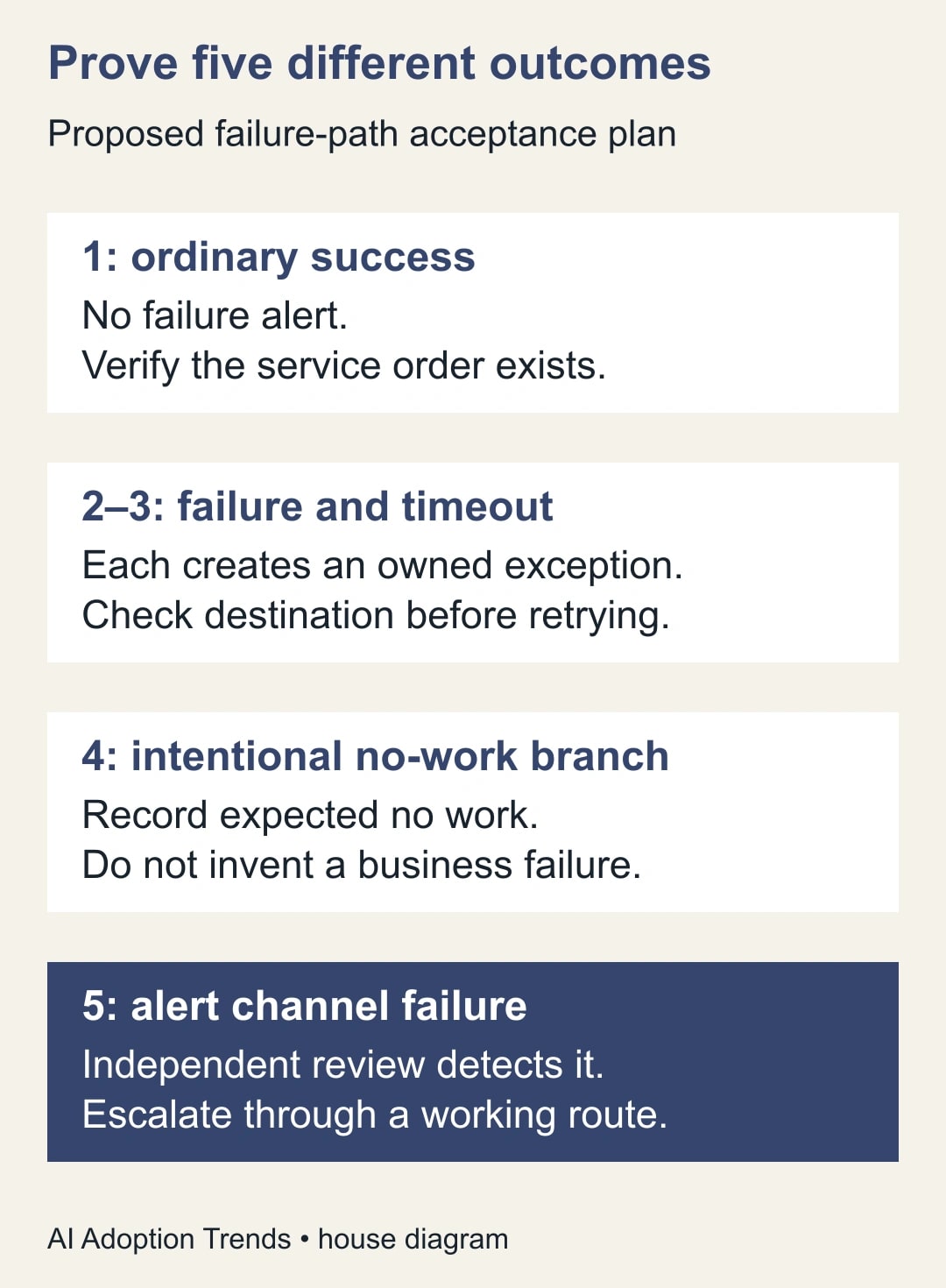
Suppose a constructed test has two primary-work exceptions: one failure and one timeout. Both produce exception records, but only the failure case reaches the operator. Exception detection is two of two; delivered exception alerts are one of two. Calling the test “four out of five passed” would hide the operationally important gap. Report the failed timeout-delivery case directly and repair it before rollout.
The fifth case should be found through a separate review route, such as an operator checking the run history against expected work. If the same broken connector is responsible for both primary alerting and fallback alerting, the fallback may fail for the same reason. Independence here means a different workable observation route, not necessarily buying another monitoring product.
Finally, test a source record with an optional field missing. Error messages often become fragile when they assume every descriptive field exists. The brief should still identify the work and preserve the unknown details honestly. A polished notification that fails to render during the unusual case is not a reliable failure path.
Recovery needs its own reconciliation
After fixing the alert, inventory the affected business records from the original incident interval. In a constructed batch of 12 requests, suppose eight have confirmed destination orders, two are confirmed absent and two have unknown destination outcomes. Do not replay all 12. Leave the eight completed records alone, investigate the two unknowns and consider approved recovery for the two confirmed gaps.
If investigation finds that one unknown actually completed and one did not, the final partition is nine completed and three absent. Only the three gaps are recovery candidates, subject to the process owner's approval and current business validity. A request may have been cancelled or superseded while the automation was failing. The source record's present state still matters.
For each repaired item, verify the destination result and attach its reference to the exception record. Close the incident only when the business outcome is established or a named owner accepts a documented remaining limitation. Sending a second alert, changing the flow badge or seeing a successful retry is not a substitute for this check.
Track time to detection, time to acknowledgement and time to verified resolution separately. A faster alert may reduce the first measure while leaving the recovery queue unchanged. Include false alarms and alert-maintenance effort in the pilot review. Avoid translating shorter unattended run time into staff hours saved; people may not have been waiting on the run.
Stop rollout if the handler depends on outputs that may not exist, if the timeout path is untested, or if nobody owns acknowledgement and destination verification. Begin with one missed-alert run and draw its actual dependency chain. After the five-case test passes, use the stop, trace and repair guide to document the operator's next action when an exception arrives.
Weekly Newsletter
AI Adoption Weekly
New research, field guides, training studies, and tool decisions for operators.
No spam. Unsubscribe anytime.
Related Comparisons
Calculator
AI seat cost calculator
List price × headcount. You enter the hours and the operating assumptions.