
Google Pics Product Edits: Check the Product Before Publishing the Image
Preserve product details through a background edit, inspect the export and measure effort per accepted campaign image.
Published November 17, 2026
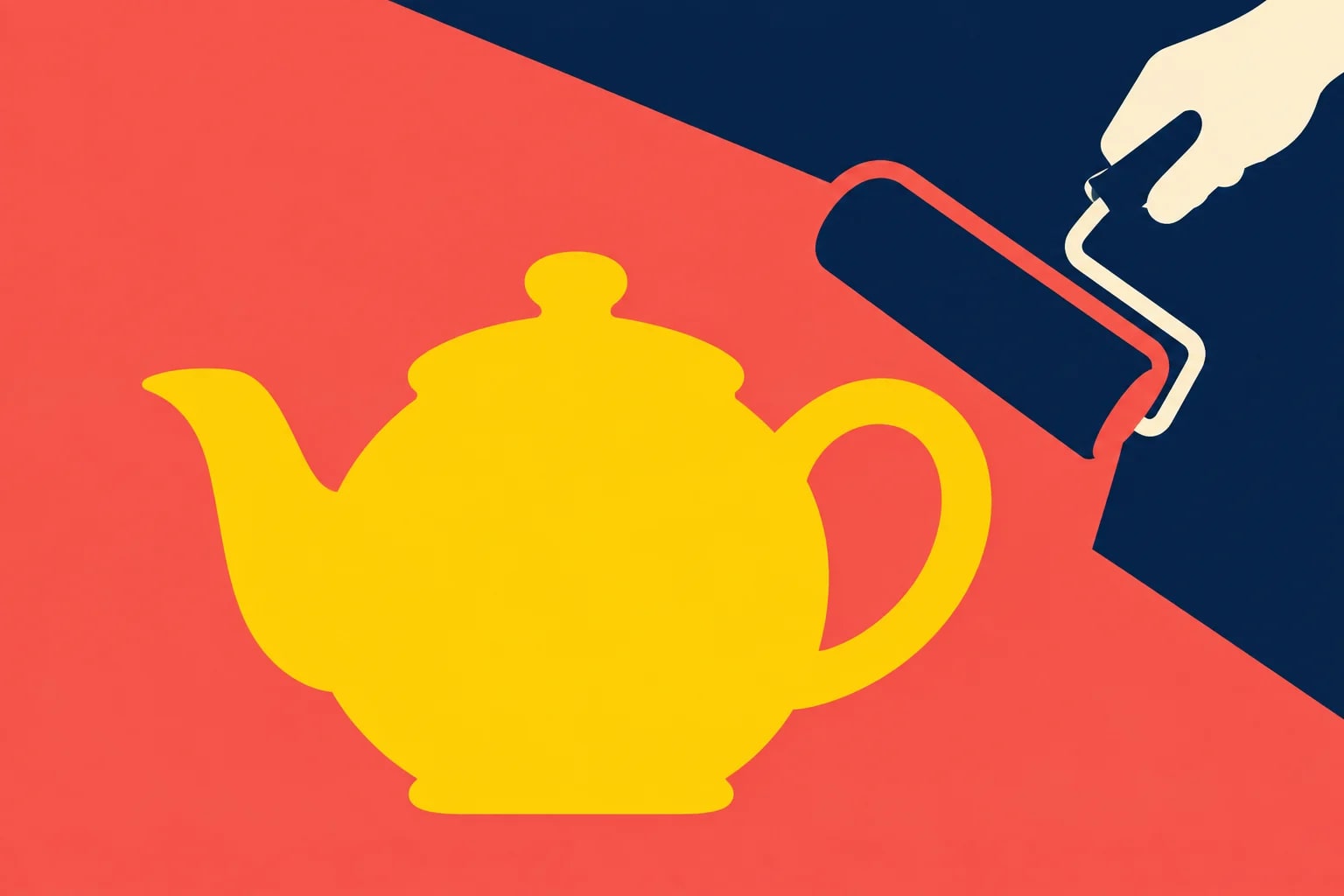
Use Google Pics for a product-image background edit only when a reviewer can verify that the product itself remains accurate. Start from an approved photograph, specify one bounded change, compare the result with the original, and inspect the exported file before publication. If a handle, label, accessory or proportion changes, reject the image even if the new background looks better. The accepted asset is the unit of work that matters.
This is for a small retail or marketing team preparing campaign graphics from product photography it already has permission to use. It fits an illustrative campaign background or a presentation image with a clear owner. Skip generative editing when the image must serve as exact evidence of condition, dimensions, contents or authenticity. Keep the original photograph for those jobs, and follow the destination's image requirements before choosing an editing method.
What the November update changes
On November 16, 2026, Google announced Nano Banana 2.1 in Google Pics, with a one-to-three-day rollout. Google says the update improves image quality, edit fidelity and text rendering. Those are provider claims. They justify trying a controlled comparison; they do not establish that your product details will survive an edit or that every output is ready for advertising.
The announcement lists Workspace Business Standard and Plus, Enterprise Standard and Plus, and specified Google AI and education options. Check the account's actual access before allocating production work. Google's Pics availability page describes usage limits and temporary higher access at least through February 28, 2027; higher-resolution downloads consume the promotional allowance faster. Do not build a cost estimate around unlimited generation or assume a promotional allowance will remain unchanged.
The getting-started guide describes desktop access and uploads including JPEG, PNG, BMP and TIFF. Use a supported browser and an eligible work account, with your organization's settings and image permissions already settled. Keep subscription costs separate from staff effort. If the team already has eligible access, the immediate pilot cost is mainly preparation, generation, review and correction time.
Write the protected facts before writing the prompt
Imagine a retailer selling a mustard-yellow ceramic teapot. The desired change is a plain navy campaign background. The product must retain its body shape, spout, handle opening, lid, surface finish and visible maker's mark. The image must not add a cup, tea leaves, steam or a gift box that a customer could interpret as included. This is a constructed example, not an observed Pics test.
Write those facts in an asset brief. Link the approved source photograph, identify the exact product variant, name the publication destination and specify the requested crop. Add the required export dimensions from that destination's own specifications. “Make this premium” is insufficient: it invites changes in lighting, materials and styling that may alter what the product appears to be.
Assign two responsibilities. The designer or marketer controls composition and readability. A product owner checks what is being represented. In a two-person shop, those can be the founder and the photographer. If one person must do both, separate the passes: first evaluate product accuracy against the original, then judge whether the graphic works for the campaign. Attractive styling can otherwise make a small but important defect easy to overlook.
Record which changes are acceptable. A new background color may be allowed, while changing the apparent glaze or removing a seam may not be. A tighter crop may be acceptable only if the entire spout and handle remain visible. These are business decisions about the asset's purpose. They should not be left to the image model or invented after the team sees an appealing result.
Make one edit, then inspect the whole image
Upload the approved photograph to Pics and select the image to edit. Google's editing instructions describe general prompts, individual-element edits and area selection. For this pilot, use the smallest practical change. Selecting an element is a way to express intent; it is not proof that everything outside the selection will remain pixel-identical.
Adapt this prompt: “Change only the background of this approved product photograph to a plain navy field. Preserve the teapot's exact silhouette, proportions, yellow color, material appearance, lid, handle opening, spout and visible markings. Do not add or remove product components, accessories, text, logos, steam or reflections. Keep the whole product inside the frame. If the requested crop cannot preserve it, leave the crop unchanged.”
Treat that as a starting brief, not a warranty. Save the candidate with a new identifier and retain the source separately. Compare the entire object at a readable zoom, then check the image at the intended display size. A defect invisible in a small thumbnail may be obvious in a downloadable sales sheet; a mark readable at full size may disappear in a mobile advertisement.
Avoid stacking unrelated changes into one generation during the first trial. If you request a background, camera angle, surface cleanup, label rewrite and new shadow at once, a rejected output reveals little about which instruction caused the problem. Establish that one background edit works acceptably before considering another transformation. The purpose of the pilot is to learn where the workflow is reliable enough for your use.
Use a product-first review order
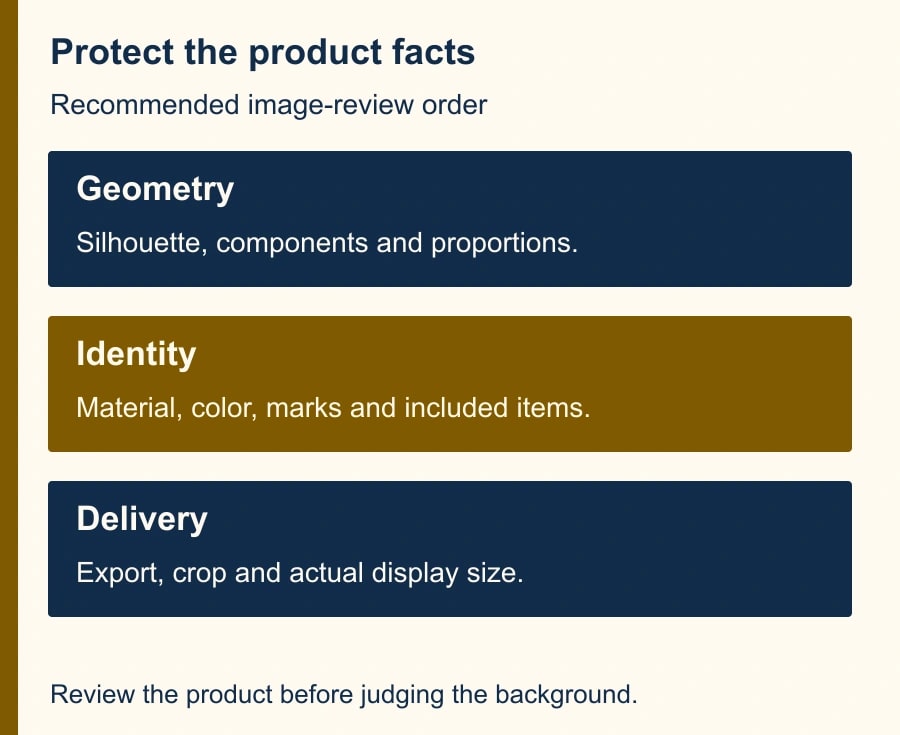
Check the silhouette first. Compare the handle opening, spout length, lid position and base. Then inspect material and color: did ceramic become metallic, or did a matte finish acquire a glossy highlight that changes the sales impression? Next inspect marks, labels and small components. Finally examine the new background for confusing edges, halos, shadows or invented objects.
For labeled packaging, verify every visible letter and number against the approved source. Improved text rendering does not mean correct text. Do not ask the model to improvise a specification, capacity, certification mark or promotional claim. When exact campaign text is needed, consider placing approved editable typography in your normal design tool after the image edit, then reviewing the final composite.
Check what the image implies as well as what it literally contains. A teapot shown beside several cups may suggest a set. A cable that appears in the new scene may imply compatibility or inclusion. A changed scale relative to a hand or desk can exaggerate size. The product owner should resolve those implications before the marketing reviewer evaluates visual appeal.
Record defects consistently. Use categories such as product geometry, surface/color, markings, included items and background artifacts. Add a short note and the candidate identifier. “Looks wrong” creates another round of guessing. “Handle opening narrowed compared with source” gives the next editor a concrete reason to reject or repair the asset.
A worked pilot that prices rejected outputs
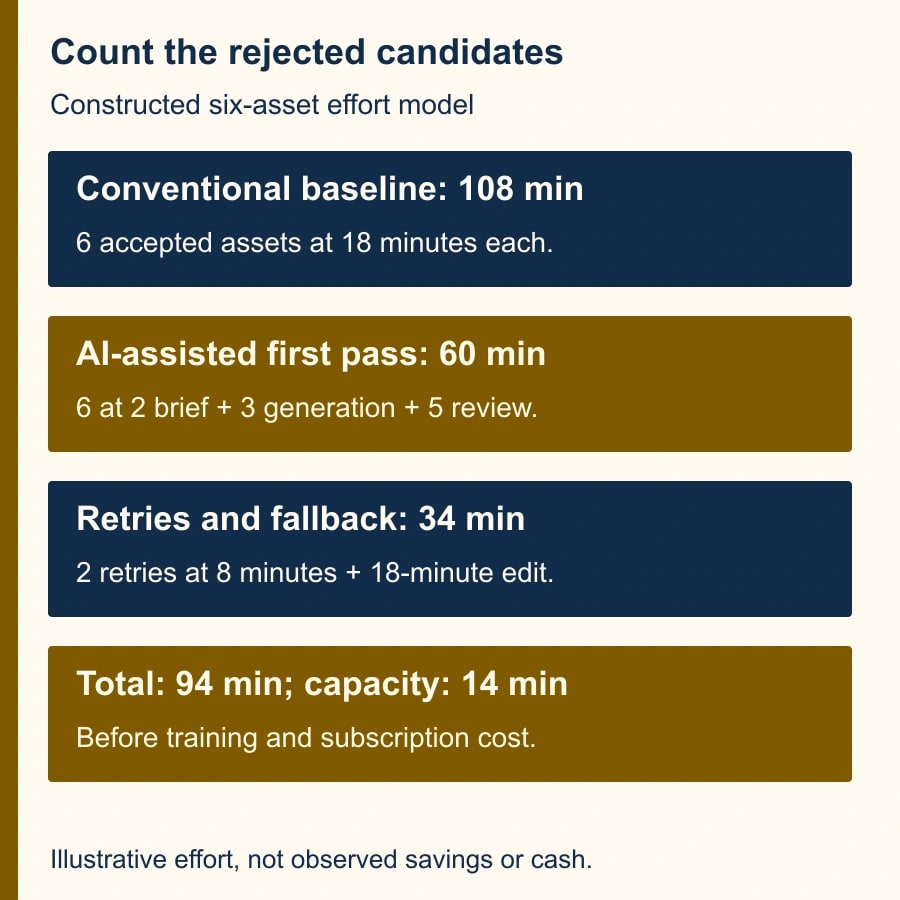
Suppose a team needs six accepted campaign images. In a constructed planning example, each conventional edit takes 18 minutes including review, so the baseline is 108 minutes. The AI-assisted process takes 2 minutes to prepare each brief, 3 minutes to generate and manage each candidate, and 5 minutes for product and marketing review. If all six pass on the first attempt, effort is 60 minutes, releasing 48 minutes of staff capacity.
Now assume two first attempts fail. Each retry takes another 3 minutes to produce and 5 minutes to review, adding 16 minutes. One retry still fails and needs an 18-minute conventional edit. Total effort becomes 94 minutes: 60 plus 16 plus 18. The workflow releases only 14 minutes against the 108-minute baseline, before any initial training or subscription cost. This is arithmetic from assumed inputs, not a measured result or cash saving.
The failed candidate still consumed effort even though it never appeared in the campaign. Track accepted assets, attempts, review minutes, fallback minutes and unresolved defects. Counting generated images per hour would reward the wrong behavior. A workflow that creates ten attractive but unusable images has produced no accepted product assets.
Export is a separate checkpoint
Google's download documentation lists JPEG output at original size, 2K and 4K, with a different restriction for Workspace Experiments users. Do not promise a transparent PNG deliverable from this documented export path. If transparency or an editable layered file is required, choose a workflow that supports it and verify the actual file you deliver.
Inspect the exported JPEG rather than approving only the canvas preview. Check dimensions, crop, sharpness, edges and visible text in the downloaded file. Place it into the real campaign layout and inspect desktop and mobile presentations. Compression and placement can turn a previously acceptable small label into a blur or crop away part of the handle.
Give the final asset a stable name tied to the product variant and campaign. Preserve the original, selected candidate, final export and review note. The publication owner should receive the approved export, not a folder of alternates with “final” appended to several filenames. If the campaign requires a different size later, inspect that derivative as a new deliverable.
If colleagues collaborate in Pics, check the access level for each recipient. The documented sharing flow offers Viewer and Editor roles. Use the access appropriate to the task and keep approval in the team's normal record. A person being able to open or edit the image does not establish that they approved it for publication.
A reusable acceptance brief
- Source: approved image link, product identifier and variant, rights or internal-use permission, and source owner.
- Requested edit: one specific change, intended placement, crop and required dimensions.
- Protected facts: silhouette, components, markings, color/material appearance and items included in the offer.
- Review: product owner, marketing reviewer, candidate identifier, defect categories and approval date.
- Delivery: inspected export, final layout preview, disclosure required by the destination, and archived source.
Use the same brief for conventional editing. The advantage is clarity, not an assumption that one technology is always safer. For a complex product with small markings, a photographer or designer working from the original may be faster than repeated generation and rejection. For a simple background treatment, Pics may be worth a limited trial. Let accepted quality and total effort decide.
Before starting, set a retry limit suited to the job. For a six-image trial, the team might allow one AI retry per rejected image, then use the conventional fallback. That is an editorial operating recommendation, not a product limit. It prevents the team from spending an afternoon chasing a marginal image because each new generation feels cheap in isolation.
Stop when the product becomes uncertain
Reject any candidate whose product identity cannot be checked against the source. If repeated outputs change protected details, stop using generation for that product class and retain the approved photograph. Do not repair an uncertain detail from memory. Return to the source, ask the product owner, or make a new photograph where the required detail is visible.
Pause publication if the image is still awaiting product review, if the export differs from the approved candidate, or if its intended use has changed. An image approved for an internal concept slide is not automatically approved for a customer-facing product listing. Carry the purpose of approval with the file so the next person does not make that leap.
Start with one background edit on a low-complexity product and record the time to an accepted export. Repeat only if the product remains accurate and the total workflow is worthwhile. For moving images, use the same distinction between illustrative material and evidence in the guide to generated training cutaways. If the asset belongs in a management presentation, the decision-slide workflow helps keep the visual subordinate to the decision.
Weekly Newsletter
AI Adoption Weekly
New research, field guides, training studies, and tool decisions for operators.
No spam. Unsubscribe anytime.
Related Comparisons
Calculator
AI seat cost calculator
List price × headcount. You enter the hours and the operating assumptions.