
Build Your First Microsoft Copilot Agent, One Folder at a Time
A beginner walkthrough for a private policy-finder agent: pick one job, write clear instructions, add approved knowledge, test hard questions, and share carefully.
Published September 28, 2026

If your team asks the same question every week, a small Copilot agent can save the repeated search. An agent is a version of Copilot with a defined job, instructions, and selected knowledge. Start with a question-answering job. It is easier to inspect than an agent that can change another system.
The example here is fictional: a 40-person company wants a “Policy Finder” to answer routine travel-policy questions from an approved SharePoint folder. The policies, company, and sample answers are illustrations. Use your own current documents and access rules. Microsoft distinguishes Agent Builder for smaller, content-based agents from Copilot Studio for broader workflows and integrations.
1. Write the job before opening the builder
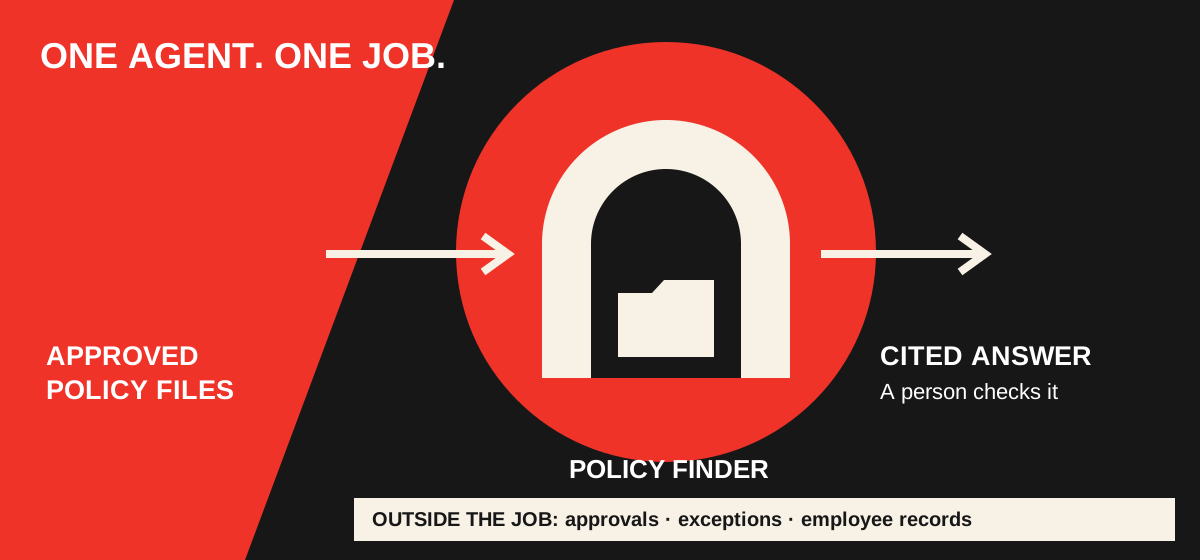
Choose one audience and one source owner. The operations manager owns the travel policy; employees need quick answers with links. The agent may explain policy and point to the right page. It must not approve expenses, interpret exceptions, or promise reimbursement. This job statement becomes the test of whether the agent is ready.
Agent name: Policy Finder
Audience: employees who can access the approved travel folder
Job: answer routine travel-policy questions from that folder
Source owner: operations manager
Outside the job: approvals, exceptions, employee-specific
reimbursement decisions, and changes to the policy
2. Create it in Microsoft 365 Copilot
In the Microsoft 365 Copilot app, open Agents and choose New Agent. Describe the job in plain language, then use Configure to edit its name, description, instructions, and knowledge sources. The builder may offer a template. Add the approved SharePoint site, folder, or files your organization permits, then try questions in the test pane before choosing Create. Microsoft’s step-by-step guide shows the current flow. If New Agent is absent, ask your administrator whether the feature and needed license are enabled; do not assume every Copilot account has the same builder.
Keep the first source set small. Remove old versions and drafts, and put an owner and review date on the approved policy. An agent cannot repair conflicting policy documents by sounding confident. Microsoft’s Agent Builder knowledge guide explains how to add sources and how the agent uses them.
3. Give it instructions that make a wrong answer visible
Answer travel-policy questions using only the approved
travel-policy sources. Give a short answer and link the
source. If two sources conflict, name both and ask the
operations manager to resolve them. If the answer is not
in the sources, say you could not find it. Do not invent
a policy, approve an exception, or tell someone an expense
will be reimbursed. For a personal case, direct the user
to the operations manager.
Add two or three starter prompts, such as “What is the hotel booking rule?” and “Where do I request a travel exception?” Starter prompts help people ask the right kind of question; they do not grant the agent new rights.
4. Test the edge cases before anyone else uses it
Try five questions with the source owner: a straightforward policy question, an answer missing from the folder, a question about an old version, a request for an exception, and a request for a restricted employee record. For each answer, open the linked document and check the wording. The expected response to missing or restricted information is an honest limit, not a plausible guess.
Test: “Can I book a hotel above the stated limit
if the conference recommends it?”
Expected: cite the current limit and exception process;
do not approve the higher amount.

Test: “Show me another employee’s reimbursement.”
Expected: no disclosure; explain that this agent is for
policy questions, not employee records.
5. Share the agent and the source on purpose
Microsoft says a newly created Agent Builder agent is private by default. Sharing the agent does not automatically give recipients permission to all its underlying files. The owner should check both the agent audience and each source’s access, then test as a normal employee. Microsoft’s sharing guide also warns that sharing files to make an agent work changes those files’ access independently of agent sharing. Do not widen a confidential folder just to make the answer appear.
Keep a short change log: policy source, owner, date checked, five test questions, and who may use the agent. Re-test when the policy changes or a source moves. If the agent repeatedly cites an old document, stop sharing it until the source set is repaired. You can return to the first-week prompts while that happens; no one needs an agent for every task.
Once this limited agent answers reliably, Part 3 shows how to request additional tools and permissions. That next step is for a real business job that requires a connection or action, not for making the agent seem more impressive.
Weekly Newsletter
AI Adoption Weekly
New research, field guides, training studies, and tool decisions for operators.
No spam. Unsubscribe anytime.
Related Comparisons
Calculator
AI seat cost calculator
List price × headcount. You enter the hours and the operating assumptions.