
Set Up Asana Recurring Tasks Without Losing the Next Check
Understand when Asana creates the next recurring task, choose a repeat rule and test the handoff without marking unfinished work complete.
Published October 25, 2026

In Asana, a recurring task does not necessarily create a calendar full of future copies. The next occurrence is created when the current task is completed. If the next check seems missing, inspect the current occurrence and its repeat rule before creating another task or marking unfinished work complete.
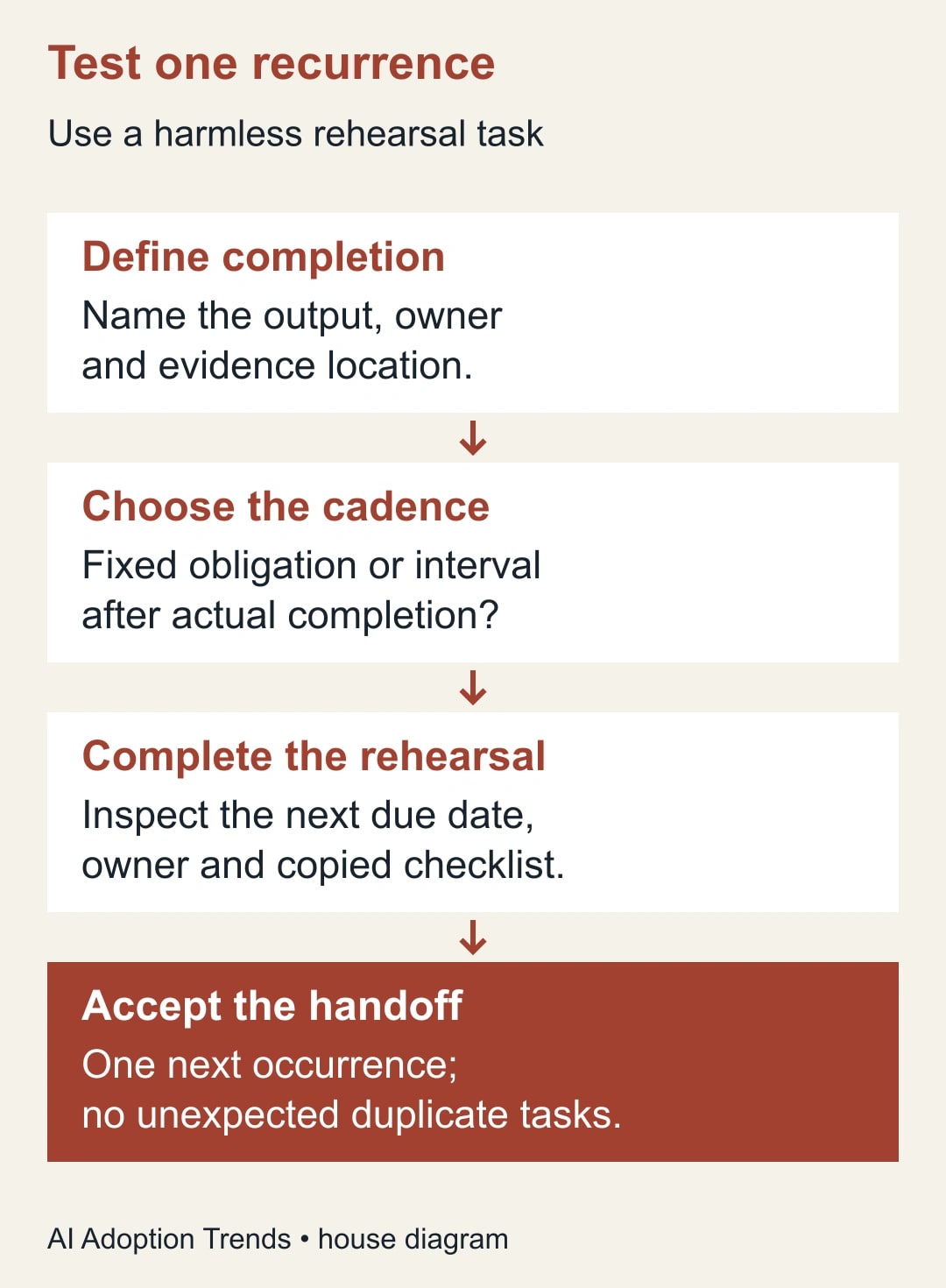
The reliable setup is to define what completion means, choose a repeat rule that matches the business obligation, and test one harmless occurrence through to its successor. Confirm that the next task has the right owner, due date and instructions. A new task appearing is only the beginning of a successful handoff.
This guide is for an operations manager running ordinary internal routines such as reviewing open requests, checking a weekly report or preparing a client status pack. It is not a claim that task recurrence alone satisfies safety, regulatory or contractual scheduling requirements.
Asana’s documentation was checked on October 25, 2026. The five-location example and review worksheet are constructed operating examples. We have not tested your workspace, permissions or existing automations.
Understand the creation trigger
Asana’s scheduling guide says a recurring task shows its next due date and creates a new copy on completion. It also says copied information includes subtasks but excludes comments. That combination matters: the next task can exist without the explanation or evidence someone left only in the previous occurrence’s discussion. Asana’s recurring-task documentation
Begin by finding the current occurrence. Is it still open, completed, overdue or missing a repeat rule? Read the task itself before drawing conclusions from a calendar view. A calendar that does not show four future copies may be consistent with the configured recurrence behavior.
Do not complete the current task merely to make the next one appear. Completion should mean the agreed work was done or that the team’s documented process explicitly records a different disposition. A calendar convenience must not rewrite the history of an unfinished check.
If the business needs visibility of every future obligation before any work is complete, record that requirement separately. A completion-triggered recurring task may be insufficient for capacity planning. Use a maintained planning schedule or evaluate a different setup with the workspace owner, rather than assuming the recurring-task view represents all future demand.
The initial setup needs a task owner, a clear completion definition and access to edit the task’s schedule. Basic recurrence is described across Asana’s listed plans; start-date features have different plan requirements. Keep this rehearsal focused on due dates and the repeat rule, and verify entitlements before adding paid scheduling features.
Decide what the cadence means
There are two common business meanings behind “weekly.” One is a fixed obligation, such as reviewing a service queue every Monday. The other is a spacing rule, such as checking something seven days after the previous check actually finished. A late completion affects these differently.
Asana describes a periodical recurrence as calculating the next due date from the last completion. It also offers other repeat choices. Choose the rule for the obligation, then inspect the resulting date in a rehearsal; do not infer the rule from the task title alone. Repeat options and periodical behavior
For a constructed spacing example, a check completed on Wednesday, October 28 with a seven-day periodical interval would point to Wednesday, November 4. A business that owes a Monday check may instead need November 2. The appropriate configuration and actual next date must be verified in the workspace before the routine goes live.
Write the rule in ordinary language in your operating instructions: “This review is due each Monday even when the previous review was late,” or “The next review is due seven days after completion.” That sentence lets a colleague detect a misconfiguration without knowing how the task was originally built.
Also define what happens after a missed occurrence. Does the owner complete the overdue work, perform a current-period review, or ask the manager to decide? The software’s next date cannot answer that business question. Avoid a process where people clear old tasks without recording what was actually checked.
Build one clean rehearsal task
Choose a harmless internal check, such as reviewing three sample support requests in a test list. Give it a title that identifies the work, a single responsible owner, an expected output and a link to the instructions. Mark it as a rehearsal so it does not confuse the live operating record.
Set the due date and repeat rule using the task’s due-date control and “Set to repeat” option. Record the selected rule in your worksheet. Keep the first test simple: one parent task, one owner and a short checklist, with no unrelated automation that could create extra copies.
Complete the sample work, record its evidence in the agreed location, and mark the rehearsal complete. Then inspect the newly created occurrence. Check its due date against the rule you intended, verify the owner, and read the instructions as if you had not seen the previous task.
If the next task is incomplete or confusing, repair the template-like information in the active task and repeat the rehearsal. Do not scale a fragile setup to twenty projects because the first successor technically appeared. The test is whether someone can perform the next check correctly.
Keep recurrence at one level of a checklist
Asana specifically warns against repeating both a parent task and its subtasks because this can produce multiplying duplicates. For an ordinary recurring checklist, start by repeating the parent and leaving the copied subtasks without their own repeat rules. Asana’s parent-and-subtask warning
Before changing an existing routine, inspect both levels. A parent may have been configured months ago while a later colleague added recurrence to an individual checklist item. The resulting duplicates can look like an automation fault when the underlying rules are simply competing.
Do not delete a large set of apparent duplicates immediately. First distinguish true duplicate occurrences from separate obligations with similar titles. Preserve any unique completion evidence or owner discussion, and agree which task remains the authoritative record.
If a subtask represents a genuinely separate recurring responsibility with a different owner or cadence, consider making it an independently managed routine. That is a process design decision. It should not be hidden inside a parent checklist merely because the titles are related.
For the rehearsal, count the expected successor tasks and checklist items. Inspect their identities and dates rather than relying on a notification count. One owner receiving several notifications does not by itself prove that several duplicate obligations were created.
Work through five locations with two overdue checks
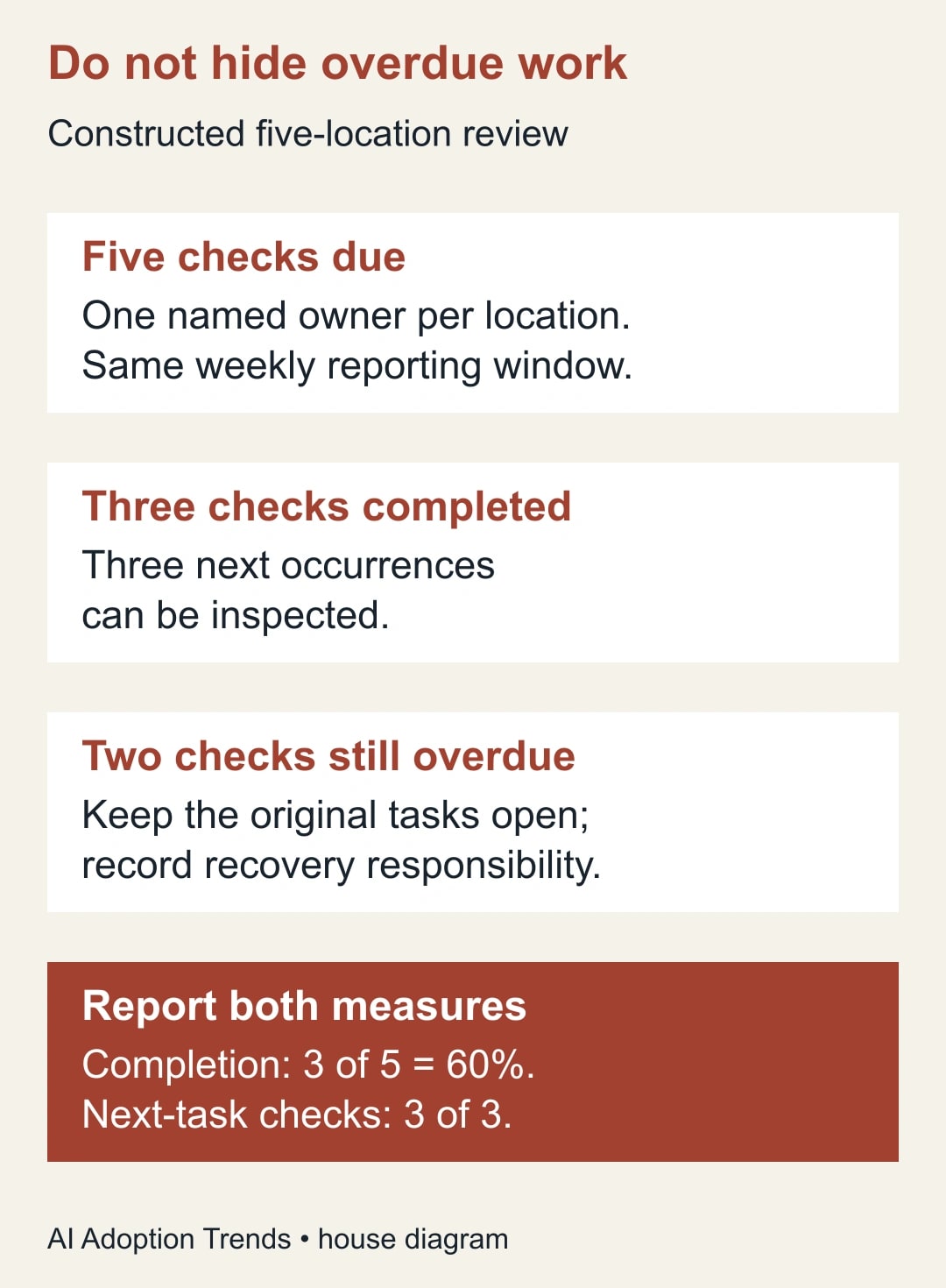
Consider a constructed operations team that reviews the request queue at five locations each week. Each location has one recurring parent task, a named owner and the same short checklist. The agreed output is a dated review note listing unresolved requests and the person responsible for each next step.
By the reporting cutoff, three locations have completed the check and two remain overdue. The manager can inspect three successor tasks for the completed locations. The two overdue tasks remain open, with recovery responsibility recorded. They are not completed simply to populate next week’s calendar.
The current-period completion rate is three out of five, or 60%. The successor check may be three out of three: every completed task produced a usable next occurrence. These are different measures. Reporting only the successful recurrence check would conceal the two unfinished obligations.
The manager asks the overdue owners for a recovery plan and checks whether the next scheduled obligation will still be met. If the team chooses to combine a late review with a current one, the record must say what period and requests were actually examined. One completion should not silently count as two checks.
Now imagine one completed location’s next task lacks the current checklist link. That is a handoff defect even though the due date is correct. The manager fixes the reusable instructions and asks the owner to verify the successor before considering the routine stable.
Put durable instructions where the next owner will find them
Because comments are not copied in the documented recurrence behavior, do not make a comment the only home for instructions that every future occurrence needs. Keep durable procedure links and completion criteria in the task’s reusable information or in a maintained document linked from it.
Keep occurrence-specific evidence separate. The fact that last week’s queue was checked should not look like proof that this week’s queue has been checked. Use a dated evidence record and make the active task point to the correct place to create the next entry.
Review copied subtasks for stale wording. “Ask Maria about the October exception” may have been useful once but should not become a permanent weekly instruction. Separate the standard checklist from temporary exceptions, and remove obsolete directions through an owner-approved change.
If an owner changes, inspect the active next occurrence and the reusable instructions. Do not assume that changing a team roster updates every responsibility in your routine. The handoff is complete only when the new owner can see the task, understands its output and accepts the next due date.
A short task description can be enough: “Review all open requests for this location as of Monday 10:00. Record unresolved items and owners in the dated review log. Completion means the log is saved and exceptions are assigned. Escalate missing access to the operations lead.” Adapt the scope to the actual business; do not copy a cutoff that nobody agreed.
Use this recurrence acceptance worksheet
Keep a record for each distinct routine, rather than a long document for every occurrence. Recheck it when the cadence, owner, checklist or surrounding automation changes.
- Business obligation: what must be checked, and for which period?
- Completion definition: what output and evidence make the work done?
- Schedule meaning: fixed calendar obligation or interval after completion?
- Configuration: selected repeat rule and level at which recurrence is applied.
- Rehearsal result: actual completion date and actual next due date.
- Successor inspection: owner, access, instructions and checklist all usable.
- Exception handling: overdue work, absence, duplicates and ownership changes.
- Approval: responsible manager and date of the last successful rehearsal.
Add a small exception log for failures. “Next task missing” is too broad. Record whether the current task was still open, the repeat rule was absent, the next date was unexpected, or duplicate tasks appeared. These observations lead to different fixes.
If the routine integrates with another system, identify which system creates the next occurrence. Two separate mechanisms can produce two legitimate-looking tasks. Pause the extra mechanism only after the owner understands its role and has preserved any needed evidence.
Stop when the record no longer matches the work
If people regularly mark checks complete without performing them, fix the operating process before adding more automation. A perfect recurrence schedule cannot repair an unreliable completion signal. Ask whether the task is too broad, the owner lacks access, or the cadence exceeds the team’s capacity.
If duplicates accumulate, isolate one routine, inspect parent and subtask rules, and rehearse the corrected configuration. Avoid mass deletion or a broad automation reset as the first response. You need to know which obligations and evidence must survive.
If the next date is wrong, compare the actual repeat setting with the plain-language cadence. A periodical spacing rule may be working correctly while failing the business’s fixed-date expectation. Change the rule only after the process owner confirms the intended obligation.
Measure three things for the first month: on-time completion, usable successor tasks and duplicate occurrences. Include review effort in any time-saving calculation. Reduced administrative work releases capacity; it does not automatically reduce payroll or another expense.
Start with one harmless rehearsal and one actual successor inspection. For a broader choice of operating system, see our Asana and monday.com comparison for agency client work. To judge whether a workflow is producing accepted work rather than activity, adapt the AI pilot scorecard’s quality and cost measures.
Weekly Newsletter
AI Adoption Weekly
New research, field guides, training studies, and tool decisions for operators.
No spam. Unsubscribe anytime.
Related Comparisons
Calculator
AI seat cost calculator
List price × headcount. You enter the hours and the operating assumptions.