
GitHub Copilot After 6 Months: The Productivity Trap
One fintech team's code velocity jumped 34% after deploying Copilot. Then their security audit found 47 credential-handling violations. The real problem wasn't the tool—it was optimizing for the wrong metric.
Published October 25, 2025· Updated Sep 16, 2026

An 8-person backend team at a Series B fintech company deployed GitHub Copilot in September 2025. Six months later, their metrics looked exceptional. Lines of code per engineer jumped 34%. Build times dropped. Code review velocity doubled. The engineering director sent the metrics to the executive team and started planning to expand Copilot adoption to frontend and infra teams.
Then their security audit ran. It flagged 47 instances of credential handling—API keys, database passwords, token storage—that had passed code review but violated their own security policy. None were exploited. All should have been caught in a 15-minute review. The team spent 120 engineering hours retrofitting fixes and walking back how they'd missed them.
The director's question wasn't about the tool. It was about themselves. "We knew what secure credential handling looked like. Why did we stop enforcing it the moment the code came from Copilot?"
The Mistake: Optimizing for the Wrong Kind of Productivity
Here's what most teams don't talk about when they're adopting Copilot: the gains and the costs operate on completely different timescales. Productivity spikes are immediate and visible. Problems compound silently until they become expensive.
The fintech team's mistake wasn't using Copilot. It was measuring the wrong thing. They measured lines of code written. Lines written is not the same as lines that should be written. A suggestion that's 80% correct and takes five seconds to accept feels like a win. But every time you accept rather than generate, you're outsourcing a cognitive step. The engineer who would have written that function skipped the thinking and got the output anyway.
Over six months, this compounds in ways that don't show up in pull request dashboards. Engineers stop writing certain patterns from muscle memory. Edge cases that would have occurred to you while typing don't occur to you at all—because you're filtering code, not generating it. Your understanding of the codebase doesn't decline noticeably. It declines invisibly.
The second trap is subtler: authority bias disguised as efficiency. Copilot's suggestions carry implied credibility. They're trained on millions of successful repositories. They feel like best practice. A payments team implemented a database connection pooling approach that was perfectly valid—just not optimal for their concurrency model. The suggestion came from common, well-regarded open-source code. Six weeks and a production incident later, they found the problem woven into five other systems.
The Reframe: Velocity Isn't the Same as Quality

The teams sustaining productivity gains from Copilot over 18+ months don't have higher acceptance rates. They have different review processes. They're not asking "Does this look right?" They're asking "Would I have written this differently if Copilot hadn't suggested it?"
The automation layer a founder can see
Branching scenarios. You still own the graph.
We may earn a commission · editorial verdicts remain independent
This is the shift that matters. Before Copilot, the hard cognitive work was generation—writing the code. After Copilot, the hard work is discrimination—judging whether the suggestion deserves acceptance. But the UX pushes toward acceptance, and so does muscle memory. Most teams keep the same review rigor. They should increase it, just on a different axis.
Where Copilot Actually Wins (And Where It Doesn't)
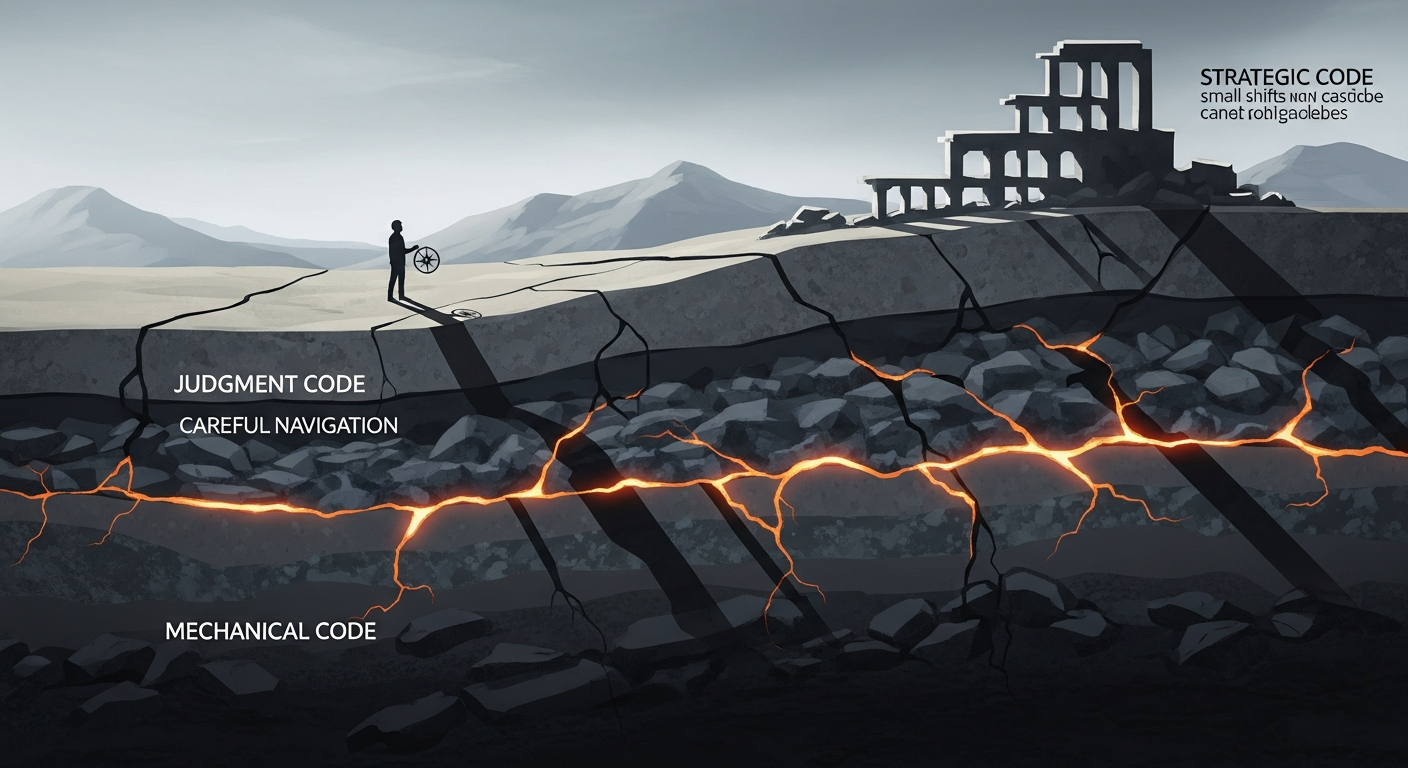
The winning teams use a simple decision tree. They categorize their codebase by how much judgment each category requires. Then they adjust their review process accordingly.
Category 1: Mechanical Code (Auto-Accept Tier)
Test fixtures. Boilerplate. String parsing. Database migrations. Configuration scaffolding. The glue code that connects real logic.
One backend team assigned every test-writing task to Copilot-assisted engineers for a sprint. Test coverage didn't drop. Time spent on test writing fell 41%. This is a pure win. The cognitive load is entirely mechanical. The risk of a Copilot error that slips through is low because a test either passes or fails—there's no hidden edge case.
Action: Create an explicit auto-approval list in your code review process. If code touches test, migration, or config files and passes linting, it gets approved without the "Would you have written this?" friction. Let the tool run wild here. The risk is minimal. The velocity is real.
Category 2: Judgment Code (Friction Tier)
Business logic. Anything security-adjacent. Database queries. Authentication, authorization, or state management. Code where confidence and correctness diverge most often.
A payments engineer watched Copilot suggest idiomatic error handling that was completely reasonable until the error was a race condition in a concurrent context. The code was fine in the happy path. The code broke under load. The training data didn't include that specific edge case. Standard code review caught it only because the reviewer was skeptical of the suggestion itself—not just checking syntax, but challenging the underlying assumption.
Action: For this tier, add a friction point to code review. The reviewer asks: "Why did you accept this suggestion?" Not for compliance. For cognition. The act of explaining it forces reconsideration. If the answer is "It looked right" or "I wasn't sure but it seemed fine," the suggestion needs deeper scrutiny. This step adds 30-60 seconds per review. It catches the costly mistakes.
Category 3: Strategic Drift (Quarterly Audit Tier)
Over months, small suggestions accumulate into architectural momentum. One frontend team watched their state management drift away from their team's established patterns because Copilot kept suggesting Redux. Nothing was functionally wrong. Everything was subtly misaligned. Six months later, onboarding new engineers took longer, and patterns no longer matched the team's mental model.
Action: Quarterly, sample 20-30 Copilot-written functions across your codebase. Ask a simple question: "Is this stylistically consistent with our other code?" Not functionally. Stylistically. The point isn't perfection. It's catching drift before it becomes architectural debt. One team built a style linter that flagged functions diverging from their patterns by a threshold. Most matches were false positives. The ones that mattered surfaced early and got refactored.
The Operator Playbook: Monday Morning Actions
- Audit your current metrics. Stop measuring velocity. Start measuring defect escape rate to production, security findings post-audit, and code review time per judgment tier. Copilot is a tool. The metric should be whether it's making your codebase safer, not faster.
- Categorize your codebase this week. Split your repositories or files by judgment requirement (mechanical, judgment, strategic). For mechanical code, create auto-approval rules in GitHub. For judgment code, add the "Why did you accept this?" step to your PR template.
- Train reviewers on the shift. This is not about Copilot literacy. It's about review literacy under the new regime. A 15-minute discussion: When Copilot suggests something, we're not checking if it's syntactically correct. We're checking if it's correct for our context. That's the only job review has now.
- Create a quarterly audit calendar event. Set a recurring 90-minute block. Assign one engineer to pull a random sample of Copilot-assisted PRs from the last quarter and flag stylistic drift. Report findings to your engineering lead. Keep a running list of architectural patterns Copilot gets wrong for your codebase and feed those back into linting rules.
- Measure the cost of authority bias. Pick one category of production incident. For each incident in the past six months, ask: "Did a Copilot suggestion contribute to this?" Not blame. Context. You'll find patterns. Use them to refine your judgment tier.
The Strategic Distinction

The fintech team that started this story is now nine months into their Copilot deployment. They rebuilt their review process. They categorized their codebase. They stopped measuring velocity and started measuring defect escape rate.
Velocity is up 28% from their baseline. Security incidents related to AI-assisted code? Zero.
The difference between a productivity hack and a sustainable advantage is this: the hack optimizes for output. The advantage optimizes for judgment. One team accepts suggestions. The other team accepts suggestions *carefully*. That distinction is the difference between tools that look good for six months and tools that compound value for years.
The automation layer a founder can see
Branching scenarios. You still own the graph.
We may earn a commission · editorial verdicts remain independent
Weekly Newsletter
AI Adoption Weekly
New research, field guides, training studies, and tool decisions for operators.
No spam. Unsubscribe anytime.
Related Comparisons
Calculator
AI seat cost calculator
List price × headcount. You enter the hours and the operating assumptions.